-
Open the slide where you want to start recording from.
-
Near the upper-right corner of the window, select Record.
-
At the bottom right, select Views, then select which layout you want.
-
At the top, select the red circle to begin recording your narration.
For more details, see Record a slide show with narration and slide timings.
Recording a presentation isn't currently possible in PowerPoint for the web. You can, however, record a presentation in the PowerPoint desktop app.
-
To open the desktop app, at the top of the ribbon, select

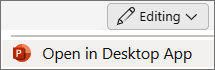
Don't have the PowerPoint desktop app? Try or buy Microsoft 365.
Go to Slide Show > Record Slide Show.
For more info, see Record a slide show with narration and slide timings.