

Once you've started a plan, you can add tasks to the list of what needs to get done.
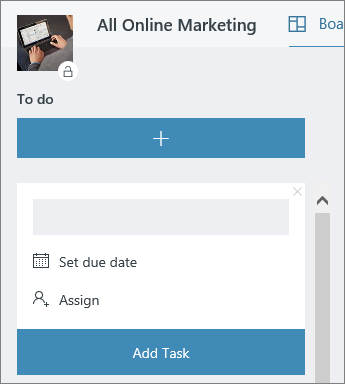
Select + Add task under To do, then enter a task name in the box. Select Add task.
Tip
To list several tasks quickly, type a task name in the box under To do, press Enter, and then keep typing to add the next task.
Don't see a box? Select the plus sign + Add task to show the box and add a task.
Add details to a task
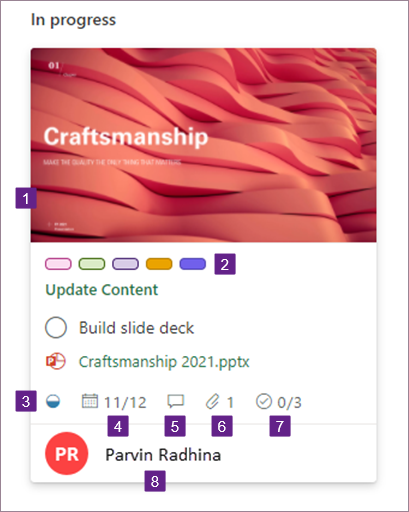
Tasks can have a lot of different details in Planner. You can decide what you want to include or leave out, and how you want your tasks to appear on the Board.
To open the task details window, select the task card.
What should I do next?
What you do next really depends on what you know about your work, and how you want to stay on top of things. Consider organizing your tasks into buckets and adding the people you'll be working with.