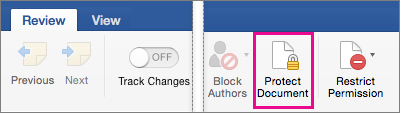
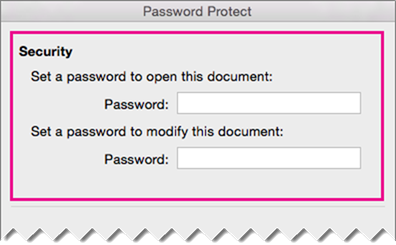
You can control access to a document by setting a password for it. Passwords are case-sensitive and can be up to 15 characters long. Create a strong password, ideally one that you can easily remember. If you're concerned about forgetting it, keep a copy in a safe place.
Protect a Word document with a password
Applies To
Word for Microsoft 365 Word for Microsoft 365 for Mac Word for the web Word 2024 Word 2024 for Mac Word 2021 Word 2021 for Mac Word 2019 Word 2016 Microsoft365.com Microsoft Office My Office for iPhone