
Nota
Fecha de publicación original: 14 de julio de 2026
Id. de KB: 5106257
Introducción
Después de instalar una actualización de Seguridad de Windows publicada el 14 de julio de 2026 o después, los sockets que usan un transporte TDI de terceros podrían dejar de funcionar.
Nota
Un socket es el punto de conexión que usa una aplicación para comunicarse a través de la red, mientras que un transporte TDI es el controlador subyacente que controla esa comunicación.
Contexto de comportamiento
Dado que un transporte TDI que no es de confianza es una fuente constante de vulnerabilidad de seguridad, hemos introducido un cambio de protección de seguridad intencionado que requiere que cada transporte TDI que se utilice como transporte de socket debe registrarse con la interfaz TDI.
Esto significa que cualquier transporte TDI que no se registre con TDI será inutilizable como transporte de enchufe.
Qué no se ve afectado
La documentación de TDI establece que cada transporte TDI debe estar registrado. El transporte que esté registrado no se verá afectado. Antes de este cambio de protección, Windows no aplicaba el requisito de registro de TDI.
Determine si su transporte TDI se ve afectado
Para determinar si tiene un transporte TDI que se ve afectado por este cambio, compruebe los registros de eventos de Windows System en el Visor de eventos de>Windows>System. Si encuentra un identificador de evento AFD: 16003 "Se detectó un proveedor TDI no registrado (\Driver<Name>)", su transporte TDI se ve afectado por este cambio.
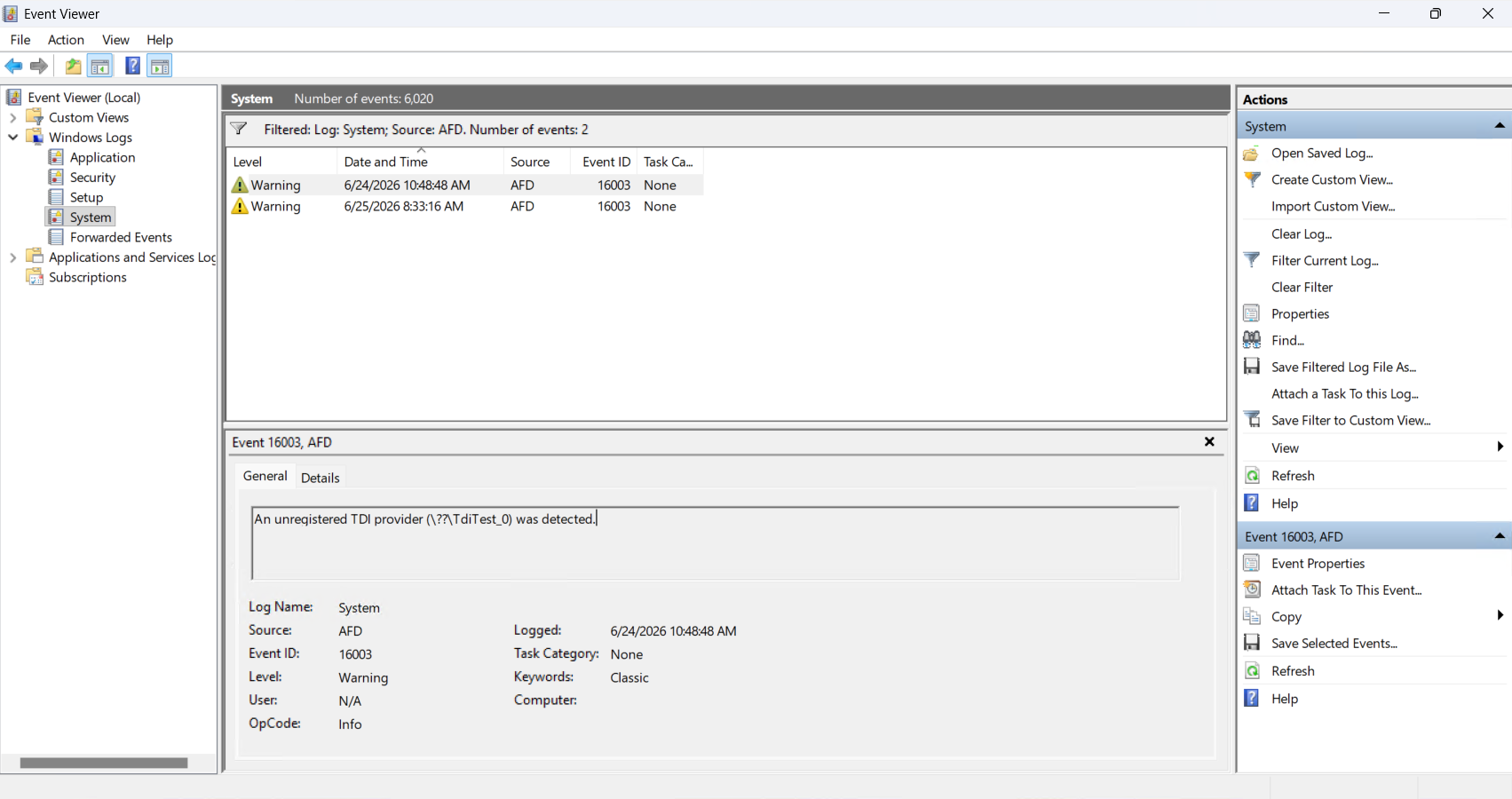
Nota
Solo se registra un evento por ciclo de reinicio.
Controlar el comportamiento
Entendemos que este cambio puede afectar a determinadas aplicaciones heredadas y soluciones que aún dependen de TDI. Como mitigación, los administradores tienen la opción de configurar dispositivos para deshabilitar la mitigación mientras cumplen con las dependencias de TDI lo antes posible.
Para administrar el nivel de validación de transportes de terceros, configure el valor AfdTdiUnknownProviderValidationLevel según corresponda.
Importante
Esta sección, método o tarea contiene pasos que le indican cómo modificar el registro. Sin embargo, pueden darse problemas graves si modifica el Registro de manera incorrecta. Por tanto, asegúrese de que sigue estos pasos cuidadosamente. Para una mayor protección, haga una copia de seguridad del Registro antes de modificarlo. Después, podrá restaurar el Registro si se produce un problema. Para obtener más información sobre cómo hacer una copia de seguridad del Registro y cómo restaurarlo, consulte Cómo realizar una copia de seguridad del Registro y restaurarlo en Windows.
| Información | Detalles |
|---|---|
| Ubicación del registro | HKEY_LOCAL_MACHINE\SYSTEM\CurrentControlSet\Services\AFD\Parameters |
| Nombre del valor | AfdTdiUnknownProviderValidationLevel |
| Tipo de valor | REG_DWORD |
| Datos del valor |
|
IMPORTANTE Reducir la validación a 0 (ignorar) o 1 (LogUnregistered) proporciona una protección de mejor esfuerzo, pero aún deja al sistema vulnerable. Recomendamos mantener el nivel de validación en o por encima de 2 (Bloque no registrado) y actualizar o reemplazar los transportes TDI de terceros afectados por versiones que se registren correctamente con la interfaz TDI.