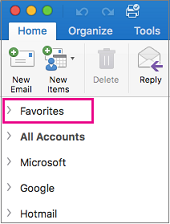
- Seleziona la cartella che vuoi aggiungere ai Preferiti.
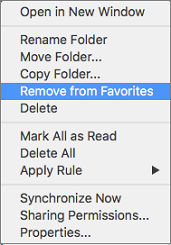
- Premere CTRL+ + clic.
- Seleziona Aggiungi a Preferiti.

La cartella Preferiti ora viene visualizzata nella parte superiore dell'elenco delle cartelle nella barra laterale.