
Visio for the web is a browser-based way to view, edit, and share Visio diagrams. Start with a basic diagram to express common ideas, such as depicting a plan, making a proposal, or describing a sequence of steps in a process. It's simple and easy to create first-class diagrams with commonly used diagram types and rich shape sets. To collaborate with team members and stakeholders, you can share the diagram with others.
Note
People who have a Microsoft 365 business subscription can use Visio for the web to create basic diagrams. To create more advanced diagrams, you'll need either a Visio Plan 1 or Visio Plan 2 license, which is purchased separately. For more information, see Frequently asked questions about Visio in Microsoft 365.
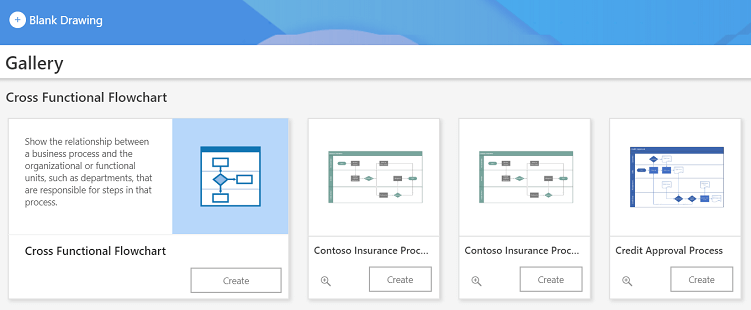 Select a heading below to open it and see links to related instructions.
Get started
View, create, and edit a diagram in Visio for the web
Visio Online: Frequently Asked Questions
Why can't I see the Edit in Browser command in Visio for the web?
Accessibility
Make a Visio diagram in the web accessible
Keyboard shortcuts in Visio for the web
Diagrams
Work together on Visio drawings
Pan and zoom a diagram in Visio for the web
Search for shapes and diagrams in Visio for the web
Why can't I open a diagram for editing in Visio for the web?
Work with diagram pages in Visio for the web
Print a diagram in Visio for the web
Create a cross-functional flowchart in Visio for the web
Create an organization chart in Visio
Shapes and pictures
Add and connect shapes in Visio for the web
Select, copy, and move shapes in Visio for the web
Group and ungroup shapes or pictures in Visio for the web
Change the size, rotation, and order of a shape in Visio for the web
Align and distribute shapes in Visio for the web
Re-Layout a diagram in Visio for the web
Add a picture in Visio for the web
Search for shapes and diagrams in Visio for the web
Formatting
Add and format text in Visio for the web
Add shape formats and themes in Visio for the web
Shape data and connections
Refresh data in Visio for the web
View shape data in Visio for the web