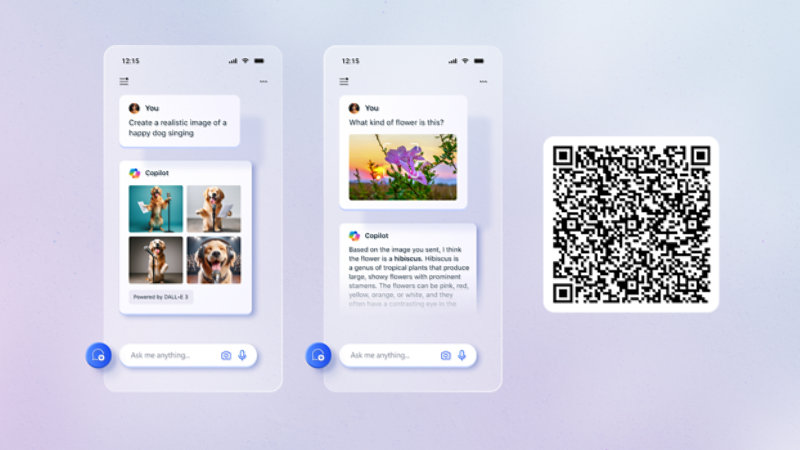
Unlock your potential with Microsoft Copilot
Top Download Center categories
Windows
PC security, optimization, and IT tools.
Office
Viewers, tools, and updates for Office products.
Xbox and games
Updates and developer tools
Developer tools
SDKs, redistributables, tools, and more.
Windows 11 help
Get your support questions answered.
Browsers
Updates and developer tools.
Hardware drivers
For printers, cameras, network cards, and more.
Frequently Asked Questions
-
Microsoft is committed to providing its customers with software that has been tested for safety and security. Although no system is completely secure, we use processes, technology, and several specially focused teams to investigate, fix, and learn from security issues to help us meet this goal and to provide guidance to customers on how to help protect their PCs.
As part of the Microsoft software release process, all software released to the Download Center is scanned for malware before it is made available for public download. Additionally, after release, the software available from the Download Center is routinely scanned for malware. Microsoft recognizes that the threat environment is constantly changing and will continue to evolve over time, and we are committed to process improvements that will help protect our customers from malware threats
-
Microsoft offers a range of online services to help you keep your computer up to date. Windows Update finds updates that you might not even be aware of and provides you with the simplest way to install updates that help prevent or fix problems, improve how your computer works, or enhance your computing experience. Visit Windows Update to learn more.
-
The Microsoft Download Center has recently been revised to better serve you as a one-stop shop for products available for purchase, in addition to products and downloads available for free. For your convenience, items available for purchase are linked directly to Microsoft Store. Items available as free downloads are linked to details pages, where you can learn more about them and initiate downloads.
If you would like Microsoft to scan your computer and recommend updates, please see the preceding question. If you would like to search for specific downloads, start by using one of these methods.
- To find products and downloads, in the navigation bar that appears across the center of the Download Center home page, click an icon.
- To search more specifically for a product or download, on the menu bar displayed near the top of the page, click a menu name and then click a product or download.
- To search by keyword, at the top of the page, in the Search Download Center search box, type the word or words you wish to search for.
On the Search results page, you may see the following:- An Editor's choice listing of products and downloads, which are recommendations based on the search term.
- A Sort by box on the right side of the page. Click the down arrow, and select a display order for the search results.
- A list of Filter options on the left side of the page. Click a Filter option to narrow the list of items displayed in the search results. The Filter option operates together with the original search term to narrow the scope of search results.
When you see the item you’re interested in, click the item link to find out more about downloading or purchasing it. -
Microsoft delivers downloads in more than 118 languages worldwide. The Download Center now combines all English downloads into a single English Download Center. We no longer offer separate downloads for U.S. English, U.K. English, Australian English, or Canadian English.
Select a Worldwide download from the English-language site
- On the download details page for a particular item, under Quick details, you will see a Change language box. Select the desired language from the drop-down list
Note: The Change Language box appears only when a worldwide version of the download is available. If the box does not appear, the download has not yet been made available in languages other than English. If you see the box, but a specific language is not listed, the download is not yet available in that language.
-
In this section, you will find links to other Microsoft websites that offer downloads. Note that almost all of the downloads available from these websites can also be found in the Microsoft Download Center; however, the other Microsoft sites may offer services and information that you may not find in the Download Center.
If you are looking for downloads for the Windows operating system or for Microsoft Office, try using Windows Update, which helps you keep your computer up to date without requiring you to visit the Download Center.
- DirectX downloads
Get the latest version of Microsoft DirectX, and find other important DirectX updates for your version of Windows.
- Service Packs for Microsoft Products
Download service packs containing updates for system reliability, program compatibility, and security. See which service packs are currently available from Microsoft Help and Support.
- Windows Media Download Center
Amplify your play with Microsoft Windows Media Player, encoders, codecs, and other related downloads.
- Azure downloads
Get SDKs and tools for managing and interacting with Azure services
- Windows developer resources
Get downloads and tools for Windows development
- Code samples
Get started with Microsoft developer tools and technologies. Explore our samples and discover the things you can build.
- DirectX downloads
-
If you cannot find a specific download, it may be available from a company other than Microsoft. Popular examples include Adobe Reader, Macromedia Shockwave and Flash players, and Java software. For current links to these downloads on their respective websites, use Bing to search the web for the download you are looking for.
-
When you click a download item in the Download Center, you will be directed to the download details page for that download. Most of these pages follow a standard format and include most of the sections described here.
- Quick details
The Quick details section contains helpful summary information, including the name and size of the download file and its date of publication.
- Change language
In some cases, you'll see a Change language box, from which you can select a language other than English. Note that some downloads are not available in all languages. In addition, not all non-English downloads are accompanied by localized details pages. As a result, you may find English descriptions and instructions on pages for non-English downloads.
- Download button or link
For each file listed, you will see a Download button or link in the Quick details section. Click this button or link to begin the download.
- Overview
The Overview section includes a brief explanation of the issues addressed by the download and the benefits it provides.
- System requirements
Always check the System requirements section to make sure your computer is compatible with and has the space required to install and run the download. This section may also list required or recommended application software.
- Instructions
Review the Instructions section before clicking the Download button, so you are prepared for any steps you may need to follow.
- What others are downloading
This lists other items downloaded by people who also downloaded the current item. Information about these related downloads can be very helpful.
- Additional information
This provides further information that is either directly related to the current download or is meant to help keep your system running securely, such as security update information.
- Related resources
These links take you to how-to information, newsgroups, special offers, and other resources pertinent to the download you have selected.
- Quick details
-
If you cannot complete a download, you may need to clear the cache in your browser. Here are Instructions for how to clear the cache in Microsoft Edge.
-
Before you can use any software that you download, you must install it. For example, if you download a security update but do not install it, the update will not provide any protection for your computer. Follow these steps to save and install a download:
- On the download details page, click the Download button.
- A dialogue box will open. Click the Save button.
- You will be prompted to select a location for the download on your computer. Select an appropriate location, and click the Save button.
- When the file has finished downloading, you will see a second dialog box. If you want to install the file immediately, click the Open button. This launches an installation wizard.
- If you do not want to immediately install the file, click the Close button. When you are ready to install the file, double-click the file to launch the installation wizard.
Note: When you save a download file, make sure to save it to a location that you will remember when you are ready to install the download. We suggest creating a special folder on your desktop to which you always save downloads. Follow these steps to create such a downloads folder:
- Right-click an unused area of your desktop.
- Point to New, and then click Folder.
- Give the folder a name, such as My Downloads.
Maximize the everyday with Microsoft 365