
How do I export my GroupMe data?
Gælder for
You can export your GroupMe data from your profile dashboard.
Important
You can only export your GroupMe account-related data by using GroupMe on the Web. If you use GroupMe with a Microsoft account, you can manage Microsoft data on the privacy dashboard.
Sign in to GroupMe on the Web.
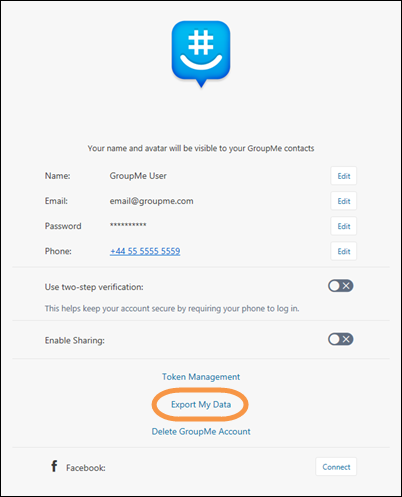
Click your avatar (profile picture).
Select Export my data.
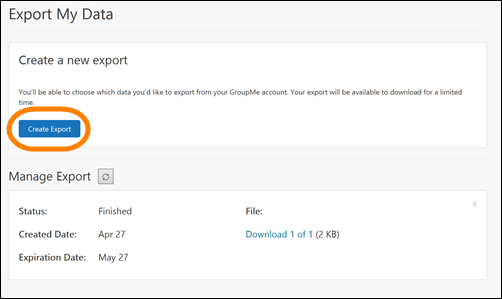
You can create a new export or download a previous export.
Note
You can only have one active export at a time. If prompted, click Yes to replace the previous export.
After clicking Create export, select which data sets you want to export. Select Next.
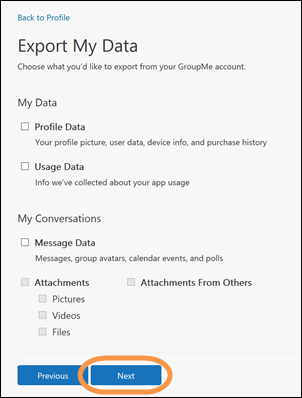
Select the conversations and direct messages you want to export, then select Export.

You will receive a message that your export is being generated. Click Back to return to the Export My Data screen. When your export is finished, it will appear in the Manage Export Area.
Click Download to download your exported data file.
Note
Your exported GroupMe account data will include JSON files, which you will need an external viewer to read.