
Note
Original publish date: July 14, 2026
KB ID: 5106257
Introduction
After installing a Windows Security Update released on or after July 14, 2026, sockets using a third-party TDI transport might stop working.
Note
A socket is the connection endpoint an app uses to communicate over the network, while a TDI transport is the underlying driver that handles that communication.
Behavior context
Because an untrusted TDI transport is a constant source of security vulnerability, we have introduced an intentional security hardening change that necessitates that every TDI transport that is used as a socket transport must register with the TDI interface.
This means that any TDI transport that does not register with TDI will become unusable as a socket transport.
What is not affected
The TDI documentation states that every TDI transport must be registered. The transport which is registered will not be affected. Before this hardening change, the TDI registration requirement was not enforced by Windows.
Determine if your TDI transport is affected
To determine if you have a TDI transport that is affected by this change, check the Windows System event logs in Event Viewer > Windows > System. If you find an AFD Event ID: 16003 "An unregistered TDI provider (\Driver<Name>) was detected", then your TDI transport is affected by this change.
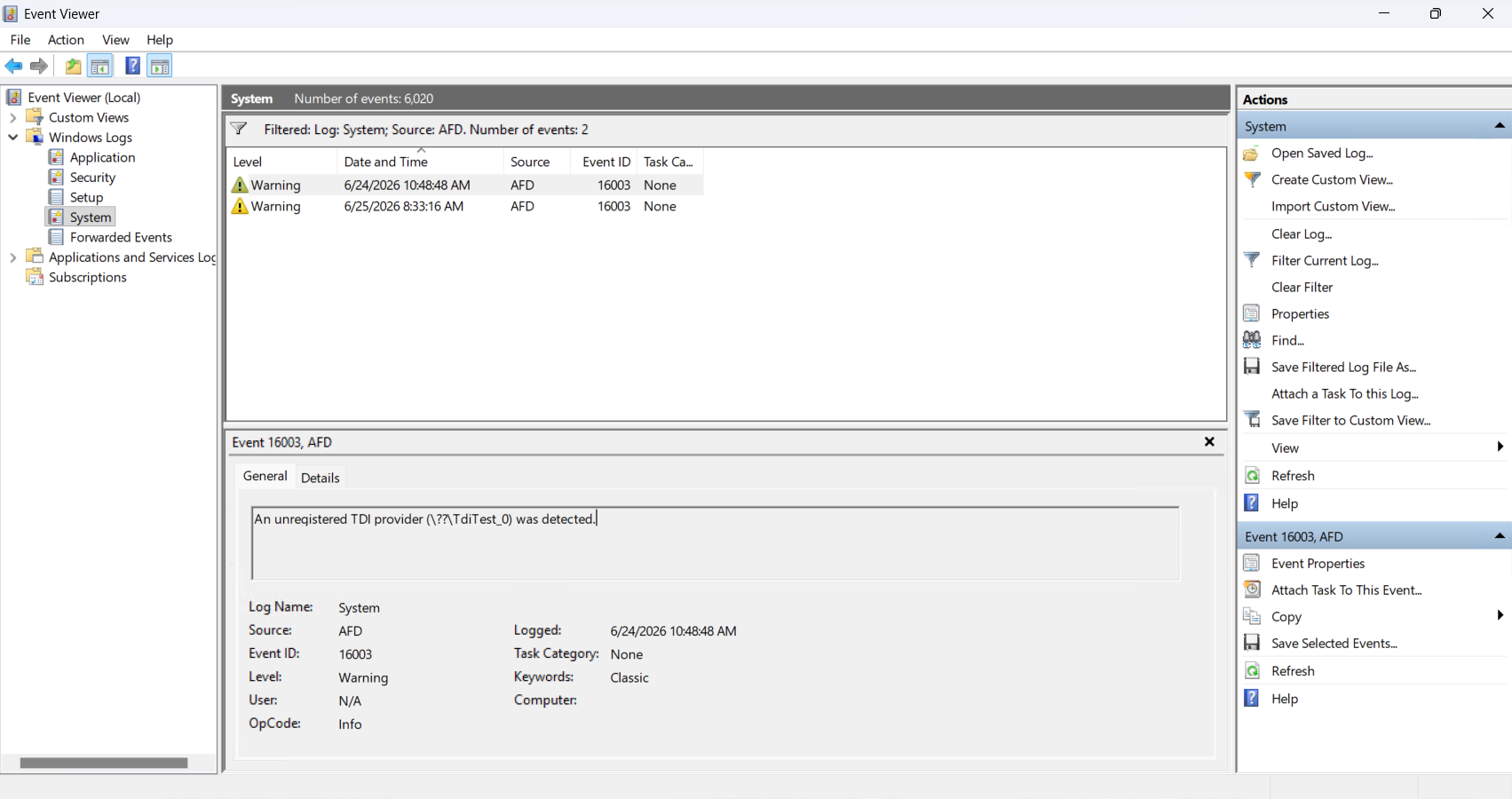
Note
Only one event is logged per restart cycle.
Managing the behavior
We understand that this change may impact certain legacy applications and solutions that still rely on TDI. As a mitigation, administrators have the option to configure devices to disable the mitigation while they bring the TDI dependencies under compliance as soon as possible.
To manage the validation level for third-party transports, configure the AfdTdiUnknownProviderValidationLevel value as appropriate.
Important
This section, method, or task contains information about how to change the registry. However, serious problems might occur if you change the registry incorrectly. Therefore, make sure that you follow these steps carefully. For added protection, back up the registry before you change it. Then, you can restore the registry if a problem occurs. For more information about how to back up and restore the registry, see How to back up and restore the registry in Windows.
| Information | Details |
|---|---|
| Registry location | HKEY_LOCAL_MACHINE\SYSTEM\CurrentControlSet\Services\AFD\Parameters |
| Value name | AfdTdiUnknownProviderValidationLevel |
| Value type | REG_DWORD |
| Value data |
|
IMPORTANT Lowering the validation to either 0 (ignore) or 1 (LogUnregistered) provides best-effort protection but still leaves your system vulnerable. We recommend keeping the validation level at or above 2 (BlockUnregistered) and updating or replacing any affected third-party TDI transports with versions that properly register with the TDI interface.