When you share your document with others and give them permission to edit, everyone's changes are made in the same document.
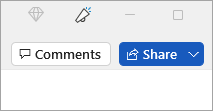
In the top right corner, above the ribbon, select Share.
Note
Save your document in OneDrive, if it's not already there.
Enter names or email addresses of the people you want to share with and adjust permission their permissions.
Add a message (optional) and select Send.
The people you're sharing with will get mail from you, with a link to your document.
In the top right corner, above the ribbon, select Share.
Note
Save your document in OneDrive, if it's not already there.
Enter names or email addresses of the people you want to share with and adjust permission their permissions.
Add a message (optional) and select Send.
The people you're sharing with will get mail from you, with a link to your document.
In the upper corner, select Share.
If your document isn’t already saved to OneDrive, follow the prompt to upload it.
Enter the names or email addresses of the people you want to share with.
Choose the appropriate sharing permission.
Add a message (optional), and then select Send.
