
Ako je čavrljanje omogućeno u timu predmeta, možete ga upotrijebiti za privatno postavljanje pitanja svom predavaču. Odaberite ikonu Čavrljanje da biste otvorili novo čavrljanje i upišite svoje pitanje.
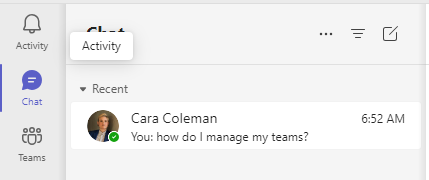 Ako ne možete otvoriti novo čavrljanje, vaša škola nije omogućila tu značajku. Umjesto toga upotrijebite @mention ime svojeg predavača na kanalu da biste postavili pitanje. I ostali studenti iz tima predmeta moći će vidjeti vaše pitanje.