
Dragon Copilot dictation formatting
Dictation formatting lets you control how your spoken words are formatted when you dictate text in Dragon Copilot. These settings determine how items like dates, times, numbers, measurements, lists, and abbreviations appear in your dictated text, helping ensure your documentation matches your personal and organizational preferences.
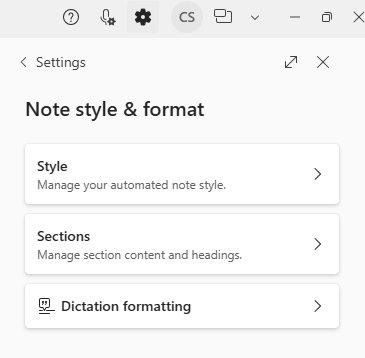
You can review and adjust dictation formatting settings at any time from Settings > Note style & format. Changes take effect immediately and apply to future dictation, allowing you to maintain consistent, predictable formatting across your documentation.
What you can customize
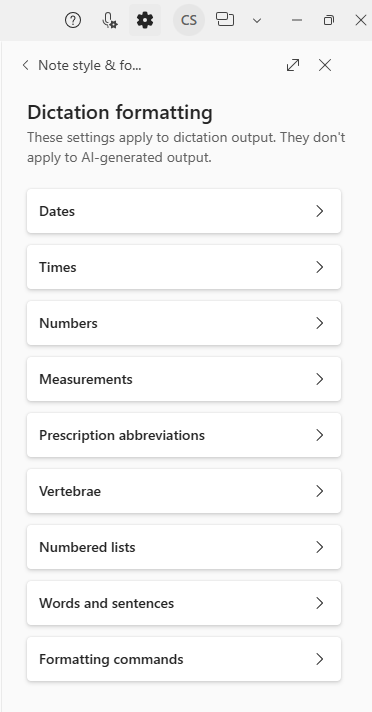
With dictation formatting, you can configure how Dragon Copilot handles common dictation elements, including:
- Dates and times
- Numbers and measurements
- Prescription abbreviations
- Lists and numbering styles
- Words, sentences, and numeral formats, such as Arabic or Roman numerals
- Spoken formatting commands
These preferences help ensure that dictated text appears the way you expect, without requiring manual cleanup after dictation.
Note
Dictation formatting affects how dictated text is formatted. It doesn't control the structure or style of AI‑generated notes or documents. Manage those settings separately through note styles and document options.