
Summary of core capabilities and known issues
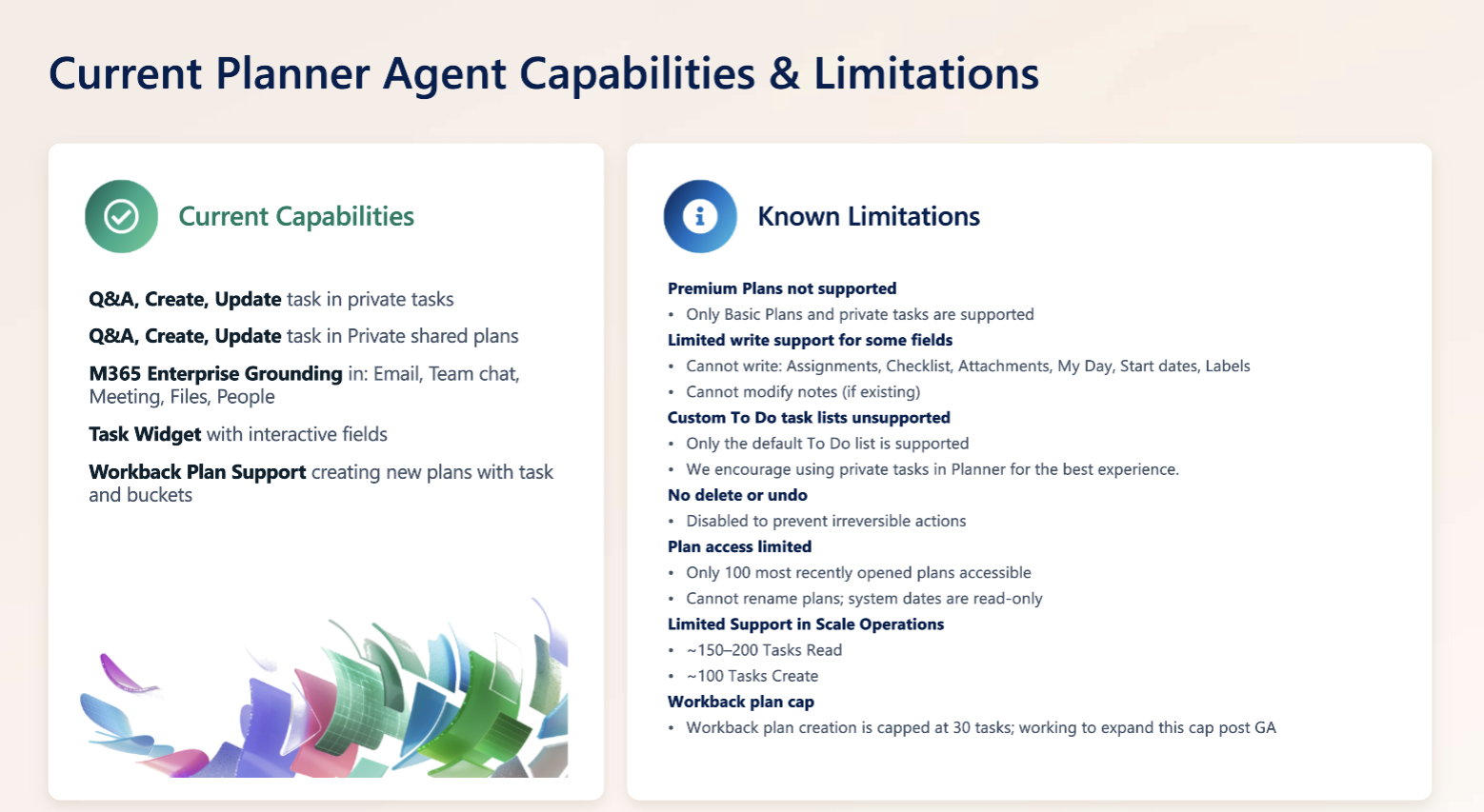
Disclaimer: The capabilities and limitations described below reflect the current state of Planner Agent and are subject to change as the product evolves. Features, functionality, availability, and supported scenarios may be updated, expanded, or modified over time. For the most up-to-date information, please refer to the Microsoft 365 Roadmap and the Planner Blog, where new features, enhancements, and announcements are published regularly.
What plans does Planner Agent support?
Planner Agent currently supports:
Private tasks
Personal Basic Plans
Your recently opened Meeting Plans
Your recently opened Shared Basic Plans
Premium plans aren't currently supported.
Can Planner Agent create and update tasks?
Yes. Planner Agent can create and update tasks using natural language and interactive task cards.
Supported task fields include:
Task name
Progress
Start date
Due date
Priority
Plan name
New task notes
Buckets
Goals
Some task properties can't currently be edited through Planner Agent, including:
Assignments
Checklists
Attachments
Labels
My Day
Existing task notes
Can Planner Agent create and update plans?
Yes. Planner Agent can create plans and help manage work within supported plans.
Depending on the scenario, some plan-level settings and system-managed properties may not be editable through Planner Agent.
Can I review AI-generated changes before they're applied?
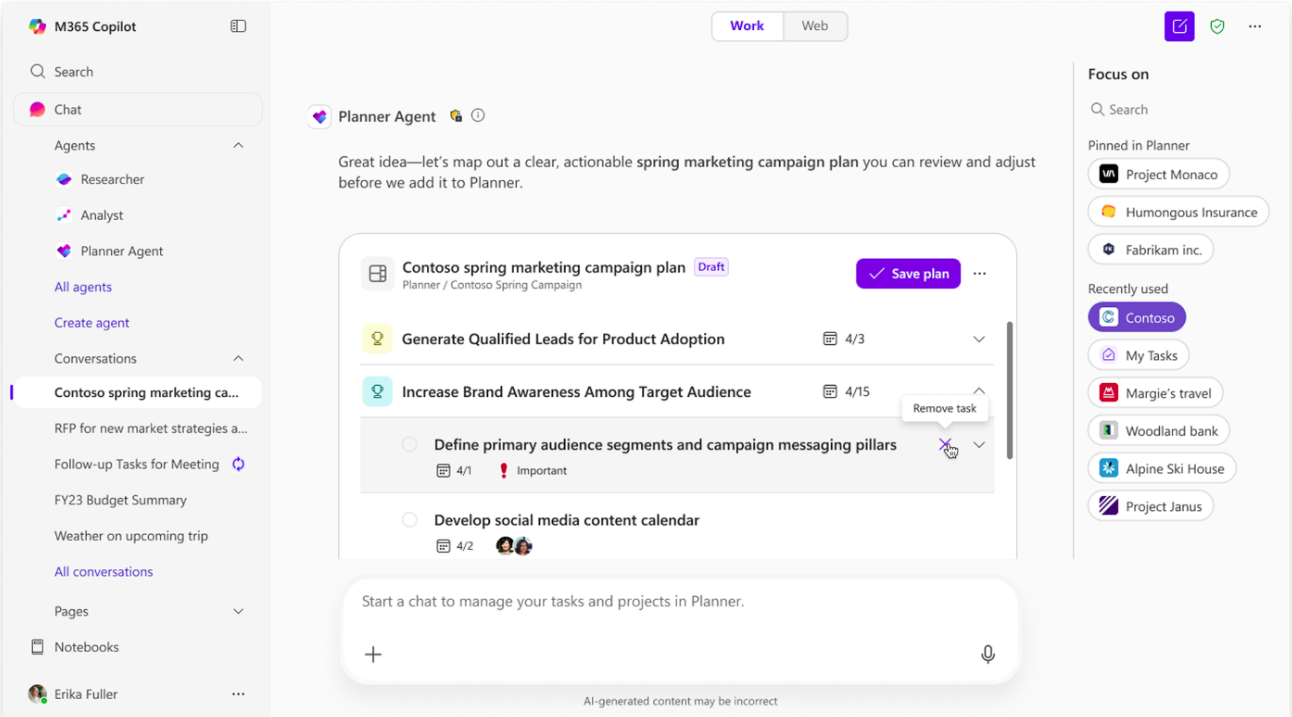
Yes. AI-generated tasks, plans, and updates are presented in draft mode using interactive task cards.
Before changes are applied, you can:
Review proposed changes
Make edits
Approve updates
Reject updates
Can I delete tasks or undo changes with Planner Agent?
No. Delete and undo actions aren't currently supported through Planner Agent.
To remove tasks or make other advanced changes, open Planner directly.
Can Planner Agent help me organize work around goals?
Yes. Planner Agent can help organize work around goals and display goal-related information through interactive task cards.
Some advanced goal-management capabilities available in Planner may not be available through Planner Agent.
How does plan selection work?
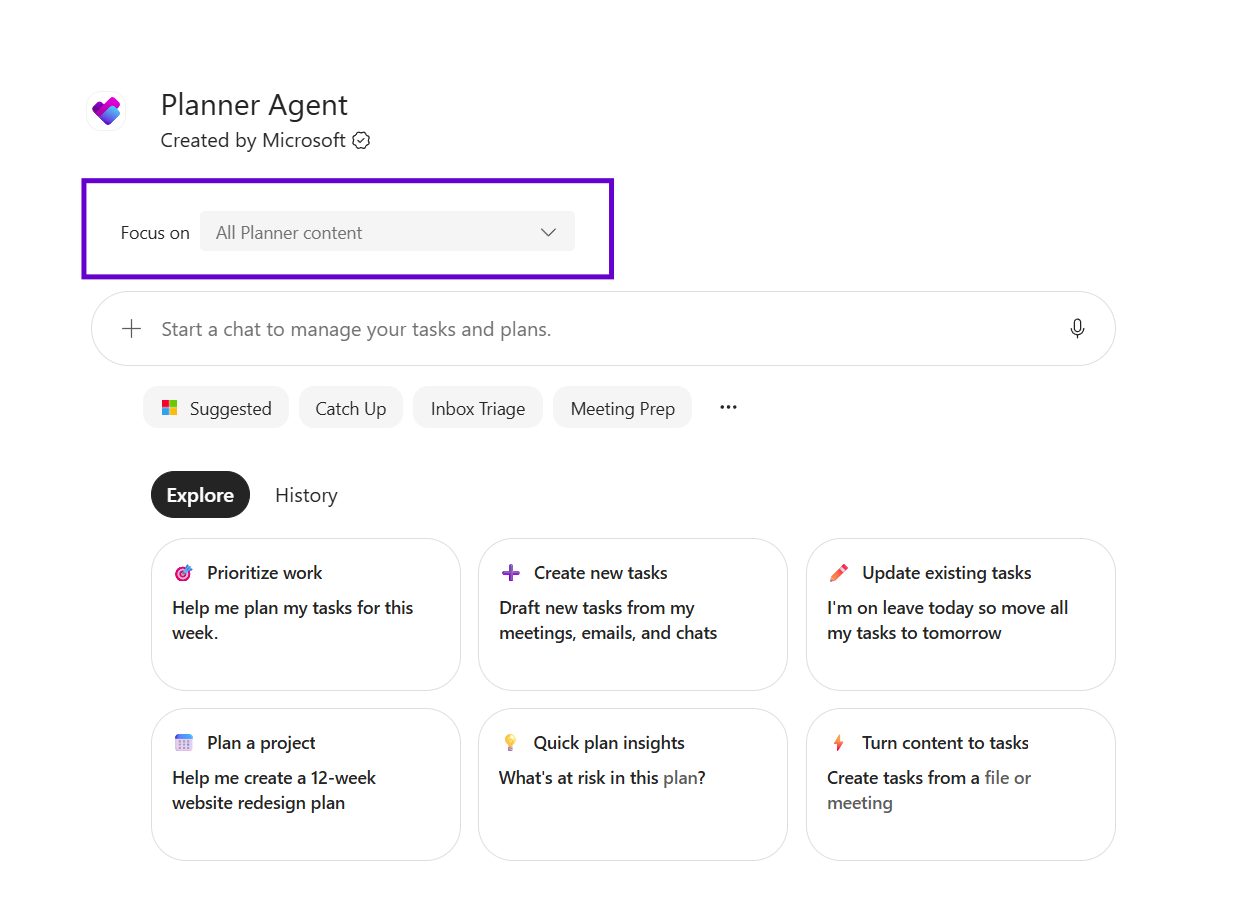
Planner Agent includes a plan picker experience that helps you find and select the plan you want to work with.
Plan picker is limited to your recently opened plans in Microsoft Planner.
Does Planner Agent support large-scale planning operations?
Planner Agent is optimized for interactive planning experiences. For best results:
Work with a specific plan when possible
Use focused prompts
Break very large planning activities into smaller requests
Why do I see interactive task cards?
Planner Agent uses interactive task cards throughout the experience to help you:
Ask questions about work
Create tasks and plans
Edit tasks and plans
Review AI-generated content
Track progress and approve updates
Not every Planner field is available directly in an interactive task card, and available actions may vary depending on the card.
What enterprise grounding sources does Planner Agent in Copilot support?
Planner Agent can use information from Microsoft 365 to help answer questions, create tasks and plans, generate summaries, and identify follow-up actions from your work content. Enterprise grounding allows Planner Agent to use the context you already have access to across Microsoft 365.
Supported enterprise grounding sources include:
Emails – identify action items, commitments, and follow-up work from email conversations.
Files – analyze content from Word, Excel, PowerPoint, PDF, and other supported files to create tasks, plans, and summaries.
Teams chats and channel messages – extract relevant work items and context from conversations.
Meetings and meeting transcripts – identify discussion outcomes, decisions, and potential action items.
People and organizational information – use organizational context to better understand work relationships and ownership.
SharePoint and OneDrive content – use files and documents stored across Microsoft 365 repositories.
Uploaded files – analyze files shared directly in a Copilot conversation.
Images contained in supported content – use image understanding capabilities when relevant.
Note
Planner Agent only uses content that the signed-in user already has permission to access through Microsoft 365. Supported grounding sources and capabilities may evolve over time. AI-generated tasks, plans, and updates should be reviewed before being approved.