
Your navigation tabs have now moved to the bottom left-hand corner of your screen as you can see in the screenshot. You can also access your settings from the bottom left-hand corner of the screen as well (the gear icon).
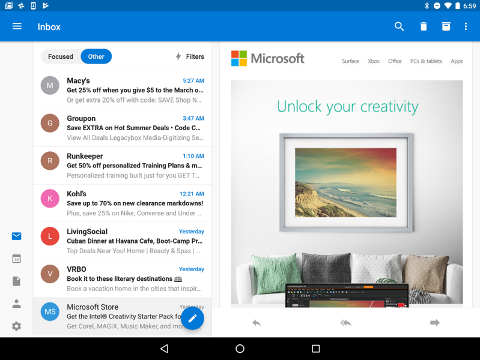
Your navigation tabs have now moved to the bottom left-hand corner of your screen as you can see in the screenshot. You can also access your settings from the bottom left-hand corner of the screen as well (the gear icon).