
Не вдається редагувати спільний Outlook.com у Outlook 2016
Останнє оновлення: 2 травня 2017 р.
Наразі за допомогою Програми Outlook у Windows не можна редагувати календарі, до яких надано спільний доступ для облікового запису Outlook.com, навіть якщо ви повторно підключили обліковий запис Outlook.com до Програми Outlook. Ми працюємо над тим, щоб можна було редагувати спільні календарі в Outlook 2016 для Windows.
Щоб відредагувати спільний календар, перейдіть до власного Outlook.com календаря, відкрийте Calendar для Windows 10 або скористайтеся мобільним пристроєм. Дізнайтеся, як додати обліковий запис Outlook.com до іншої поштової програми.
Під час спроби прийняти спільний календар Outlook.com за допомогою облікового запису Microsoft 365 для бізнесу з'являється повідомлення про помилку в Outlook 2016
Останнє оновлення: 2 травня 2017 р.
ПРОБЛЕМА
Під час спроби прийняти спільний календар Outlook.com за допомогою облікового запису Microsoft 365 для бізнесу в Outlook 2016 може з'явитися повідомлення про помилку "Сталася помилка" або ваш вхід може не вдатися.
СТАН: СПОСІБ ВИРІШЕННЯ
Щоб отримати доступ до календаря, до нього надано спільний доступ з обліковим записом Microsoft 365 для бізнесу, потрібно прийняти запрошення від інтернет-версія Outlook, iOS або Android. Якщо ви вже натиснете кнопку Прийняти в Outlook 2016, ви не зможете повторно прийняти запрошення в іншій програмі Outlook. Користувачу, який надіслав вам запрошення, потрібно буде вилучити дозволи, а потім надіслати нове запрошення.
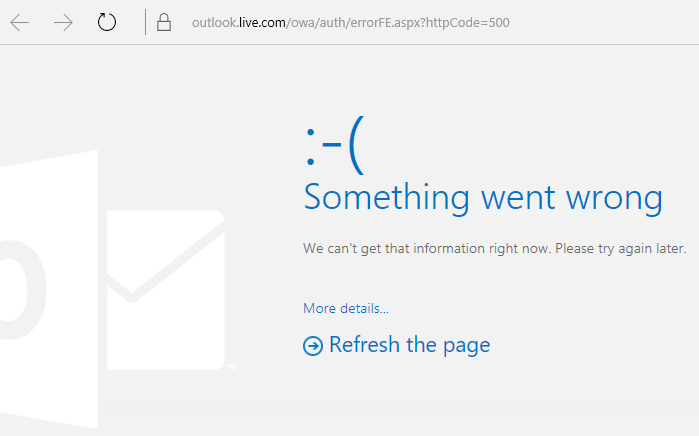
Помилка HTTP 500 під час прийняття спільного календаря
Якщо прийняти спільний календар, може відобразитися помилка HTTP 500. Знову натисніть кнопку Прийняти , і Програма Outlook успішно прийме запрошення. Вас буде переспрямовано до спільного календаря. Команда працює над вирішенням цієї проблеми. Якщо помилка відображається кілька разів, зверніться до служби підтримки.
Не вдається надіслати запрошення до календаря з облікового запису, підключеного до облікового запису Outlook.com
Ваш календар пов’язано з обліковим записом Outlook.com, а не з підключеним обліковим записом. Запрошення календарів надсилаються з облікового запису, пов’язаного з вашим календарем.
Під час спроби надіслати запрошення до спільного доступу до календаря в інтернет-версія Outlook
Можливо, виник конфлікт основної системи безпеки з іншим обліковим записом або дозволами, призначеними в минулому.
Тимчасове вирішення.
- На контролері домену Active Directory відкрийте редагування ADSI.
- Знайдіть користувача, який намагається надати спільний доступ до календаря в інтернет-версія Outlook.
- Клацніть правою кнопкою миші ім'я користувача та виберіть пункт Властивості.
- Виберіть Редактор атрибутів.
- Змініть атрибути "publicDelegates" і "msExchDelegateListLink", щоб видалити ім'я іншого користувача, якому надано спільний доступ до календаря.
Докладні відомості див. в статті Використання редагування ADSI для застосування дозволів.
Потрібна допомога?

|
Щоб отримати підтримку в Outlook.com, натисніть тут або виберіть Довідка в рядку меню та введіть запит. Якщо довідка для самодопомоги не вирішила проблему, прокрутіть униз до напису Усе ще потрібна допомога? та натисніть Так. Якщо наведені вище дії не допомогли або не вдається ввійти, натисніть тут. |
|---|---|

|
Щоб отримати іншу довідку з облікового запису Microsoft і передплат, відвідайте сторінку Довідка з виставлення рахунків & облікового запису. |

|
Щоб отримати довідку та виправити неполадки з іншими продуктами й службами Microsoft, введіть свою проблему тут. |

|
Ставте запитання, стежте за обговореннями та діліться своїми знаннями в спільноті Outlook.com. |