Visio helps you draw diagrams that communicate complex information at a glance.
Visio is available in two forms, depending on which plan you have:
| Description | Available in which plan*? | Get it |
|---|---|---|
| The full-featured Windows-based app | Plan 2 |
See the instructions in Install Visio |
| A simpler, browser-based app you can use on Windows or macOS; no download necessary | Plan 2 Plan 1 Visio in Microsoft 365 |
Go to: visio.cloud.microsoft |
* Not sure which license you have? Follow these instructions for checking your license.
Try out Visio in your browser
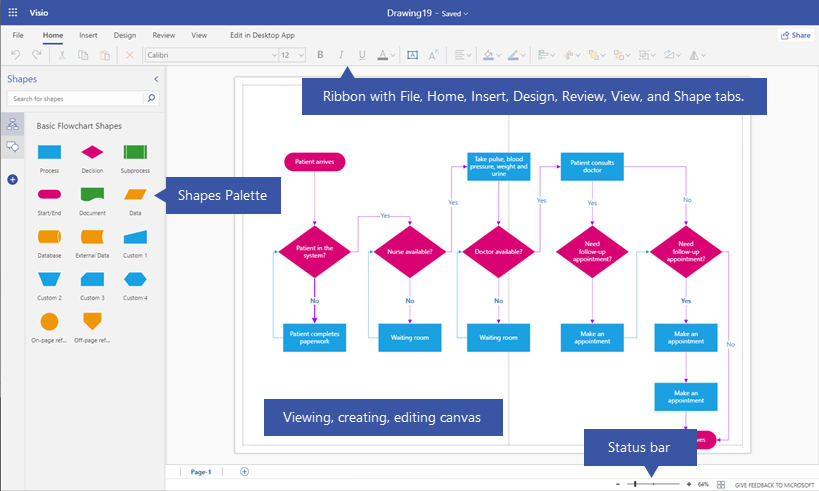
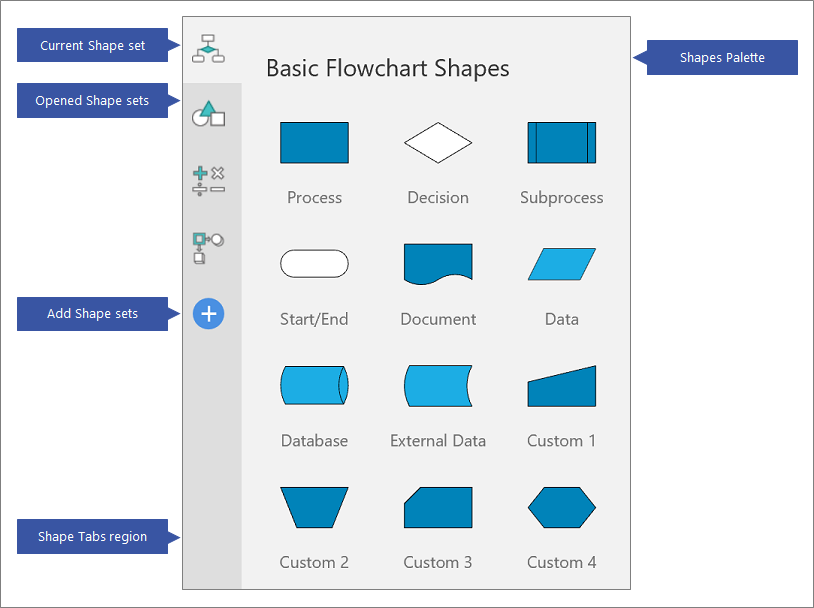
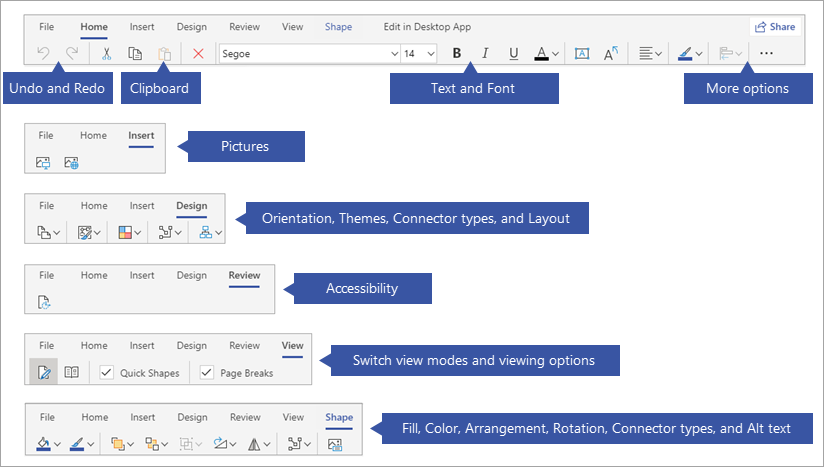
Click each tab below to get a visual overview of creating and editing a diagram in Visio for the web.
To see this home page, sign in at office.com with your work or school account.
More templates
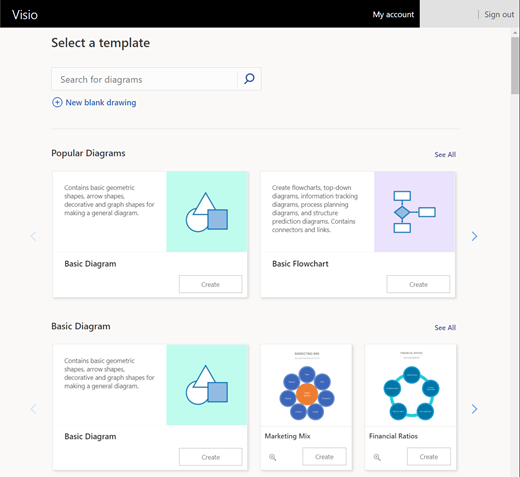
When you select More templates, you are taken to a new page which shows many templates and starter diagrams that you can browse through or search.
(If you have a Government Community Cloud subscription, the Search for diagrams option pictured above near the upper left isn't available. However, you can still browse the page or use your web browser's Search tool to look for a template or sample by name.)