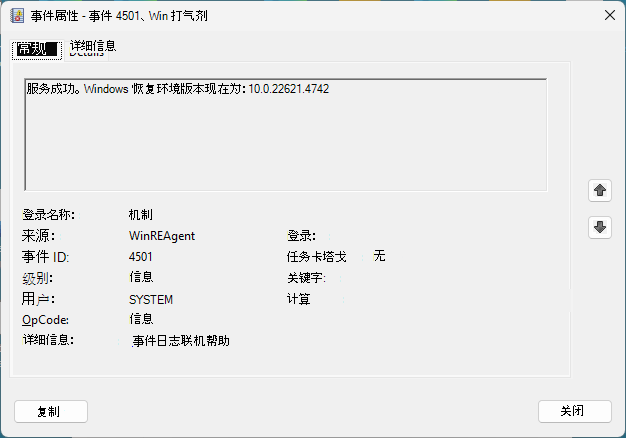
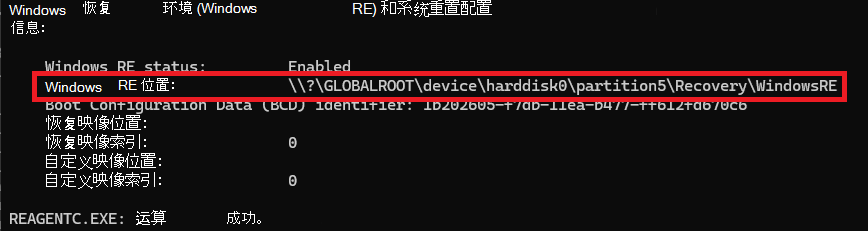
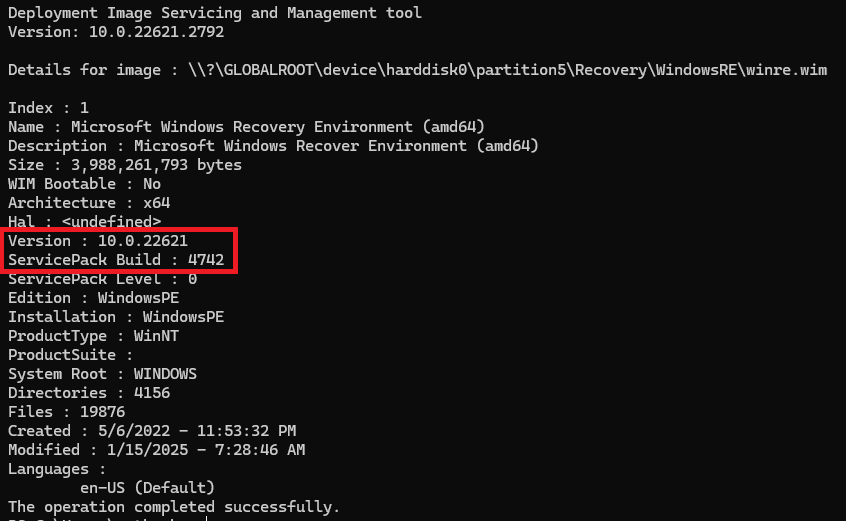
注意
重要 如果 Windows 恢复环境 (WinRE) 满足以下任何条件,则不会提供此更新:
- 如果 WinRE 恢复分区没有足够的可用空间,请参阅“摘要”部分中的 注释 。 该说明提供了有关如何增加 WinRE 恢复分区中的可用空间的说明。
- 如果 WinRE 恢复分区是使用将更新包添加到Windows RE中的过程手动更新的,并且已是最新的。
- 如果 WinRE 映像的版本大于或等于版本 10.0.20348.2201。 若要确定 WinRE 映像的版本,请参阅“验证已安装的 WinRE 版本的方法”部分。
- 如果正在运行的电脑没有 WinRE 恢复分区。 若要验证是否已启用 WinRE,可以在提升的命令提示符下运行以下命令:reagentc /info。 如果已启用 WinRE,则输出中会显示 Windows RE 状态,值为“已启用”。 在此方案中,可能需要此更新。
更改日志
| 更改日期 | 更改说明 |
|---|---|
| 2024 年 8 月 14 日 |
|
| 2024 年 8 月 13 日 |
|
摘要
此更新会自动将安全 OS 动态更新 (KB5034235) 应用到正在运行的电脑上的 Windows 恢复环境 (WinRE) 。 此更新安装对 Windows 恢复功能的改进。
|
注意 此更新需要恢复分区中的 250 MB 可用空间才能成功安装。 若要确保设备已获得此更新,请按照 说明手动调整分区大小 或使用 示例脚本 来增加 WinRE 恢复分区的大小。 分区具有足够的磁盘空间后,单击“启动>设置Windows 更新>>检查更新,以便提供更新,然后安装它。 |
|---|
如何获取此更新
此更新可通过以下发布渠道获得。
| 发布渠道 | 可用 |
|---|---|
| Windows 更新 | 是 |
| Microsoft 更新目录 | 否 |
| Windows Server Update Services (WSUS) 和 Microsoft Endpoint Configuration Manager | 否 |
| 先决条件 | 设备在恢复分区中必须有 250 MB 的可用空间才能提供并应用此更新。 |
|---|---|
| 重启信息 | 应用此更新后,无需重启电脑。 |
| 删除信息 | 应用到 Windows 映像后,无法删除此更新。 |
| 更新替代信息 | 此更新将替换以前发布的更新KB5034439。 |
| 验证此更新的安装 | 安装此更新后,设备上安装的 WinRE 版本应大于或等于版本 10.0.20348.2201。 |
验证已安装的 WinRE 版本的方法
请使用管理员凭据运行以下 PowerShell 脚本“GetWinReVersion.ps1”。 运行该脚本后,应该会收到已安装的 WinRE 版本,如以下示例所示:
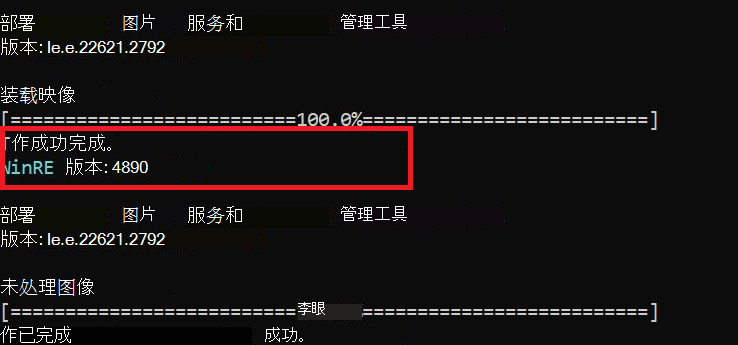
GetWinReVersion.ps1 PowerShell 脚本
################################################################################################

#

# Copyright (c) Microsoft Corporation.

# Licensed under the MIT License.

#

# THE SOFTWARE IS PROVIDED *AS IS*, WITHOUT WARRANTY OF ANY KIND, EXPRESS OR

# IMPLIED, INCLUDING BUT NOT LIMITED TO THE WARRANTIES OF MERCHANTABILITY,

# FITNESS FOR A PARTICULAR PURPOSE AND NONINFRINGEMENT. IN NO EVENT SHALL THE

# AUTHORS OR COPYRIGHT HOLDERS BE LIABLE FOR ANY CLAIM, DAMAGES OR OTHER

# LIABILITY, WHETHER IN AN ACTION OF CONTRACT, TORT OR OTHERWISE, ARISING FROM,

# OUT OF OR IN CONNECTION WITH THE SOFTWARE OR THE USE OR OTHER DEALINGS IN THE

# SOFTWARE.

#

################################################################################################
# Function to get WinRE path

function GetWinREPath {

    $WinRELocation = (reagentc /info | Select-String "Windows RE location")

    if ($WinRELocation) {

        return $WinRELocation.ToString().Split(':')[-1].Trim()

    } else {

        Write-Host "Failed to find WinRE path" -ForegroundColor Red

        exit 1

    }

}


# Creates and needs to be return the mount directory
function GetMountDir {
    # systemdirve\mnt
    $MountDir = "$env:SystemDrive\mnt"
    if (-not (Test-Path $MountDir)) {
        New-Item -ItemType Directory -Path $MountDir -Force | Out-Null
    }
    return $MountDir
}

# Function to get WinRE version
function GetWinREVersion {

    $mountedPath = GetMountDir
    $filePath = "$mountedPath\Windows\System32\winpeshl.exe"

    $WinREVersion = (Get-Item $filePath).VersionInfo.FileVersionRaw.Revision

    return [int]$WinREVersion

}

# Main Execution

$WinREPath = GetWinREPath

# Make dir C:\mnt if not exists

$TempDir = GetMountDir

# Get the read write permission for this directory

if (-not (Test-Path $TempDir)) {

    New-Item -ItemType Directory -Path $TempDir -Force | Out-Null

}

# Mount WinRE image

dism /Mount-Image /ImageFile:"$WinREPath\winre.wim" /Index:1 /MountDir:"$TempDir"

$WinREVersion = GetWinREVersion

Write-Host "WinRE Version: $WinREVersion" -ForegroundColor Cyan

dism /Unmount-Image /MountDir:"$TempDir" /Discard

Remove-Item -Path $TempDir -Force -Recurse