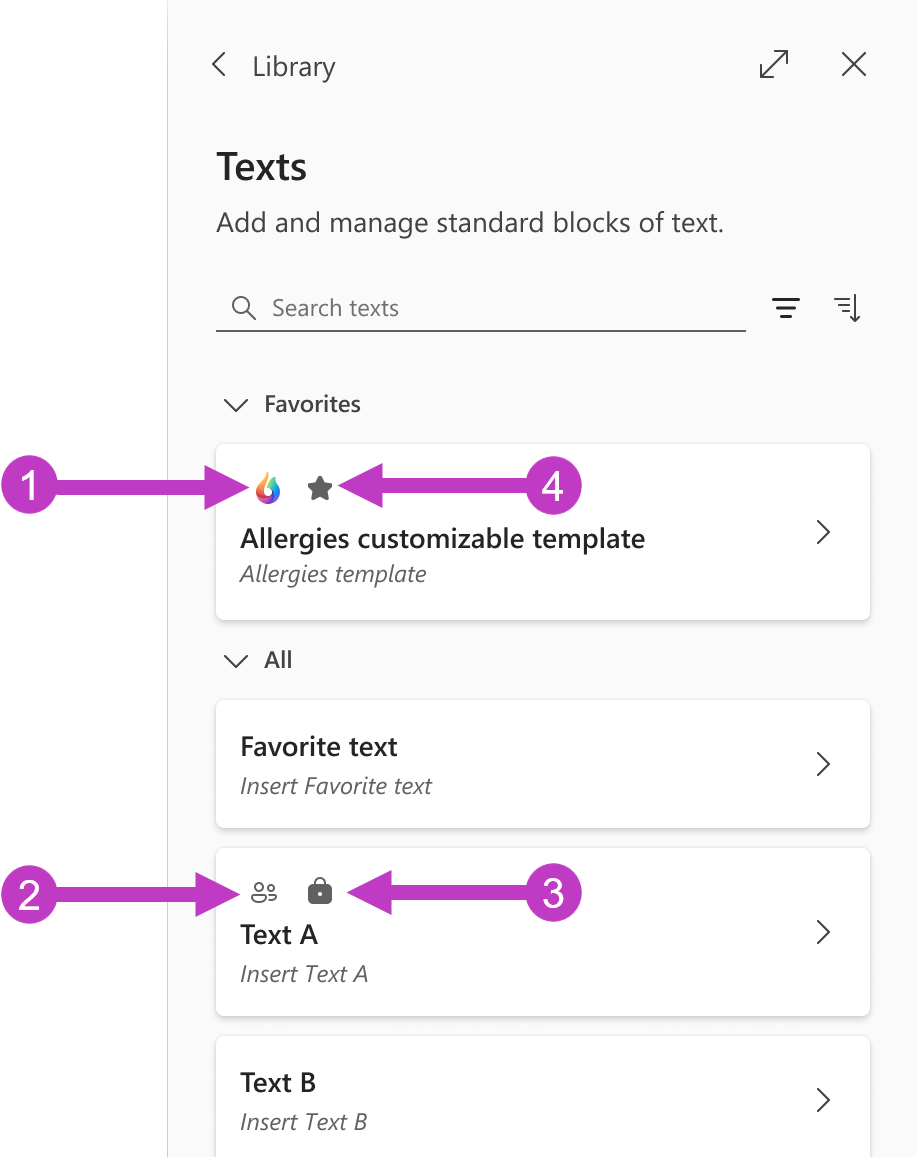
Recognizing icons in Dragon Copilot
Throughout Dragon Copilot—whether you're viewing a Text, a Prompt, or other elements—icons provide quick visual cues about the status and accessibility of items. Understanding what each icon represents helps you navigate and manage content more effectively.
- Dragon Copilot icon
 : Product items that come with Dragon Copilot that are read only and can't be edited (with the exception of customizable templates).
 - Shared icon
 : Items created by your administrator that are read only and can't be edited.
 - Lock icon
 : Items that can't be edited.
 - Star icon
 : Items that you add to your favorites.