Outlook for Mac现在提供了一个直接选项来同步 iCloud 日历,无需通过Outlook 网页版订阅公共 iCloud 日历等解决方法。
- 转到 “工具>帐户” ,然后选择“ +添加帐户”。
- 键入或粘贴要使用的电子邮件帐户,然后选择“ 继续”。
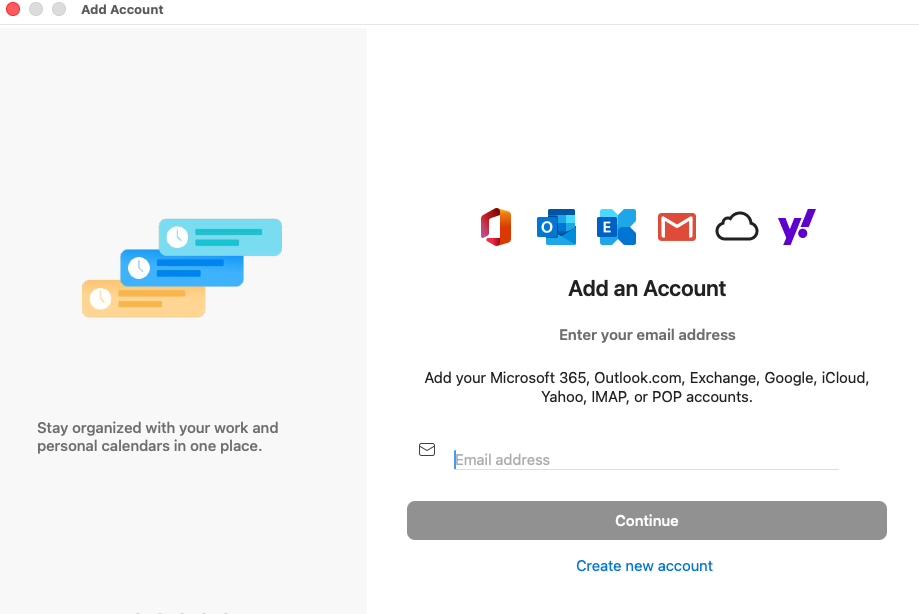
- 选择“ 登录 ”以使用 Microsoft Cloud 设置帐户。

- 如果未自动选择电子邮件提供商,则可以选择窗口顶部的“ 不是[Google、IMAP、Office365、Yahoo 等]?” 链接,并从提供的列表中选择 “iCloud ”。
- 添加帐户后,选择导航窗格中的“Calendar”按钮以访问 iCloud 帐户日历事件。
目前,Outlook for Mac不支持 CalDAV 或 CardDAV Internet 标准。 这意味着Outlook for Mac添加 iCloud 电子邮件帐户时不会同步 iCloud Calendar或联系人。 话又说,有一种方法可以将 iCloud 日历与Outlook for Mac同步-你可以订阅 iCloud 日历以Outlook 网页版 (Outlook Web Access) ,一旦执行此操作,订阅的 iCloud 日历将自动与Outlook for Mac同步。
打开浏览器窗口并登录到 iCloud 帐户。
在 iCloud 中,选择“Calendar”。
选择要在 Outlook 中配置的日历旁边的“共享Calendar”按钮,并确保已启用“公共Calendar”。
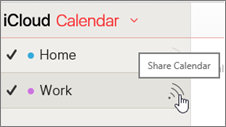
注意
如果启用了公共Calendar,应会看到日历的统一资源定位符 (URL) 。

选择“复制链接”。
在另一个浏览器窗口中,登录到 Outlook 网页版。
在导航窗格的底部,选择“日历”。

在工具栏上,选择“从 Internet添加日历>”。

在“Calendar订阅”对话框中,粘贴在步骤 4 中复制的链接。 此外,输入日历的唯一名称,例如“iCloud 工作Calendar”,然后选择“保存”。
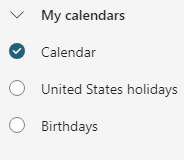
你应该会看到 iCloud 日历列在 Outlook 网页版 中的其他日历下。

在 Outlook for Mac 上添加同一帐户时,此订阅的日历也会显示在Outlook for Mac日历中。
注意
Outlook 网页版中的 iCloud 日历可能需要几分钟才能与Outlook for Mac同步。 请记住,可能需要重启Outlook for Mac才能显示同步的日历。
注意
- 登录到 Outlook 网页版 的帐户还必须添加到 Outlook for Mac。 该帐户可以是 Office 365 或 Exchange 上的工作或学校帐户,也可以是任何 Outlook 帐户 (,例如 @outlook.com、 @hotmail.com)。
- 有关同步 iCloud 电子邮件的信息,请参阅将电子邮件帐户添加到Outlook for Mac。
