
摘要
此更新对 Windows Server 版本 23H2 的 Windows 恢复功能进行了改进。
如何获取此更新
安装此更新
| 发布渠道 | 可用 | 下一步 |
|---|---|---|
| Windows 更新和 Microsoft 更新 | 是 | 可以通过 Windows 更新获取此更新。 此更新会自动下载并安装。 |
| Microsoft 更新目录 | 是 | 若要获取此更新的独立程序包,请转到 Microsoft 更新目录网站。 若要从更新目录下载更新,请参阅从Windows 更新目录中下载更新的步骤。 |
| Windows Server Update Services (WSUS) 和 Microsoft Endpoint Configuration Manager | 是 | 此更新将作为关联的 Windows 每月安全更新的一部分进行安装。 此外,如果按如下所示配置 产品和分类 ,此更新将自动与 WSUS 同步:
|
| 先决条件 | 应用此更新没有任何先决条件。 |
|---|---|
| 重启信息 | 应用此更新后,无需重新启动您的设备。 |
| 删除信息 | 应用到 Windows 映像后,无法删除此更新。 |
| 更新替代信息 | 此更新不会替换任何以前发布的更新。 |
| 验证此更新的安装 | 安装此更新后,设备上安装的 WinRE 版本应为 10.0.25398.640。 |
验证已安装的 WinRE 版本的方法
请使用管理员凭据运行以下 PowerShell 脚本“GetWinReVersion.ps1”。 运行该脚本后,应该会收到已安装的 WinRE 版本,如以下示例所示:
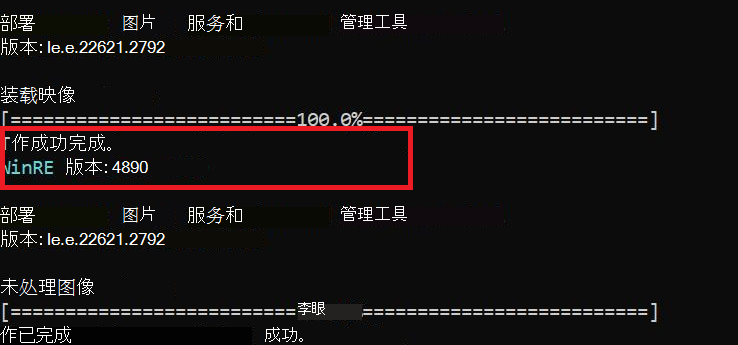
GetWinReVersion.ps1 PowerShell 脚本
################################################################################################

#

# Copyright (c) Microsoft Corporation.

# Licensed under the MIT License.

#

# THE SOFTWARE IS PROVIDED *AS IS*, WITHOUT WARRANTY OF ANY KIND, EXPRESS OR

# IMPLIED, INCLUDING BUT NOT LIMITED TO THE WARRANTIES OF MERCHANTABILITY,

# FITNESS FOR A PARTICULAR PURPOSE AND NONINFRINGEMENT. IN NO EVENT SHALL THE

# AUTHORS OR COPYRIGHT HOLDERS BE LIABLE FOR ANY CLAIM, DAMAGES OR OTHER

# LIABILITY, WHETHER IN AN ACTION OF CONTRACT, TORT OR OTHERWISE, ARISING FROM,

# OUT OF OR IN CONNECTION WITH THE SOFTWARE OR THE USE OR OTHER DEALINGS IN THE

# SOFTWARE.

#

################################################################################################
# Function to get WinRE path

function GetWinREPath {

    $WinRELocation = (reagentc /info | Select-String "Windows RE location")

    if ($WinRELocation) {

        return $WinRELocation.ToString().Split(':')[-1].Trim()

    } else {

        Write-Host "Failed to find WinRE path" -ForegroundColor Red

        exit 1

    }

}


# Creates and needs to be return the mount directory
function GetMountDir {
    # systemdirve\mnt
    $MountDir = "$env:SystemDrive\mnt"
    if (-not (Test-Path $MountDir)) {
        New-Item -ItemType Directory -Path $MountDir -Force | Out-Null
    }
    return $MountDir
}

# Function to get WinRE version
function GetWinREVersion {

    $mountedPath = GetMountDir
    $filePath = "$mountedPath\Windows\System32\winpeshl.exe"

    $WinREVersion = (Get-Item $filePath).VersionInfo.FileVersionRaw.Revision

    return [int]$WinREVersion

}

# Main Execution

$WinREPath = GetWinREPath

# Make dir C:\mnt if not exists

$TempDir = GetMountDir

# Get the read write permission for this directory

if (-not (Test-Path $TempDir)) {

    New-Item -ItemType Directory -Path $TempDir -Force | Out-Null

}

# Mount WinRE image

dism /Mount-Image /ImageFile:"$WinREPath\winre.wim" /Index:1 /MountDir:"$TempDir"

$WinREVersion = GetWinREVersion

Write-Host "WinRE Version: $WinREVersion" -ForegroundColor Cyan

dism /Unmount-Image /MountDir:"$TempDir" /Discard

Remove-Item -Path $TempDir -Force -Recurse
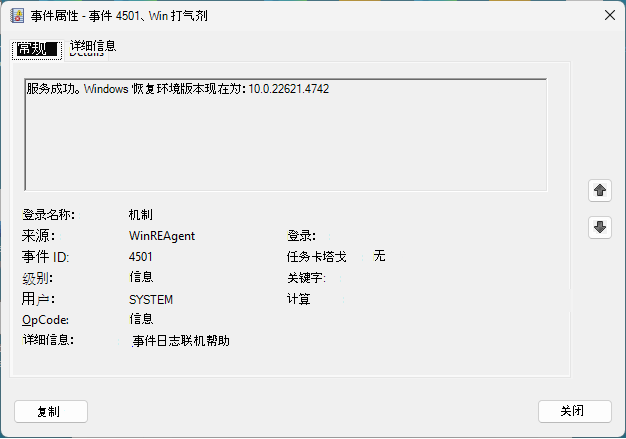
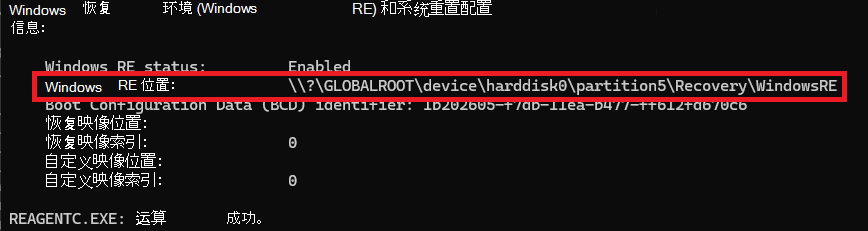
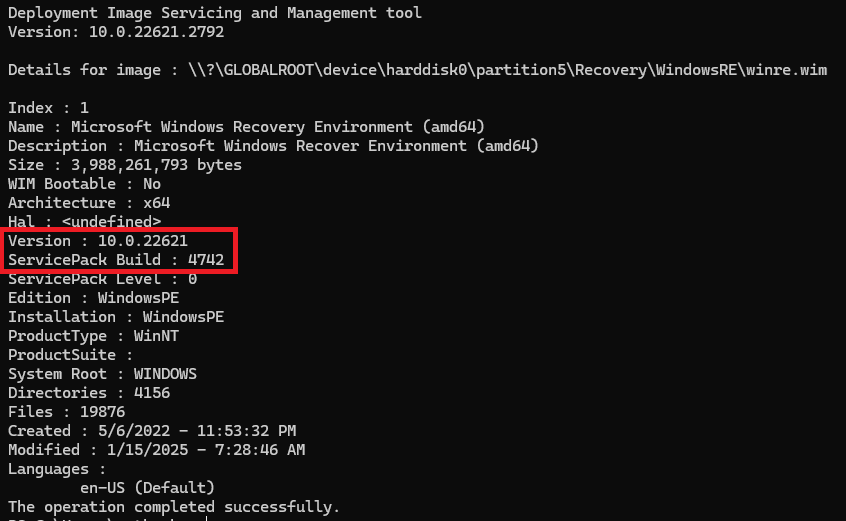
文件信息
此软件更新的英语 (美国) 版本安装具有下表中列出的属性的文件。
对于所有受支持的基于 x64 的版本
| 文件名 | 文件版本 | 日期 | 时间 | 文件大小 |
|---|---|---|---|---|
| skci.dll | 10.0.25398.640 | 2023 年 12 月 11 日 | 2,014 | 336,232 |
| bootmgfw.efi | 10.0.25398.640 | 2023 年 12 月 11 日 | 20:09 | 2,644,336 |
| bootmgr.efi | 10.0.25398.640 | 2023 年 12 月 11 日 | 20:09 | 2,627,456 |
| boot.stl | 未版本控制 | 29-Nov-23 | 1,801 | 10,895 |
| winsipolicy.p7b | 未版本控制 | 2023 年 12 月 11 日 | 17:47 | 10,341 |
| winload.exe | 10.0.25398.640 | 2023 年 12 月 11 日 | 20:08 | 1,704,600 |
| winload.efi | 10.0.25398.640 | 2023 年 12 月 11 日 | 20:08 | 2,967,456 |
| driversipolicy.p7b | 未版本控制 | 29-Nov-23 | 1,801 | 150,679 |
| ci.dll | 10.0.25398.640 | 2023 年 12 月 11 日 | 20:09 | 1,051,056 |
| driver.stl | 未版本控制 | 29-Nov-23 | 18:02 | 25,628 |
| winpeshl.exe | 10.0.25398.640 | 2023 年 12 月 11 日 | 19:54 | 53,248 |
| wpeutil.dll | 10.0.25398.640 | 2023 年 12 月 11 日 | 19:54 | 155,648 |
| wpeutil.exe | 10.0.25398.640 | 2023 年 12 月 11 日 | 20:02 | 36,864 |
| wpeinit.exe | 10.0.25398.640 | 2023 年 12 月 11 日 | 20:01 | 57,344 |
| startnet.cmd | 未版本控制 | 29-Nov-23 | 18:02 | 9 |
参考
了解用于描述 Microsoft 软件更新的标准术语。
查询字词 SafeOS DU