

格線能幫助你在 Microsoft 365 格式化時提供視覺提示。 您可以對齊 PowerPoint 投影片與 Word 文件中的圖案及其他物件,並區別 Excel 中試算表與活頁簿的儲存格範圍和節。
注意
本文不適用於 PowerPoint 網頁版或 Word for the Web。
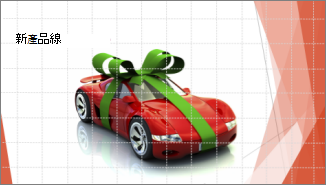
在 Word 和 PowerPoint 中,格線僅供視覺參考,無法列印。 如果您想要列印 Excel 中的格線,請參閱列印工作表中的格線。
要顯示格線,請在 Excel、PowerPoint 或 Word 中點擊「檢視」標籤,然後選擇「格線」勾選框。
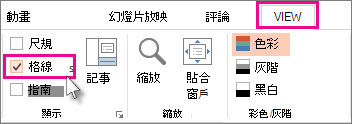
要隱藏格線,請清除 格線 勾選框。