
Symptoms
You receive a warning in the notification area of the task bar telling you that the Windows Firewall is turned off. The warning is displayed as a Windows security alert in Windows XP and in Windows Vista, and as an Action Center message in Windows 7.
|
Security alert in Windows XP |
Security alert in Windows Vista |
Action Center message in Windows 7 |
 |
 |
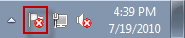 |
In Windows XP or in Windows Vista, you double-click the security alert to open the Windows Security Center. The Windows Security Center warns you that the Windows Firewall is turned off. In Windows 7, you click the Action Center message, and then click Open Action Center. The Action Center warns you that Windows Firewall is turned off.
Cause
This problem can occur if the Windows Firewall service is stopped.
Resolution
Diagnose and fix the problem automatically
To fix this problem automatically, click the Fix-It image below. If a security notification appears, click Run.
Microsoft Fix it 9810866
Let me fix it myself
To resolve this problem, manually turn on the Windows Firewall if the problem cause is that the Windows Firewall service is stopped.
Windows XP
-
In the Windows Security Center, click Recommendations in the Firewall section.
-
In the Recommendation dialog box, click Enable now.
Windows Vista
In the Windows Security Center, click Turn on now in the Firewall section.
Windows 7
In Action Center, click Turn on now for Network firewall in the Security section.
For information about Windows Firewall in Windows 7, visit: http://windows.microsoft.com/en-US/windows7/products/features/windows-firewall
To learn more about the Windows Firewall in Windows Vista, visit: http://windows.microsoft.com/en-US/windows-vista/Firewall-frequently-asked-questions








