Windows error "files are waiting to be burned to disc"

Article ID: 2464262 - View products that this article applies to.
Expand all | Collapse all
Collapse this imageExpand this image
sbs_small
This is a step by step article.

Summary

With Windows 7, you may receive the following error message each time you start your computer: "files are waiting to be burned to disc". This article describes how to troubleshoot this problem.

Collapse this imageExpand this image


Cause

This error occurs when files or folders are accidentally placed on the drive letter used by the disc burner, or when a recording attempt fails.

Resolution

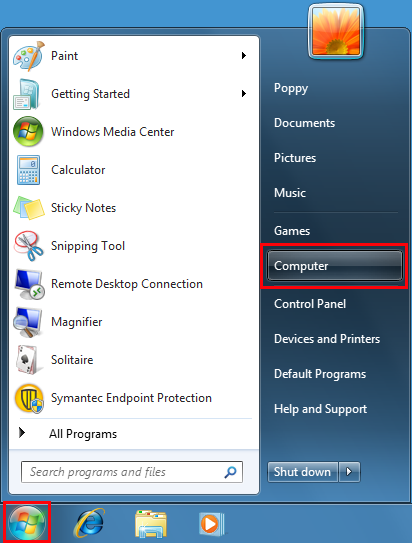
  1. Click Start
    Collapse this imageExpand this image
    and then click on Computer.

    Collapse this imageExpand this image

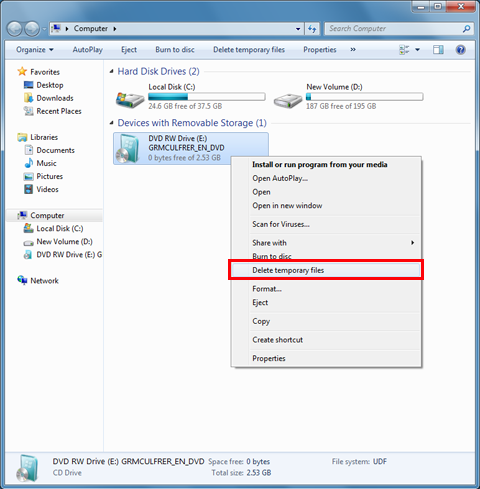
  2. Select the DVD drive, click the right mouse button and select Delete temporary files.
    Collapse this imageExpand this image

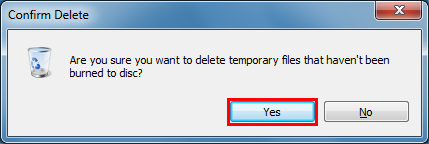
  3. In the confirmation window, click Yes.
    Collapse this imageExpand this image

Solution 2: Remove the temporary files to be burned from the temporary burn folder.

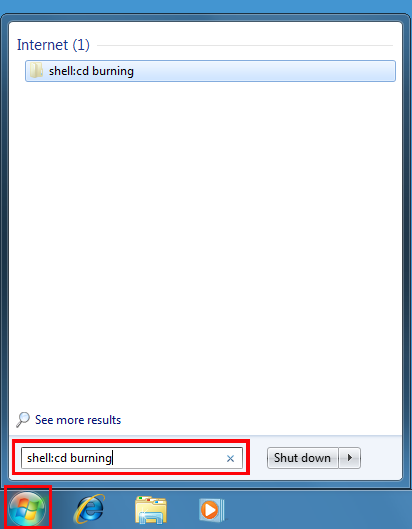
  1. Click Start
    Collapse this imageExpand this image
    , type "Shell:CD burning" in the search box, and press Enter.

    Collapse this imageExpand this image

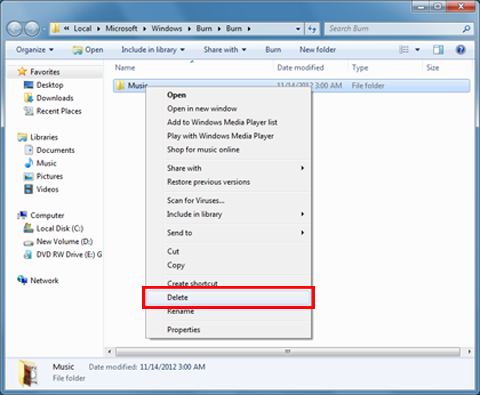
  2. Right click on the files in the Burn folder and select Delete.
    Collapse this imageExpand this image

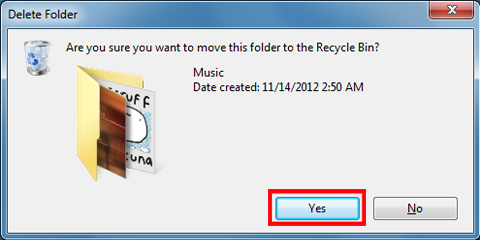
  3. In the confirmation window, click Yes.
    Collapse this imageExpand this image


    We value your feedback : feel free to tell us what you think of this article using the comment field at the bottom of the document. This will allow us to improve the content. Thank you in advance!
Note This is a "FAST PUBLISH" article created directly from within the Microsoft support organization. The information contained herein is provided as-is in response to emerging issues. As a result of the speed in making it available, the materials may include typographical errors and may be revised at any time without notice. See Terms of Use for other considerations.

Properties

Article ID: 2464262 - Last Review: March 8, 2013 - Revision: 2.0
Applies to
  • Windows 7 Enterprise
  • Windows 7 Home Basic
  • Windows 7 Home Premium
  • Windows 7 Professional
  • Windows 7 Starter
  • Windows 7 Ultimate
Keywords: 
kbstepbystep kbprb kbtshoot kbhowto KB2464262

Give Feedback