
To use your favorite font in Word all the time, set it as the default.
-
Go to Home, and then select the Font Dialog Box Launcher
-
Select the font and size you want to use.
-
Select Set As Default.
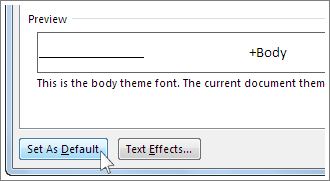
-
Select one of the following:
-
This document only
-
All documents based on the Normal template.
-
-
Select OK twice.

If the default font setting doesn’t persist
Sometimes, a company’s permission settings or some add-ins change the default font back to the original font. If that’s happening, here are some things to try.
-
Select Start.
-
In the Search box, type Normal.dotm and select Search.
-
Right-click Normal.dotm, and select Properties.
-
On the General tab, make sure Read-only isn’t checked. If it’s checked, uncheck it.
-
Select the Security tab. Under Group or user names, select your name, and then make sure you have Write permission in the Permissions box.
-
Select OK.
If you aren’t able to uncheck the Read-only box or if you don’t have Write permission, contact the person who’s in charge of your company’s computer systems.
If you have Write permissions and the default font setting still doesn’t stick, you might have to turn off Word add-ins and change the default font setting. Here’s how:
-
Select File > Options > Add-Ins.
-
In the Add-ins box, find one of the add-ins you want to turn off and note the add-in type listed in the Type column.
-
Select that add-in type in the Manage list, and select Go.
-
Uncheck the boxes for the add-ins you want to turn off, and select OK.
-
Repeat steps 1-4 for other types of add-ins.
After you change the default font, turn on the add-ins.
-
Select File > Options > Add-Ins.
-
Select an Add-in type in the Manage list, and select Go.
-
Check the boxes for the add-ins you want to turn on, and select OK.
-
Repeat steps 1-3 for the other types of add-ins you want to turn on.
Note: You don’t have to turn off the Document Inspector type add-ins.
To use your favorite font in Word all the time, set it as the default.
-
Go to Format > Font > Font.
You can also press and hold
-
Select the font and size you want to use.
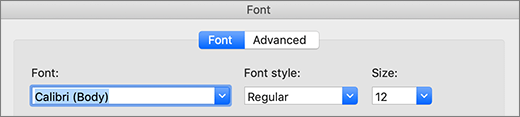
-
Select Default, and then select Yes.
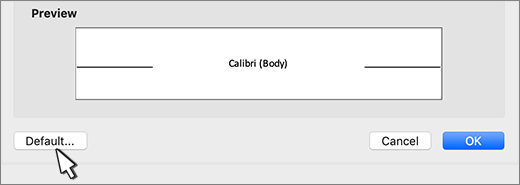
-
Select OK.

If the default font setting doesn’t persist
Sometimes, a company’s permission settings change the default font back to the original font. If that’s happening, try this:
-
Open Finder, and in the Search box, type Normal.dotm.
-
On the File menu, select Get Info. Or, press and hold
-
Select General, and make sure Locked is unchecked. If it’s checked, uncheck it.
-
Select Sharing & Permissions, and next to your name, make sure you have Read & Write permission under Privilege.
If you aren’t able to uncheck the Locked box or if you don’t have Read & Write permission, contact the person who’s in charge of your company’s computer systems.








