
USB-C overview
With a USB-C connection, you can charge your Windows 11 PC, and you can also connect to other USB Type-C devices such as mobile phones, docking stations, display adapters, and other devices that have a USB-C port.
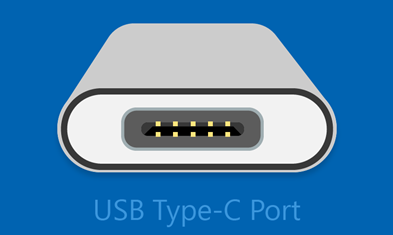
Unfortunately, some combinations of hardware and software may cause problems. If this happens, you may get a notification that there’s something wrong with the USB-C connection. We’ve provided some tips below to help you fix things. And if you want to change whether you see notifications about USB issues, here's how:
-
Select Search , type usb and select USB settings from the list of results.
Open USB settings -
Turn Connection notifications on or off.
Note: If you're having trouble downloading photos, see Import photos and videos from phone to PC.
Check whether USB-C port is working
Before trying the troubleshooting steps, let's check whether the USB C port is working.
-
Examine the port carefully for any signs of physical damage or debris. If it looks clean and undamaged, proceed to the next step.
-
Try plugging it into a known working USB-C device, such as a charging cable or an accessory, ensuring a secure connection.
-
If your computer detects the device, it indicates that the USB-C port is functional.
Note: Alternatively, you can verify the connection by checking the system information or the device’s settings to confirm if the USB-C device is recognized. To do that, select Windows + R and type “msinfo32” to open the system information. Then, select Components and click USB to check if it’s recognized.
If the device does not respond, consider using another USB-C device or a different compatible port.
Troubleshoot problems with USB-C
Following are the most common issues with USB-C. Click on the issue for the steps to resolve.
If the instructions provided in the above sections did not resolve your issue, proceed with the troubleshooting steps described in Additional troubleshooting section.
A problem with the device driver can result in the USB device not being recognized. To resolve this, you must see the error code for the device.
-
Select Start > Device Manager.
-
Go to the USB device, press and hold (or right-click) it, and then select Properties. The error code is displayed under Device status.
Once you get the error code, refer to the instructions outlined in Error codes in Device Manager in Windows for the specific steps to resolve.
USB-C ports support Power Delivery (PD) for charging devices. Issues with PD can result in devices not charging properly or not being recognized. To resolve this:
-
Use the charger and cable that came with your PC.
-
Make sure you're connecting your charger to the USB-C charging port on your PC.
-
Use a can of compressed air to clean the USB-C port on your PC.
Notes:
-
A PC with USB Type-C connectors has larger power limits. If the connector supports USB Power Delivery, it can charge even faster at greater power levels.
-
To charge faster, your PC, charger, and cable must all support the industry standards. Your charger and cable must also support the power levels your PC requires for the faster charging. For example, if your PC requires 12V and 3A for the fastest charging, a 5V, 3A charger won’t give you the fastest charging.
-
Chargers that don't have a standard USB Type-C connector might use a proprietary, nonstandard connector that your PC doesn’t support.
Your PC might not provide enough power to the USB device. Please connect your device to external power or try using a different PC. To resolve:
-
If the USB device can be powered externally, plug it into an external power source.
-
Plug your PC into an external power source and don't run it on battery power.
-
Disconnect any unused USB devices that are connected to your PC.
Loose connections or physical damage to the USB-C port or cable can lead to intermittent connectivity or complete failure. Try the following troubleshooting steps:
-
Check the USB device: First, ensure that the USB device you're trying to connect is functioning properly. Test it on another computer if possible.
-
Inspect for physical damage: Examine the USB port for any physical damage, such as bent pins or debris inside the port. If you notice any damage, you may need to repair or replace the port.
-
Restart your computer: Sometimes, a simple restart can resolve USB connectivity issues by resetting system configurations.
-
Update USB drivers: Ensure that your USB drivers are up to date. You can do this through Device Manager. Right-click on the Start menu, select Device Manager, expand the Universal Serial Bus controllers section, right-click on each USB controller, and select Update driver.
USB-C ports are used for data transfer and problems with data transfer speed, file corruption, or device recognition can occur with the USB-C port. Follow the below troubleshooting steps:
-
Check USB connection: Ensure that the USB cable is securely connected to both the USB port on your computer and the USB device. Sometimes, a loose connection can cause data transfer issues.
-
Try a different USB port: If you're experiencing data transfer issues with a particular USB port, try connecting the device to a different USB port on your computer. This can help determine if the problem is with the port itself.
-
Test with a different USB device: If possible, test the USB port with a different USB device to see if the issue is specific to the device you're using or if it's a general problem with the port.
-
Check USB device compatibility: Ensure that the USB device you're using is compatible with your computer and operating system. Some devices may require specific drivers or software to function properly.
-
Update USB drivers: Ensure that your USB drivers are up to date. You can do this through Device Manager. Right-click on the Start menu, select Device Manager, expand the Universal Serial Bus controllers section, right-click on each USB controller, and select Update driver.
-
Disable USB Selective Suspend: USB Selective Suspend is a power-saving feature that can sometimes cause USB devices to overheat. You can disable this feature by going to Control Panel > Power Options > Change plan settings > Change advanced power settings > USB settings > USB selective suspend setting and setting it to Disabled.
Overheating of the USB-C port or connected devices can occur due to excessive power draw or inadequate cooling. To resolve this:
-
Check for Dust and Debris: Over time, dust and debris can accumulate in USB ports, hindering airflow and causing overheating. Use compressed air or a soft brush to clean out any dirt or debris.
-
Update USB drivers: Ensure that your USB drivers are up to date. You can do this through Device Manager. Right-click on the Start menu, select Device Manager, expand the Universal Serial Bus controllers section, right-click on each USB controller, and select Update driver.
-
Disable USB Selective Suspend: USB Selective Suspend is a power-saving feature that can sometimes cause USB devices to overheat. You can disable this feature by going to Control Panel > Power Options > Change plan settings > Change advanced power settings > USB settings > USB selective suspend setting and setting it to Disabled.
-
Check Power Management Settings: Some USB devices may have power management settings that can cause overheating. Go to Device Manager, right-click on your USB device, select Properties, and go to the Power Management tab. Make sure the option to Allow the computer to turn off this device to save power is unchecked.
-
Use a Powered USB Hub: If you're connecting multiple USB devices to a single port, consider using a powered USB hub. This can help distribute power more evenly and prevent overheating.
Some USB-C ports support Thunderbolt 3 technology, which provides higher data transfer speeds and additional features. Compatibility issues with Thunderbolt 3 devices may arise.
Caution: Remember to always exercise caution when making changes to your system settings, especially in the BIOS or UEFI. If you're unsure about any changes, it's a good idea to consult with a knowledgeable technician or the manufacturer's support team.
Follow the below steps to resolve:
-
Make sure your PC and cable supports the same USB-C features as the connected device.
-
Make sure the device or dongle is connected directly to your PC.
-
Make sure the device or dongle is connected to the USB-C port on your PC that supports the correct Alternate Mode. For example, if you're connecting a Thunderbolt Alternate Mode device, make sure you connect to the USB-C port that supports Thunderbolt™.
-
Update Drivers: Ensure that both your Thunderbolt 3 controller drivers and USB drivers are up to date. You can usually find these updates on your computer manufacturer's website or the website of the component manufacturer.
-
Enable Thunderbolt 3 Support in BIOS/UEFI: Some systems require you to enable Thunderbolt 3 support in the BIOS or UEFI settings. Enter your system's BIOS or UEFI during startup (usually by pressing a key like F2, Del, or Esc), and look for options related to Thunderbolt or Thunderbolt Security. Make sure Thunderbolt support is enabled.
-
Check Security Settings: Some systems have security settings that restrict Thunderbolt device access for security reasons. Check your system's security settings to ensure that Thunderbolt devices are allowed.
-
Check Thunderbolt Firmware: Ensure that your Thunderbolt controller has the latest firmware installed. This firmware update may be available through the Thunderbolt software or your computer manufacturer's website.
Notes:
-
USB Type-C has a new feature called Alternate Modes. If your USB-C cable has this feature, you can connect to non-USB devices that support the same Alternate Mode. For example, if your USB-C cable has the Thunderbolt Alternate Mode, you can connect to Thunderbolt devices. There's no setting to turn on—your device automatically uses the appropriate mode if it's supported.
-
The Alternate Mode feature must be supported on the PC's hardware and software, and the connected device or dongle. You might also need a specific USB-C cable.
If you're experiencing display connection issues with a USB port on Windows, here are some steps you can take to resolve the problem:
-
Check physical connections to ensure that the USB cable connecting your display to the USB port is securely plugged in at both ends.
-
Try a different USB port: If you have multiple USB ports on your computer, try plugging the display into a different port to see if the issue persists. This can help determine if the problem is specific to one port.
-
Try a different cable: If possible, try using a different USB cable to connect your display to the USB port. The cable itself could be faulty.
-
Test on another computer: If you have access to another computer, try connecting the display to it to see if the issue persists. This can help determine if the problem is with the display or the computer.
-
Update USB drivers: Ensure that your USB drivers are up to date. You can do this through Device Manager. Right-click on the Start menu, select Device Manager, expand the Universal Serial Bus controllers section, right-click on each USB controller, and select Update driver.
-
Disable USB Selective Suspend: USB Selective Suspend is a power-saving feature that can sometimes cause USB devices to overheat. You can disable this feature by going to Control Panel > Power Options > Change plan settings > Change advanced power settings > USB settings > USB selective suspend setting and setting it to Disabled.
Additional troubleshooting steps
If the instructions provided above did not resolve your issue, proceed with the troubleshooting steps outlined below.
Check whether USB-C audio adapter is supported:
-
Connect the USB-C audio adapter: Plug the USB-C audio adapter into a USB-C port on your Windows computer.
-
Wait for Automatic Installation (if applicable): Windows might automatically install the necessary drivers for the USB-C audio adapter. Wait for a few moments to see if Windows recognizes and installs the device automatically.
-
Check Device Manager:
-
Select Start > Device Manager.
-
Look for any entries related to audio devices or USB devices. The USB-C audio adapter might appear under Sound, video, and game controllers or Universal Serial Bus controllers.
-
If you see the USB-C audio adapter listed without any warning symbols (such as a yellow exclamation mark), it indicates that Windows recognizes and supports the device.
-
-
Test the Audio Output: After confirming that Windows recognizes the USB-C audio adapter, you can test the audio output by plugging in headphones or speakers to the adapter and playing some audio content.
Check whether USB4 device is supported:
-
Check Device Manager:
-
Select Start > Device Manager.
-
Expand the Universal Serial Bus controllers category and look for any mention of USB4 or Thunderbolt controllers. If you see them listed, it's an indication that USB4 devices are supported.
-
-
Check System Specifications:
-
Review your system specifications to see if USB4 support is mentioned. You can usually find this information on the manufacturer's website or in the product documentation.
-
Check whether MHL device is supported:
-
Check Device Compatibility: Ensure that your MHL device (such as a smartphone or tablet) is MHL compatible. Most newer smartphones and tablets support MHL, but it's always good to verify this with the manufacturer's specifications.
-
Connect the Device: Connect your MHL device to your Windows computer using an MHL cable or adapter. Make sure to connect the MHL end to your device and the HDMI end to your computer's HDMI port.
-
Check Display Settings:
-
Select Start > Settings > System > Display.
-
Look for multiple displays or projection options. Your MHL-connected device should be recognized here if it's compatible.
-
If your MHL device is detected, you should see options to extend or duplicate your display.
-
-
Device Manager:
-
Select Start > Device Manager.
-
Look for any unrecognized or generic display devices that may correspond to your MHL device.
-
If your MHL device is detected, it should appear under Display adapters or Other devices with its proper name.
-
Get the latest Windows updates:
To manage your options and see available updates, select Check for Windows updates Or select Start > Settings > Windows Update.
For more information, refer to Update Windows.
USB-C overview
With a USB-C connection, you can charge your Windows 10 PC, and you can also connect to other USB Type-C devices such as mobile phones, docking stations, display adapters, and other devices that have a USB-C port.
Unfortunately, some combinations of hardware and software may cause problems. If this happens, you may get a notification that there’s something wrong with the USB-C connection. We’ve provided some tips below to help you fix things. And if you want to change whether you see notifications about USB issues, here's how:
-
Select the Start button, then select Settings > Devices > USB.
Open USB settings -
Select or clear the Notify me if there are issues connecting to USB devices box.
Note: If you're having trouble downloading photos, see Import photos and videos from phone to PC.
Check whether USB-C port is working
Before trying the troubleshooting steps, let's check whether the USB C port is working.
-
Examine the port carefully for any signs of physical damage or debris. If it looks clean and undamaged, proceed to the next step.
-
Try plugging it into a known working USB-C device, such as a charging cable or an accessory, ensuring a secure connection.
-
If your computer detects the device, it indicates that the USB-C port is functional.
Note: Alternatively, you can verify the connection by checking the system information or the device’s settings to confirm if the USB-C device is recognized. To do that, select Windows + R and type “msinfo32” to open the system information. Then, select Components and click USB to check if it’s recognized.
If the device does not respond, consider using another USB-C device or a different compatible port.
Troubleshoot problems with USB-C
Following are the most common issues with USB-C. Click on the issue for the steps to resolve.
If the instructions provided in the sections did not resolve your issue, proceed with the troubleshooting steps described in Additional troubleshooting section.
A problem with the device driver can result in the USB device not being recognized. To resolve this, you must see the error code for the device.
-
Select Start > Device Manager.
-
Go to the USB device, press and hold (or right-click) it, and then select Properties. The error code is displayed under Device status.
Once you get the error code, refer to the instructions outlined in Error codes in Device Manager in Windows for the specific steps to resolve.
USB-C ports support Power Delivery (PD) for charging devices. Issues with PD can result in devices not charging properly or not being recognized. To resolve this:
-
Use the charger and cable that came with your PC.
-
Make sure you're connecting your charger to the USB-C charging port on your PC.
-
Use a can of compressed air to clean the USB-C port on your PC.
Notes:
-
A PC with USB Type-C connectors has larger power limits. If the connector supports USB Power Delivery, it can charge even faster at greater power levels.
-
To charge faster, your PC, charger, and cable must all support the industry standards. Your charger and cable must also support the power levels your PC requires for the faster charging. For example, if your PC requires 12V and 3A for the fastest charging, a 5V, 3A charger won’t give you the fastest charging.
-
Chargers that don't have a standard USB Type-C connector might use a proprietary, nonstandard connector that your PC doesn’t support.
Your PC might not provide enough power to the USB device. Please connect your device to external power or try using a different PC. To resolve:
-
If the USB device can be powered externally, plug it into an external power source.
-
Plug your PC into an external power source and don't run it on battery power.
-
Disconnect any unused USB devices that are connected to your PC.
Loose connections or physical damage to the USB-C port or cable can lead to intermittent connectivity or complete failure. Try the following troubleshooting steps:
-
Check the USB device: First, ensure that the USB device you're trying to connect is functioning properly. Test it on another computer if possible.
-
Inspect for physical damage: Examine the USB port for any physical damage, such as bent pins or debris inside the port. If you notice any damage, you may need to repair or replace the port.
-
Restart your computer: Sometimes, a simple restart can resolve USB connectivity issues by resetting system configurations.
-
Update USB drivers: Ensure that your USB drivers are up to date. You can do this through Device Manager. Right-click on the Start menu, select Device Manager, expand the Universal Serial Bus controllers section, right-click on each USB controller, and select Update driver.
USB-C ports are used for data transfer and problems with data transfer speed, file corruption, or device recognition can occur with the USB-C port. Follow the below troubleshooting steps:
-
Check USB connection: Ensure that the USB cable is securely connected to both the USB port on your computer and the USB device. Sometimes, a loose connection can cause data transfer issues.
-
Try a different USB port: If you're experiencing data transfer issues with a particular USB port, try connecting the device to a different USB port on your computer. This can help determine if the problem is with the port itself.
-
Test with a different USB device: If possible, test the USB port with a different USB device to see if the issue is specific to the device you're using or if it's a general problem with the port.
-
Check USB device compatibility: Ensure that the USB device you're using is compatible with your computer and operating system. Some devices may require specific drivers or software to function properly.
-
Update USB drivers: Ensure that your USB drivers are up to date. You can do this through Device Manager. Right-click on the Start menu, select Device Manager, expand the Universal Serial Bus controllers section, right-click on each USB controller, and select Update driver.
-
Disable USB Selective Suspend: USB Selective Suspend is a power-saving feature that can sometimes cause USB devices to overheat. You can disable this feature by going to Control Panel > Power Options > Change plan settings > Change advanced power settings > USB settings > USB selective suspend setting and setting it to Disabled.
Overheating of the USB-C port or connected devices can occur due to excessive power draw or inadequate cooling. To resolve this:
-
Check for Dust and Debris: Over time, dust and debris can accumulate in USB ports, hindering airflow and causing overheating. Use compressed air or a soft brush to clean out any dirt or debris.
-
Update USB drivers: Ensure that your USB drivers are up to date. You can do this through Device Manager. Right-click on the Start menu, select Device Manager, expand the Universal Serial Bus controllers section, right-click on each USB controller, and select Update driver.
-
Disable USB Selective Suspend: USB Selective Suspend is a power-saving feature that can sometimes cause USB devices to overheat. You can disable this feature by going to Control Panel > Power Options > Change plan settings > Change advanced power settings > USB settings > USB selective suspend setting and setting it to Disabled.
-
Check Power Management Settings: Some USB devices may have power management settings that can cause overheating. Go to Device Manager, right-click on your USB device, select Properties, and go to the Power Management tab. Make sure the option to Allow the computer to turn off this device to save power is unchecked.
-
Use a Powered USB Hub: If you're connecting multiple USB devices to a single port, consider using a powered USB hub. This can help distribute power more evenly and prevent overheating.
Some USB-C ports support Thunderbolt 3 technology, which provides higher data transfer speeds and additional features. Compatibility issues with Thunderbolt 3 devices may arise.
Caution: Remember to always exercise caution when making changes to your system settings, especially in the BIOS or UEFI. If you're unsure about any changes, it's a good idea to consult with a knowledgeable technician or the manufacturer's support team.
Follow the below steps to resolve:
-
Make sure your PC and cable supports the same USB-C features as the connected device.
-
Make sure the device or dongle is connected directly to your PC.
-
Make sure the device or dongle is connected to the USB-C port on your PC that supports the correct Alternate Mode. For example, if you're connecting a Thunderbolt Alternate Mode device, make sure you connect to the USB-C port that supports Thunderbolt™.
-
Update Drivers: Ensure that both your Thunderbolt 3 controller drivers and USB drivers are up to date. You can usually find these updates on your computer manufacturer's website or the website of the component manufacturer.
-
Enable Thunderbolt 3 Support in BIOS/UEFI: Some systems require you to enable Thunderbolt 3 support in the BIOS or UEFI settings. Enter your system's BIOS or UEFI during startup (usually by pressing a key like F2, Del, or Esc), and look for options related to Thunderbolt or Thunderbolt Security. Make sure Thunderbolt support is enabled.
-
Check Security Settings: Some systems have security settings that restrict Thunderbolt device access for security reasons. Check your system's security settings to ensure that Thunderbolt devices are allowed.
-
Check Thunderbolt Firmware: Ensure that your Thunderbolt controller has the latest firmware installed. This firmware update may be available through the Thunderbolt software or your computer manufacturer's website.
Notes:
-
USB Type-C has a new feature called Alternate Modes. If your USB-C cable has this feature, you can connect to non-USB devices that support the same Alternate Mode. For example, if your USB-C cable has the Thunderbolt Alternate Mode, you can connect to Thunderbolt devices. There's no setting to turn on—your device automatically uses the appropriate mode if it's supported.
-
The Alternate Mode feature must be supported on the PC's hardware and software, and the connected device or dongle. You might also need a specific USB-C cable.
If you're experiencing display connection issues with a USB port on Windows, here are some steps you can take to resolve the problem:
-
Check physical connections to ensure that the USB cable connecting your display to the USB port is securely plugged in at both ends.
-
Try a different USB port: If you have multiple USB ports on your computer, try plugging the display into a different port to see if the issue persists. This can help determine if the problem is specific to one port.
-
Try a different cable: If possible, try using a different USB cable to connect your display to the USB port. The cable itself could be faulty.
-
Test on another computer: If you have access to another computer, try connecting the display to it to see if the issue persists. This can help determine if the problem is with the display or the computer.
-
Update USB drivers: Ensure that your USB drivers are up to date. You can do this through Device Manager. Right-click on the Start menu, select Device Manager, expand the Universal Serial Bus controllers section, right-click on each USB controller, and select Update driver.
-
Disable USB Selective Suspend: USB Selective Suspend is a power-saving feature that can sometimes cause USB devices to overheat. You can disable this feature by going to Control Panel > Power Options > Change plan settings > Change advanced power settings > USB settings > USB selective suspend setting and setting it to Disabled.
Additional troubleshooting steps
If the instructions provided above did not resolve your issue, proceed with the troubleshooting steps outlined below.
Check whether USB-C audio adapter is supported:
-
Connect the USB-C audio adapter: Plug the USB-C audio adapter into a USB-C port on your Windows computer.
-
Wait for Automatic Installation (if applicable): Windows might automatically install the necessary drivers for the USB-C audio adapter. Wait for a few moments to see if Windows recognizes and installs the device automatically.
-
Check Device Manager:
-
Select Start > Device Manager.
-
Look for any entries related to audio devices or USB devices. The USB-C audio adapter might appear under Sound, video, and game controllers or Universal Serial Bus controllers.
-
If you see the USB-C audio adapter listed without any warning symbols (such as a yellow exclamation mark), it indicates that Windows recognizes and supports the device.
-
-
Test the Audio Output: After confirming that Windows recognizes the USB-C audio adapter, you can test the audio output by plugging in headphones or speakers to the adapter and playing some audio content.
Check whether USB4 device is supported:
-
Check Device Manager:
-
Select Start > Device Manager.
-
Expand the Universal Serial Bus controllers category and look for any mention of USB4 or Thunderbolt controllers. If you see them listed, it's an indication that USB4 devices are supported.
-
-
Check System Specifications:
-
Review your system specifications to see if USB4 support is mentioned. You can usually find this information on the manufacturer's website or in the product documentation.
-
Check whether MHL device is supported:
-
Check Device Compatibility: Ensure that your MHL device (such as a smartphone or tablet) is MHL compatible. Most newer smartphones and tablets support MHL, but it's always good to verify this with the manufacturer's specifications.
-
Connect the Device: Connect your MHL device to your Windows computer using an MHL cable or adapter. Make sure to connect the MHL end to your device and the HDMI end to your computer's HDMI port.
-
Check Display Settings:
-
Select Start > Settings > System > Display.
-
Look for multiple displays or projection options. Your MHL-connected device should be recognized here if it's compatible.
-
If your MHL device is detected, you should see options to extend or duplicate your display.
-
-
Device Manager:
-
Select Start > Device Manager.
-
Look for any unrecognized or generic display devices that may correspond to your MHL device.
-
If your MHL device is detected, it should appear under Display adapters or Other devices with its proper name.
-
Get the latest Windows updates:
To manage your options and see available updates, select Check for Windows updates Or select Start > Settings > Update & Security > Windows Update.
For more information, refer to Update Windows.









