Symptoms
The DropDown list in an AutoFilter/PivotTable may not display all the unique visible items in a column.
Cause
In Excel 2003, the AutoFilter DropDown list will show the first 1,000 unique items. If you have more than 1,000 unique items in the list, only the first 1,000 items appear.
In Excel 2007 and higher versions, the AutoFilter DropDown list will show the first 10,000 unique items. If you have more than 10,000 unique items in the list, only the first 10,000 items appear.
NOTE: Excel 2007 PivotTable DropDown list will show the first 65,534 unique items. Excel 2010 and higher version PivotTable DropDown list will show the first 10,000 unique items.
Workaround
To work around this issue, use the AutoFilter command on several smaller sections of the data instead of on all the data at the same time. All list items will be visible if each subset has no more unique members than the limit for the particular version of Excel.
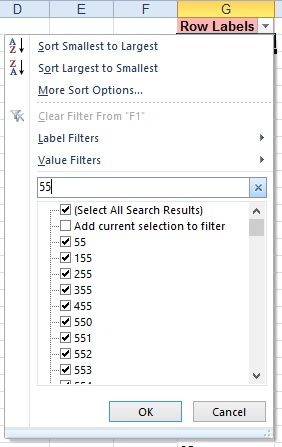
In Excel 2010 and higher a Search feature was added to the Filter DropDown list which allows the user to use search to display records that are not in the first 10,000 unique items.