
Create a calendar
- Go to Calendar.

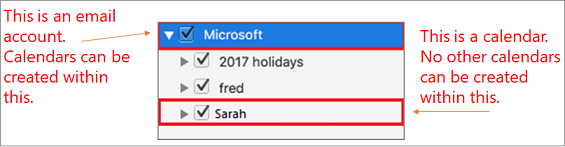
- Pick the destination where you want your new calendar to be. Calendars can be created within an email account (for example, the Outlook account), but not within another calendar.
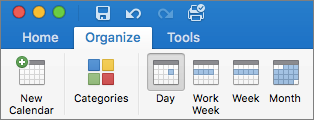
- Select the Organize tab.
 .
. - In the ribbon at the top of the menu, click New Calendar.
Delete a calendar
- Go to Calendar.

- Click on the calendar you want to delete.
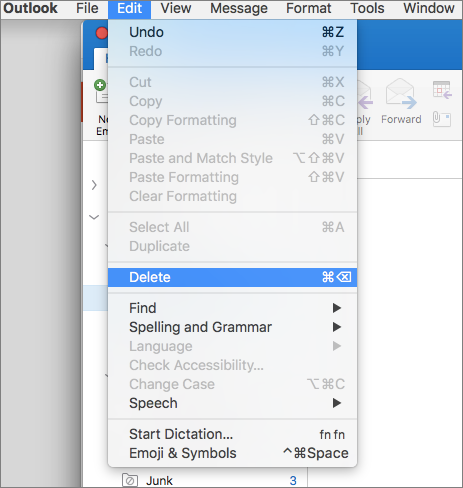
- Hold Control button and click Delete
OR
4. Click Delete on the dropdown menu.
Related Topics
Can I add holidays to my calendar?
Add a group event to my personal calendar
Add or remove a folder