
Maybe you’ve created a chart and think “this needs a little something else” to make it more impactful. Here’s where Chart Styles
 is useful. Click the chart, click
, located next to the chart in the upper right corner, and pick an option in the Style or Color galleries.
is useful. Click the chart, click
, located next to the chart in the upper right corner, and pick an option in the Style or Color galleries.
Change the color of a chart
- Click the chart you want to change.
- In the upper right corner, next to the chart, click Chart Styles
.
- Click Color and pick the color scheme you want.
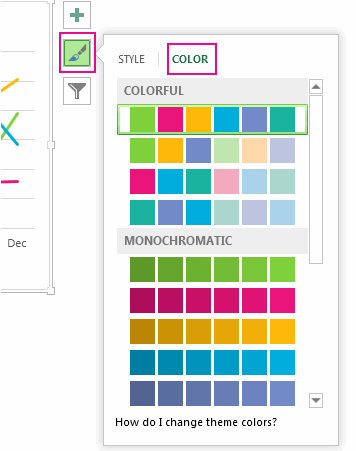
Tip
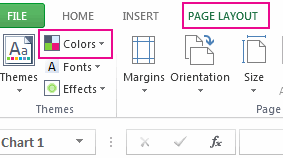
Chart styles (combinations of formatting options and chart layouts) use the theme colors. To change color schemes, switch to a different theme. In Excel, click Page Layout, click the Colors button, and then pick the color scheme you want or create your own theme colors.
Change the chart style
- Click the chart you want to change.
- In the upper right corner next to the chart, click Chart Styles
.
- Click Style and pick the option you want.
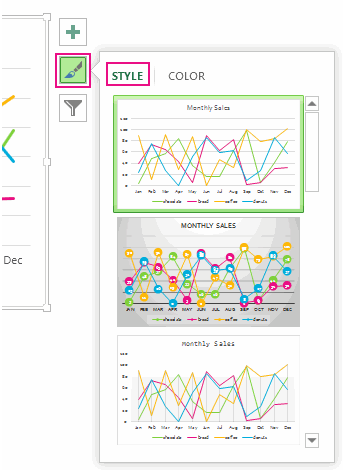 As you scroll down the gallery, Live Preview shows you how your chart data will look with the currently selected style.