
Welcome to the new Microsoft Whiteboard
Note
This article is out-of-date. Please visit what's new in Whiteboard and the Whiteboard support hub to get the latest information.
The world is transitioning to working and learning in a hybrid environment, where people need to collaborate effectively from different areas and across different platforms. With that in mind, Whiteboard is focusing on delivering exciting and useful new experiences and functionality to make that transition as easy and engaging as possible.
We have finished bringing the new experience, along with new features, to the Windows and Surface Hub applications!
The new Whiteboard: top features you can start using today
Unified Experience
Regardless of device, our customers get a single experience across all devices, operating systems, and platforms. The layout is optimized whether you’re using a large screen experience on a Surface Hub or catching up on a phone.

A modern look and feel
A new toolbar, top bar, and creation panel makes interacting with Whiteboard easier than ever, while having more visibility and control than before.

Templates
Get started with the most common scenarios that Whiteboard is used for, such as problem-solving, planning, and workshops.

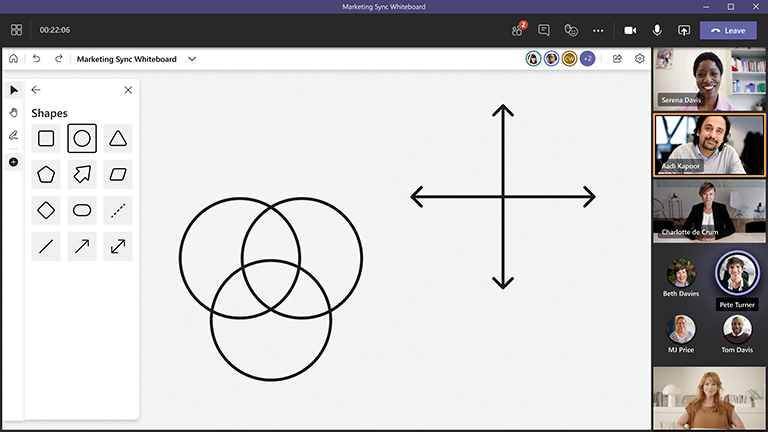
Shapes
Create collaborative diagrams and flowcharts by using shapes.
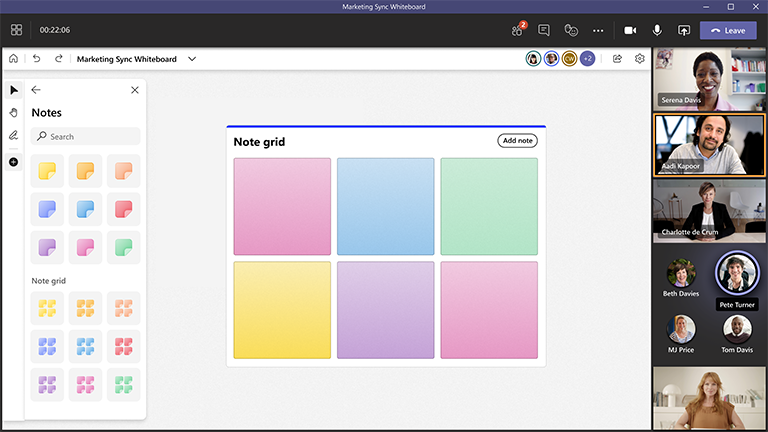
Note grids
Easily organize thoughts, ideas, and solutions in a grid.
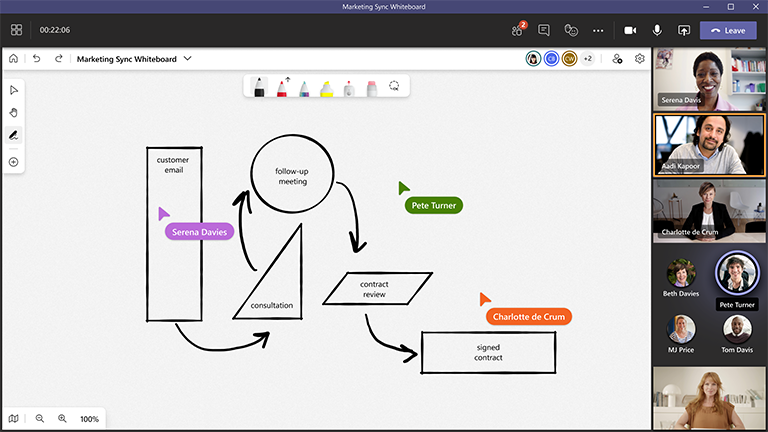
Improved mouse inking
Create smoother ink lines, making it easier and clearer when drawing with a mouse or trackpad.
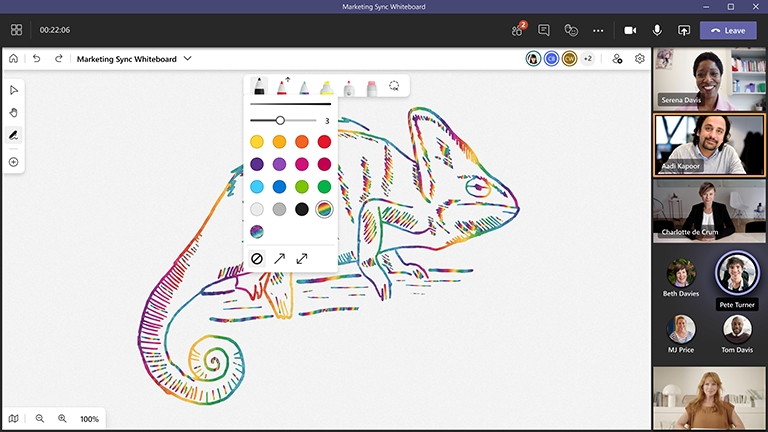
Rainbow and galaxy ink
Bring fun and creativity to any board.
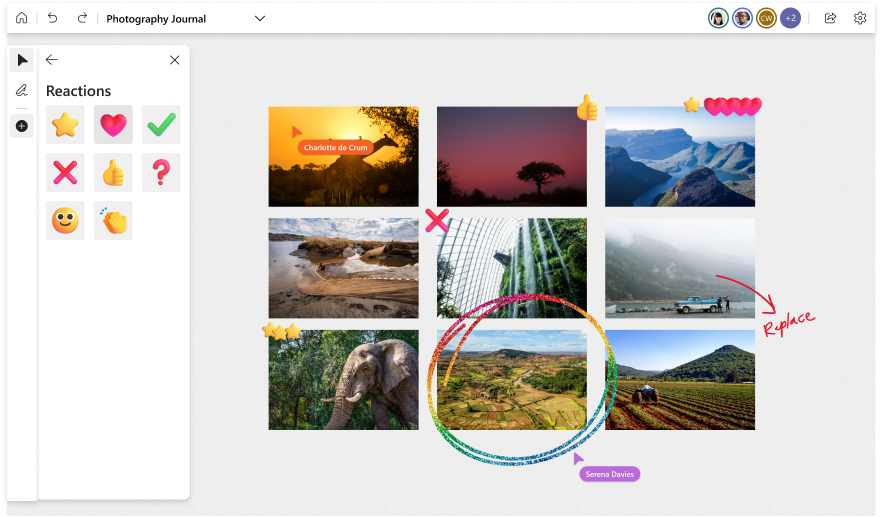
Reactions
Encourage and provide feedback with reactions, a lightweight way to get everyone to interact.
Images and document insert
Bring in and annotate images and documents.
Locking objects to the canvas
Make sure objects stay in place on boards by locking them down.
Enhanced zoom controls and fit to screen
Easily zoom in and out, or fit the contents of the canvas to your screen so you can see everything in one screen.
Great features coming soon with OneDrive for Business
Whiteboard will soon be transitioning from Azure to OneDrive, and will be bringing some great features along with it:
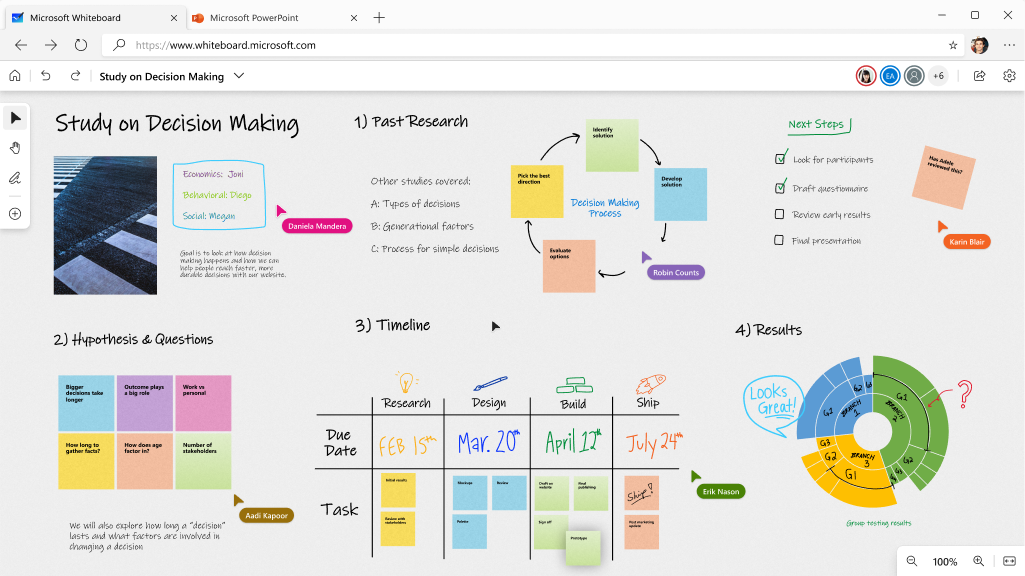
Collaborative Cursors
Easily bring people together on the board by showing who is doing what and where.
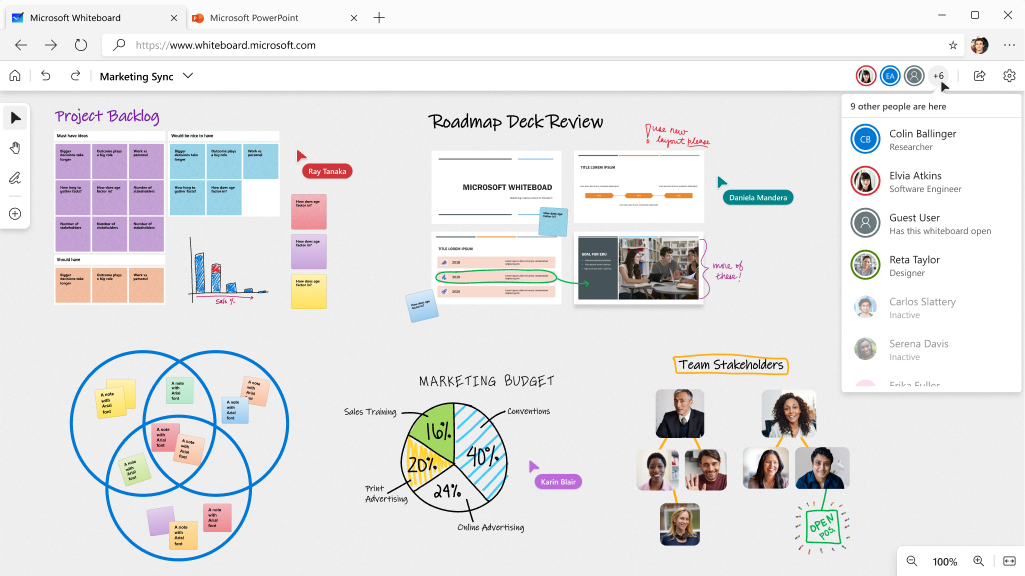
Roster (Coauthor Gallery)
See who is actively participating with a live coauthor gallery in the top bar.
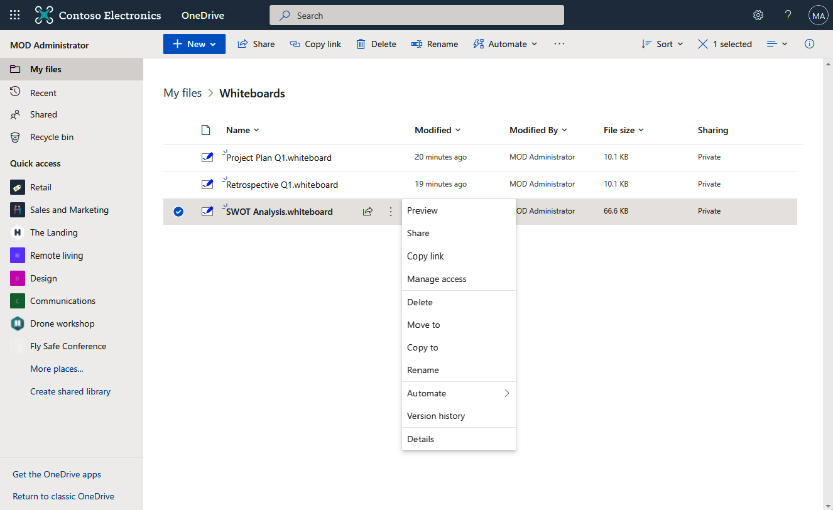
OneDrive files
Your whiteboards will become .whiteboard files in your OneDrive! Take advantage of the content functionality of OneDrive for Business and Office.com, such as searching for and managing whiteboards just like other documents.
Laser Pointer
Get people’s attention and highlight important areas of the board while presenting.
Sneak peek at upcoming features
Here are some of the great features and functionality coming to Whiteboard soon.
Reaction Tags
Give feedback or collect votes by adding reactions directly to sticky notes.

Bing image search
Browse images on Bing and insert them directly onto the whiteboard.

Clear board
Wipe a board clean with the click of a button.
Copy/paste between boards
Today you can copy and paste content within the same whiteboard, and copy content from external sources to a whiteboard. Soon you will be able to copy and paste content between different whiteboards as well.
Local document insert
Today you can bring documents in from your OneDrive, and soon you will be able to bring them in directly from your computer.
Ruler
Utilize a ruler to measure length and angles.
Export as PDF
Export your board and share it as a PDF
Open an existing board
You’ll be able to make meeting and classroom facilitation easier by preparing boards with content in advance and then opening them directly in Teams.