
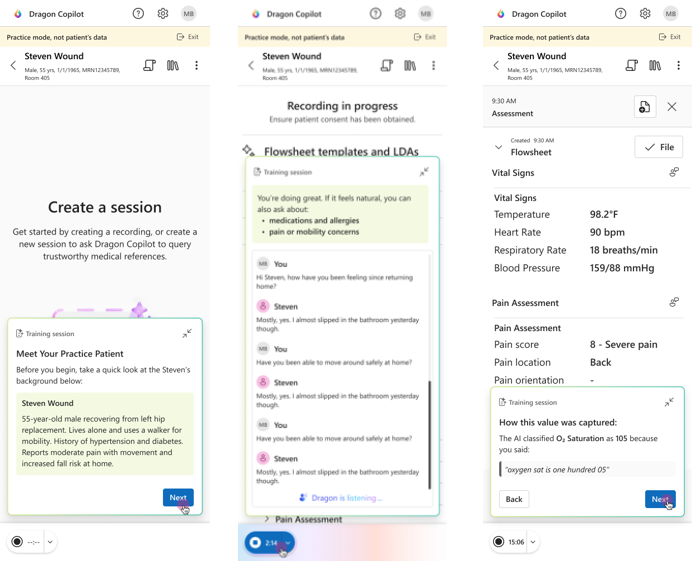
Simulation mode gives you a safe, simulated place to practice care out loud and ambient documentation before you use Dragon Copilot in live patient workflows.
Choose a predefined AI patient, complete a conversational or monologue practice session, and review AI insights to learn what Dragon Copilot captured and where more specific verbalization might help.
Note
- The features available to you might vary based on your organization's configuration. Your administrator must enable simulation mode before it appears. No additional preview enrollment, license, or role is required.
- Simulation mode uses predefined AI patients. Practice activity isn't patient data and is kept separate from real clinical usage. Don't enter real patient information.
- Simulation mode requires an internet connection. Offline support isn't available. For an optimal simulation mode experience, use the mobile app and a headset.
Access simulation mode
You can access simulation mode from the Dragon Copilot app on web, or mobile (iOS) when your administrator enables the feature.
- Sign in to the Dragon Copilot app.
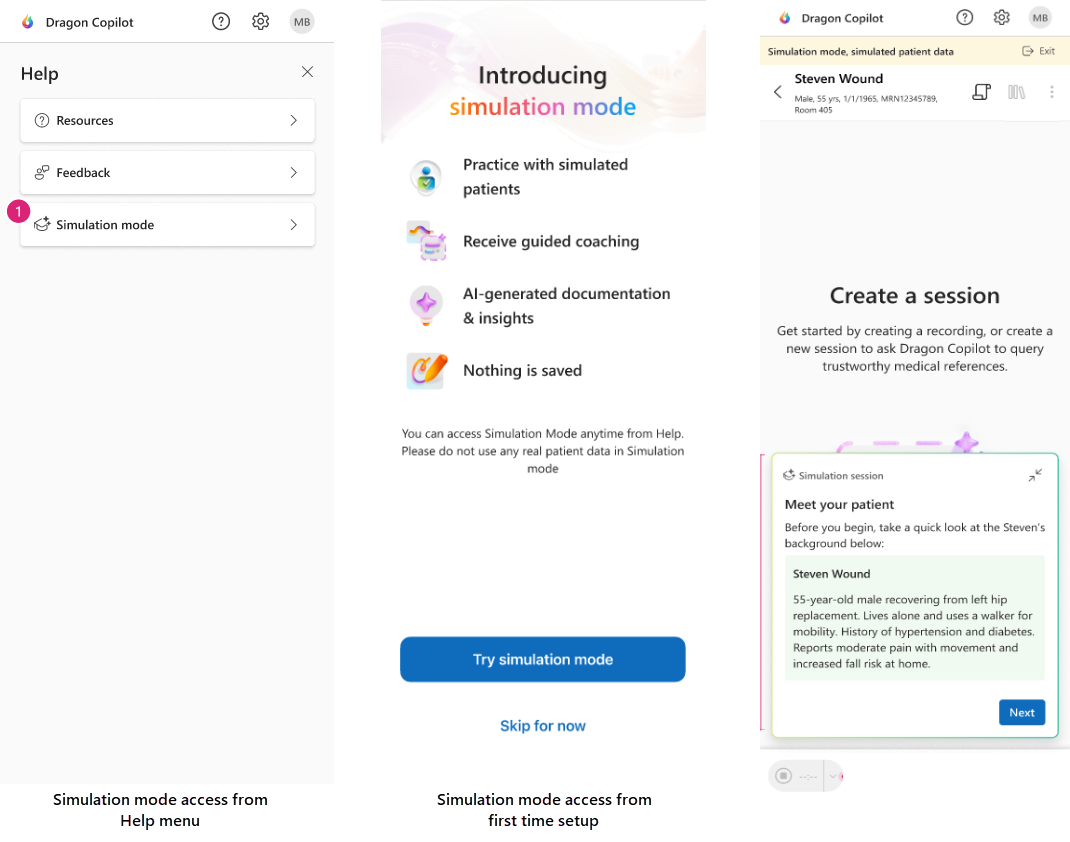
- Open Help at the top of the page, and then select simulation mode. You might also see an invitation to try simulation mode during first-time setup.
- On the simulation mode welcome screen, select the care setting most relevant to your workflow.
- Choose a predefined AI patient for practice. Review the patient scenario before you continue.
Note
If you don't see simulation mode, contact your organization administrator. Simulation mode is off by default and must be enabled in the Dragon admin center.
Choose how you want to practice
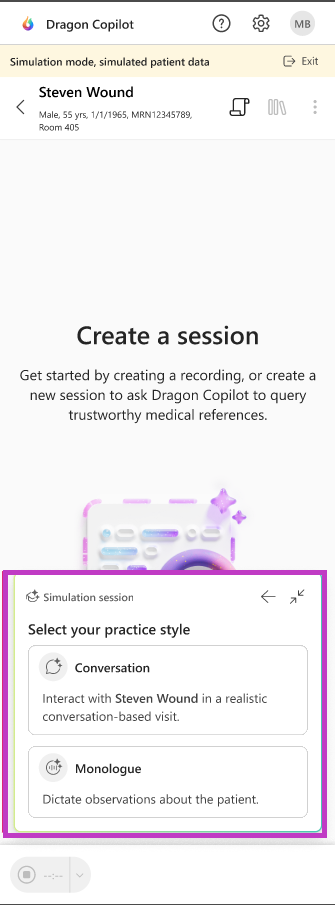
After you review the practice patient, choose one of the following practice styles:
- Conversational - Speak with an AI patient that responds to your questions. A turn-by-turn transcript appears while you practice so you can follow the AI patient's response.
- Monologue - Speak observations and values aloud without an AI patient response, similar to verbalizing an assessment on your own.
Important
The real-time transcript shown during conversational practice is available only in simulation mode. During a live recording in Dragon Copilot app, the transcript tab becomes available after you pause the recording.
Complete a practice session
- Select your practice style and start the practice recording.
- Speak naturally and use clear, specific clinical language. State observations and values explicitly, such as "temperature is 98.2 degrees Fahrenheit" instead of "temperature is okay."
- If you select conversational practice, interact with the AI patient. The patient responds based on the selected scenario and what you say.
- Review the flowsheet values generated from your practice recording.
- Open AI insights and review the available insight for each generated row.
- Exit simulation mode when you finish. Your practice activity isn't filed to the EHR.
Note
Simulation mode uses the flowsheet templates configured by your organization, but AI patients and AI insights don't support LDA documentation.
Use AI insights as coaching
AI insights help you understand how your verbalization affected the generated flowsheet values. An insight can show:
Captured value - The value Dragon Copilot extracted and the phrase in the transcript that supported it.
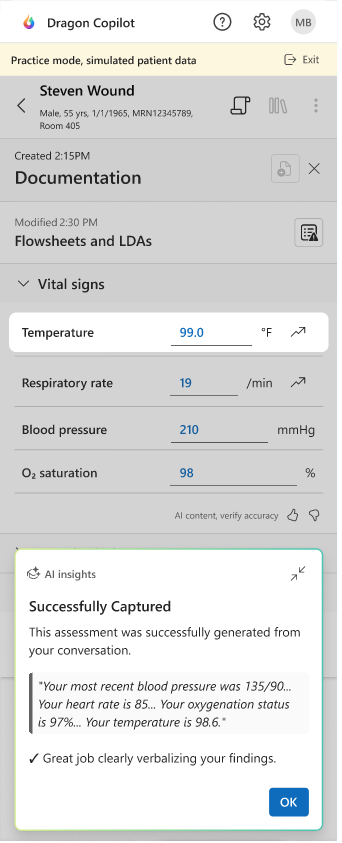
Review the available insights to help you practice more precise care out loud documentation. The progress indicator turns green after you review all available AI insights for the session.
Note
AI insights aren't generated for every unspoken flowsheet row. They focus on values that were captured and observations that were spoken to extract a value.
Important
AI-generated content can be incorrect. Use AI insights as coaching and continue to apply your clinical judgment. In live workflows, always review and correct AI-generated documentation before filing it to the EHR.
If you're not sure what to say
Simulation mode provides high-level prompts, not a scripted conversation. If you're new to care out loud documentation, start with a focused assessment and speak the same specific clinical language you would use with a colleague.
- State the body side and location, such as right, left, upper, lower, or bilateral.
- State measurable values and units when available.
- Describe what you observe instead of using general phrases such as "looks good" or "is okay."
- Summarize the patient's clinically relevant response out loud.
For more examples, see the Dragon Copilot verbalization guide.