

Copilot in OneDrive can help you find information in your files without opening each file. Ask Copilot questions about up to five selected files.
Note
Copilot in OneDrive is available through the OneDrive website and Windows PCs. You need a Microsoft 365 Personal, Family, Premium, or Pro subscription, or a work or school account with a Copilot license.
Ask questions from the OneDrive website
Note
Copilot doesn't support asking questions about video or image files.
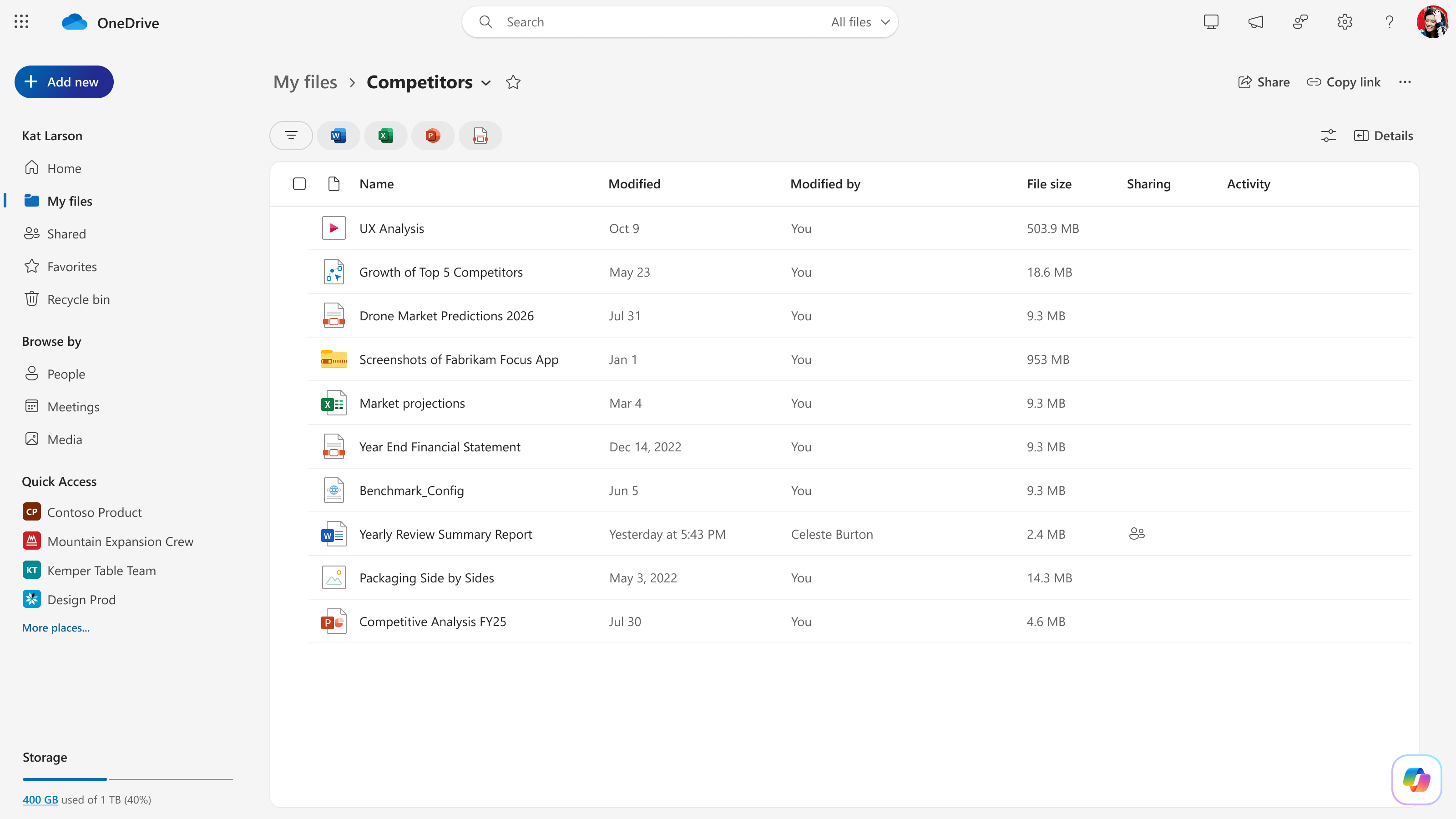
Sign in with your Microsoft account at onedrive.com, and then go to the folder that contains the files.
Select one to five files, and then select the Copilot button
 in the lower-right corner of the page. For a single file, you can also hover over the file, select the Copilot button, and then select Ask a question.
Enter your question at the bottom of the Copilot chat panel.
Select Send.
To ask another question about the selected files, enter it in the Copilot chat panel.
Ask questions from File Explorer
This procedure applies to File Explorer on Windows PCs.
Note
Copilot doesn't support asking questions about video or image files.
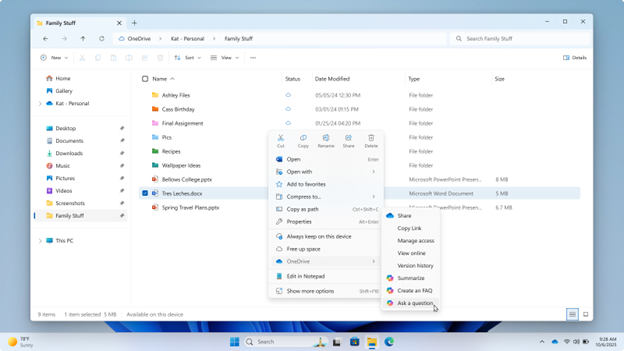
Select the file or files:
- For a single file, right-click the file.
- For multiple files, select up to five files, and then right-click one of the selected files.
Select OneDrive, and then select Ask a question.
If prompted, sign in. The Copilot chat panel opens and displays suggested prompts.
Enter your question at the bottom of the chat panel.
Select Send.
Example questions
Try asking questions such as:
- "What are the sales for product X this month?"
- "What are the brand guidelines listed in this doc?"
- "How can I improve this file for an executive review?"
- "Based on these selected files, suggest an outline for a sales pitch."
- "What are the ingredients listed in this recipe?"
- "How much money did I budget for takeout this month?"
Tips for asking questions
Tip
For best results, include specific details in your questions. You can also use speech-to-text to enter a question.