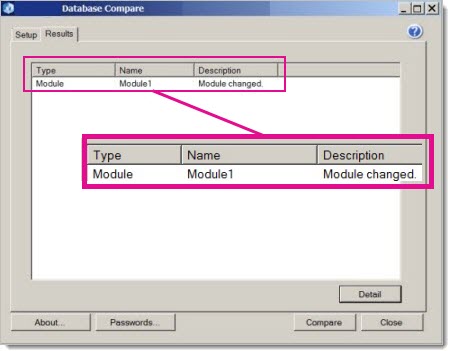
You've run a full comparison in Microsoft Database Compare, and you're looking at the results. You notice some changes to VBA code that you want to zero in on. Here, the report tells you that Module1 has been changed.
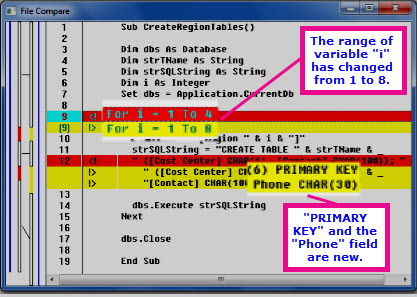
To see more, you click the Detail button. The window that shows the detailed differences looks something like the picture below. The lines highlighted in red contain the original code, and the lines highlighted in yellow contain the newer code. Here, the value 4 was changed to 8, the "Cost Center" field was set as a primary key, and a new field ("Phone") was added.