
Here's how you can use Microsoft Forms to create a math quiz for your students using intelligent suggestions and the math keyboard.
Note
This feature is only available if you have a Microsoft 365 subscription. If you are a Microsoft 365 subscriber, make sure you have the latest version of Office.
| [!VIDEO e86a901d-be4b-4d22-8e82-6d22f34a1f76] | [!VIDEO 74183980-232a-4d3b-84a6-6a2d476ad838] |
|---|
In your web browser, navigate to https://forms.microsoft.com, sign in with your Office 365 Education account, then select New quiz.
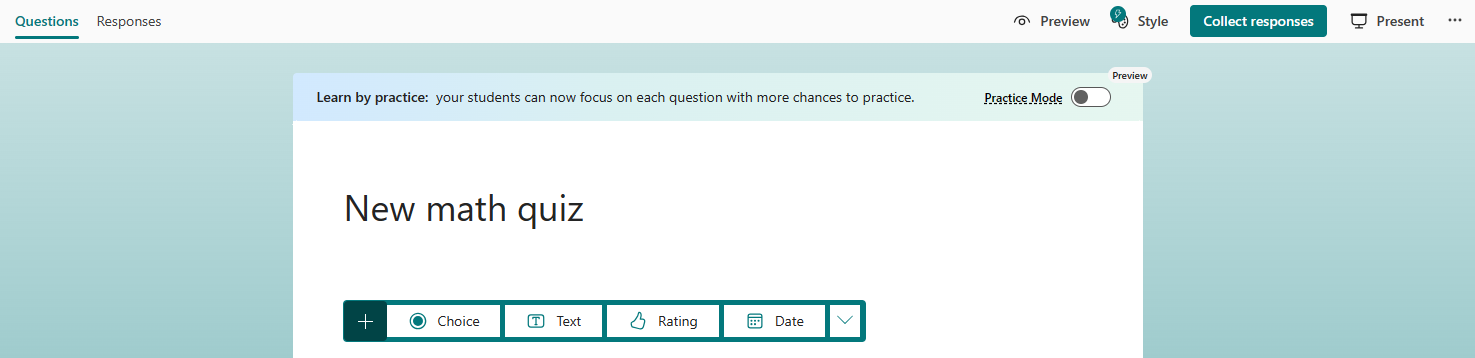
Select Untitled quiz to enter a title and short description, then select + Add new.
Choose your desired question type.
Note
Screenshots display Choice.
Toggle on the Math switch.
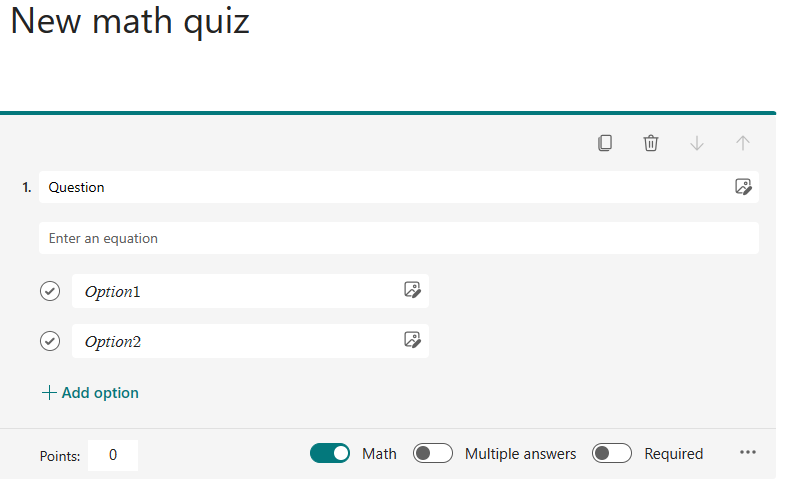
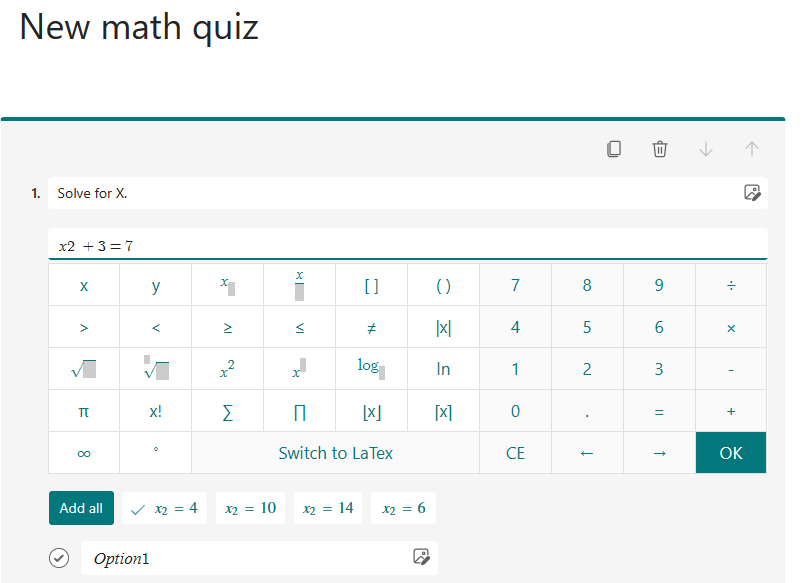
Enter the question and then the equation.
Note
The equation will display a calculator.
Enter answer selections, then continue with additional questions.
When you enter the equation you want, Forms will provide you with both correct and incorrect answer options to choose from. Just select the options you want or select Add all.
After you finish a question, Forms can provide you with similar equations to choose from for following questions. Select the suggested questions or select Add all.

Learn more
Create a quiz with Microsoft Forms
Check and share your quiz results
Assign quizzes to students through Microsoft Teams