A note is a diagram comment that has no semantic influence on the model elements.
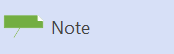
Notes are represented as a rectangle with the top-right corner folded over.
If you want to associate a note with a specific element, glue the yellow control handle on the pointer to a connection point on the other element.
To add text to the Note, right-click it and then select Edit Text from the shortcut menu.
A note
 is a diagram comment that has no semantic influence on the model elements.
Connect a Note shape to one or more elements
Drag the control handle
 at the center of the shape and glue it to a connection point
 on another element.
Name a Note shape and add a stereotype and other property values
Double-click the shape.
Type the body of the note
Double-click the Note shape. Click Comment, and under Documentation type the text you want, and then click OK.
Hide the stereotype on a Note shape
Right-click the shape, click Shape Display Options, and then, under General Options, clear Stereotype.
See Also
Add a note to a UML model
