
If the Start screen in an Office program is getting in your way, here’s how you can hide it.
- Open the program and, click File > Options.
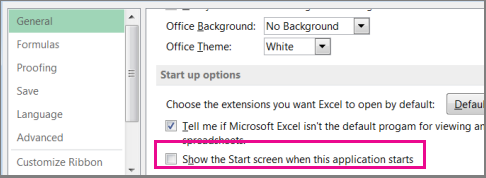
- Under Start up options, uncheck the Show the Start screen when this application starts box and close the program.
Note
If you want to show the Start screen again, go back to Options and check the Show the Start screen when this application starts box.