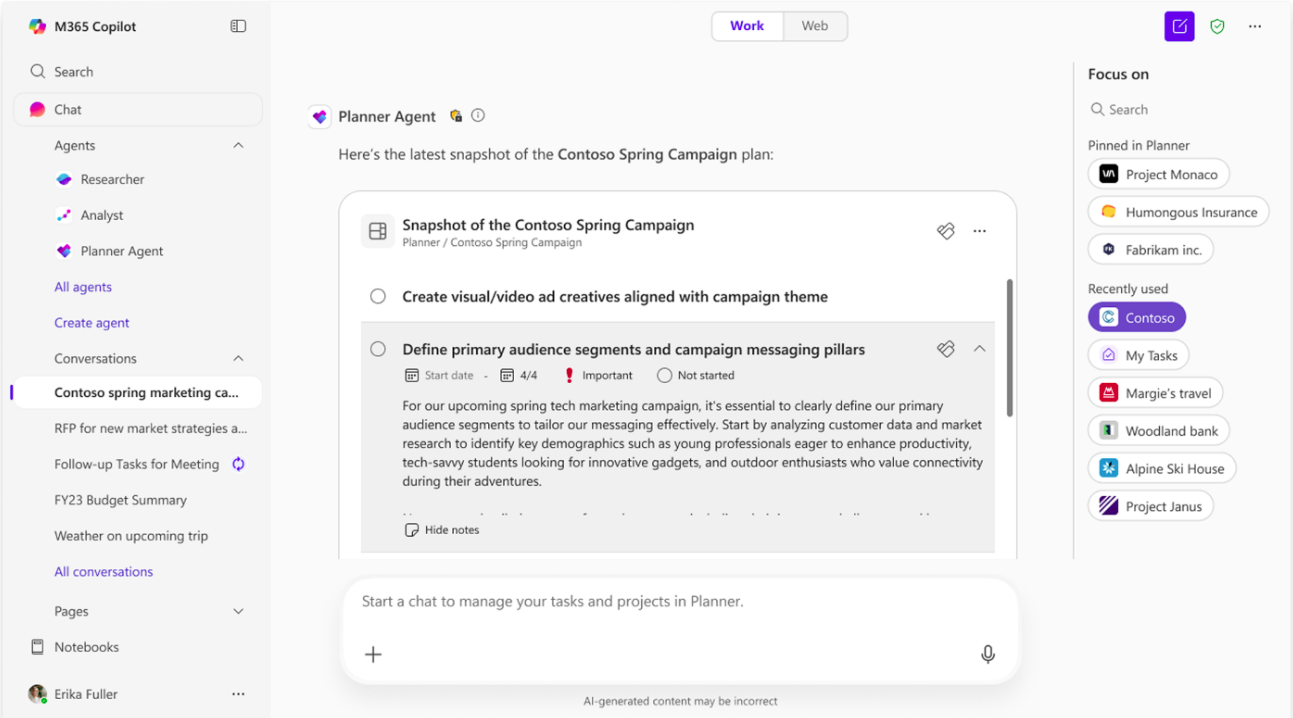
Planner Agent supports three core task-management scenarios:
Conduct Q&A
You can ask questions about:
Your private tasks
Tasks assigned to you
Flagged emails
Shared basic plans and tasks
Goals and related work
Note
Refer to the FAQ section for the current list of supported sources.
Planner Agent answers questions related to your work and displays results in interactive task cards, allowing you to review and update tasks without leaving Copilot.
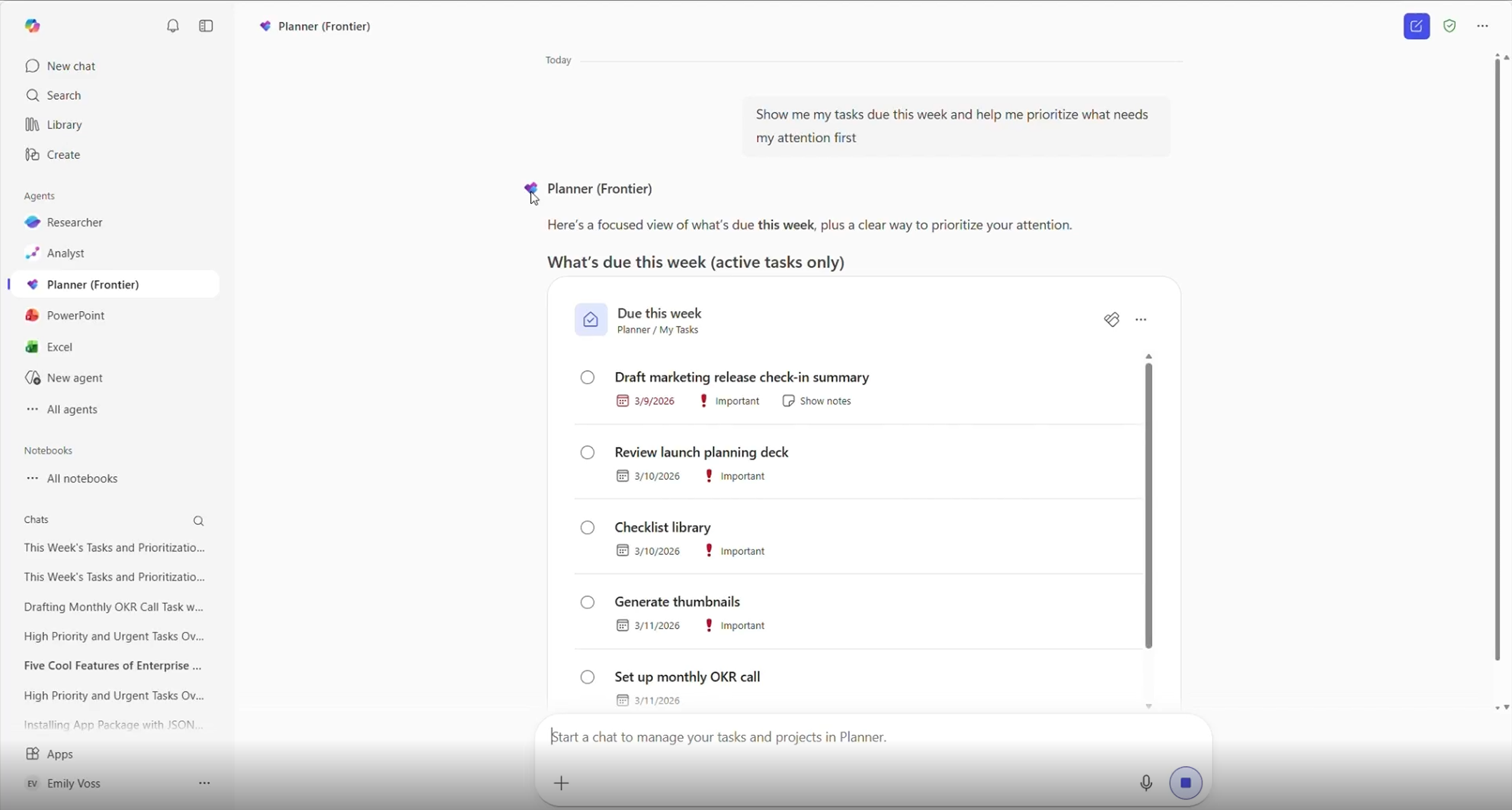
Example prompts:
"Show me my tasks due this week and help me prioritize what needs my attention first."
"What is the list of shared plans that need my attention right now?"
"Show me progress toward our launch goal."
Edit tasks and plans
Update existing work using natural language or interactive task cards.
You can:
Update task properties
Mark task as completed
Update plan details
Move task between plans
Associate tasks with goals
Edit directly in interactive task cards

Example prompt:
"Help me adjust the deadline of my Marketing task to this Friday and change its priority to Important."
"Rename the launch plan to FY27 Launch Planning."
"Move these tasks to the Product Readiness plan."
"Associate these tasks with the Launch Readiness goal."
Note
Editing tasks in Planner Agent is currently limited to the following fields: Name, Progress, Due date, Start date, Priority, Plan name.
Create tasks and plans
Create new tasks directly in Copilot chat using Planner Agent in private tasks or shared basic plans.
You can:
Create private tasks
Create tasks in shared plans
Create plans from scratch
Generate plans from Word, Excel, or PowerPoint files
Organize new work around goals and objectives
Review drafts before creation
Planner Agent generates proposed work in interactive task cards, allowing you to review and approve content before it is created.
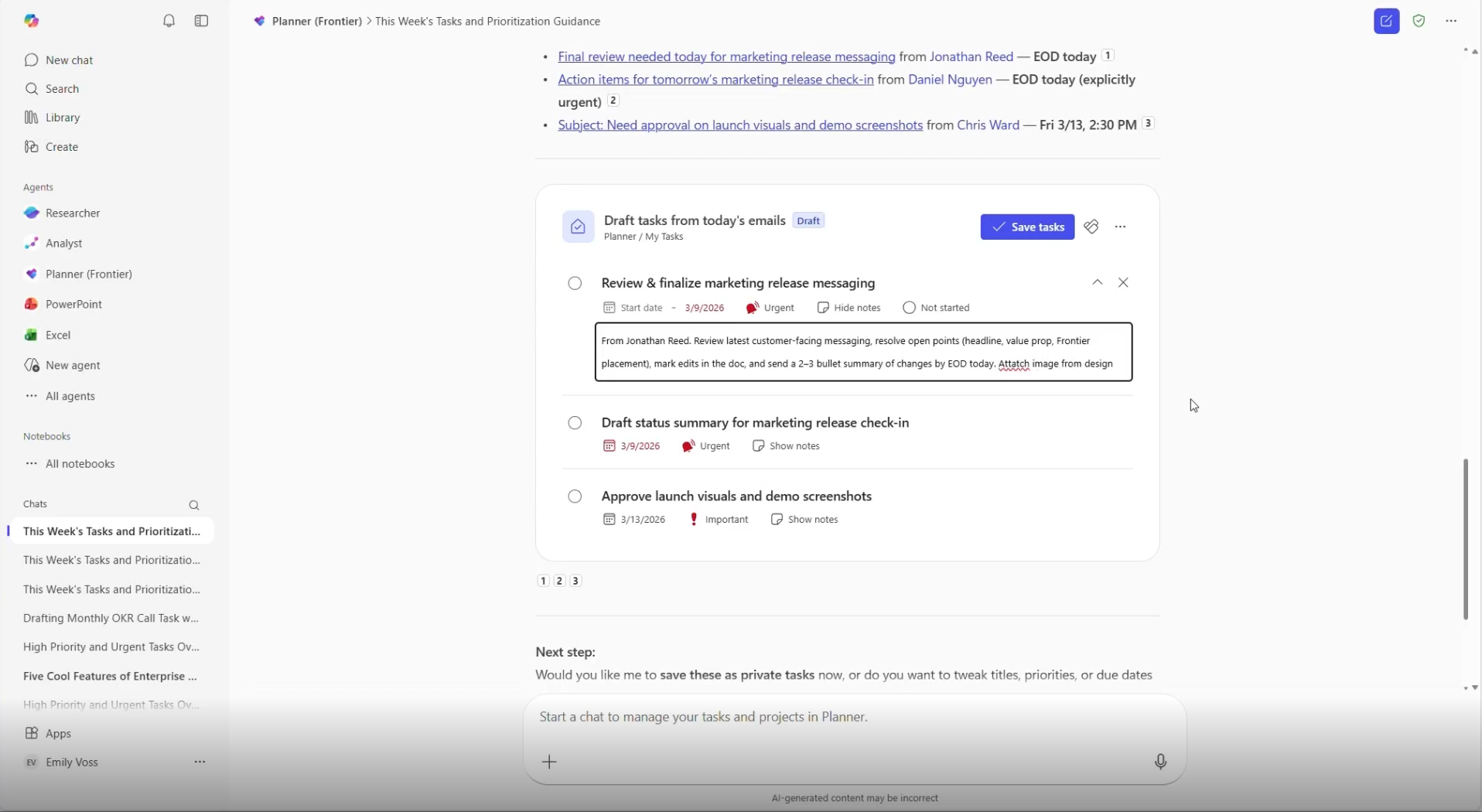
Example prompt:
"Review my emails from today and draft private tasks for the most urgent follow-ups. "
"Create a marketing plan for the product launch."
"Generate a project plan from this PowerPoint."
Use the plan picker to select the correct plan
The new plan picker makes it easier than ever to find and select the right plan. Users can search and filter their basic plans by name, then interact with the agent to update a task’s name, status, due date, or priority. This feature helps streamline navigation and ensures that teams can quickly access and manage the plans that matter most, improving overall planning efficiency.