O Visio ajuda-o a desenhar diagramas que comunicam rapidamente informações complexas.
O Visio está disponível em duas formas, consoante o plano que tiver:
| Descrição |
Disponível em que plano*? |
Obter |
| A aplicação baseada em Windows completa |
Plano 2 |

Veja as instruções em Instalar o Visio |
| Uma aplicação mais simples baseada no browser que pode utilizar no Windows ou macOS; nenhuma transferência necessária |
Plano 2
Plano 1
Visio no Microsoft 365 |

Aceda a: visio.cloud.microsoft |
* Não tem a certeza de que licença tem?
Siga estas instruções para verificar a sua licença.
Experimentar o Visio no seu browser
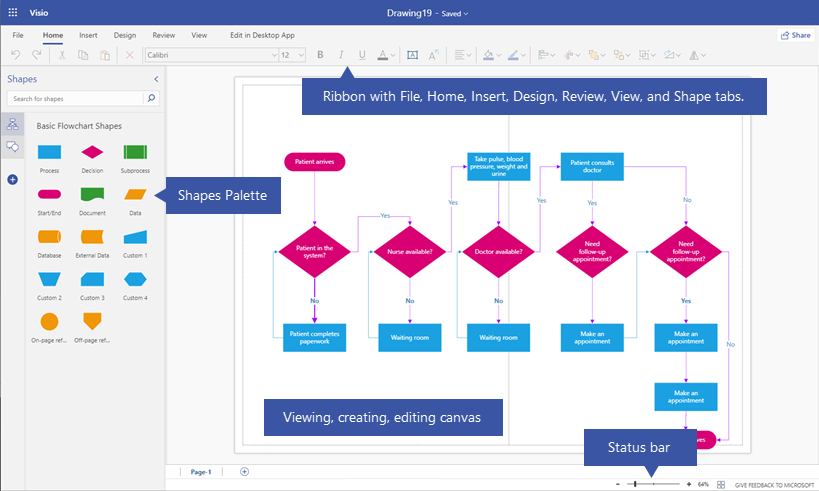
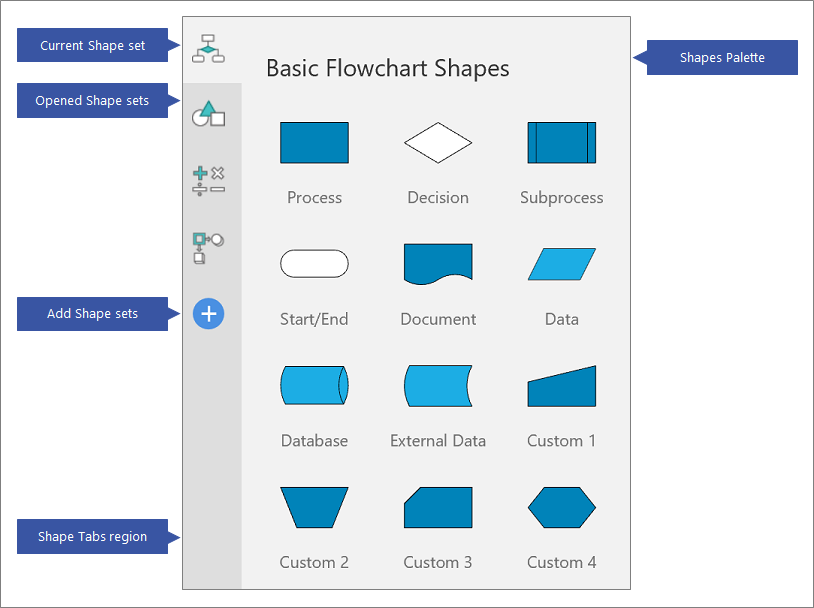
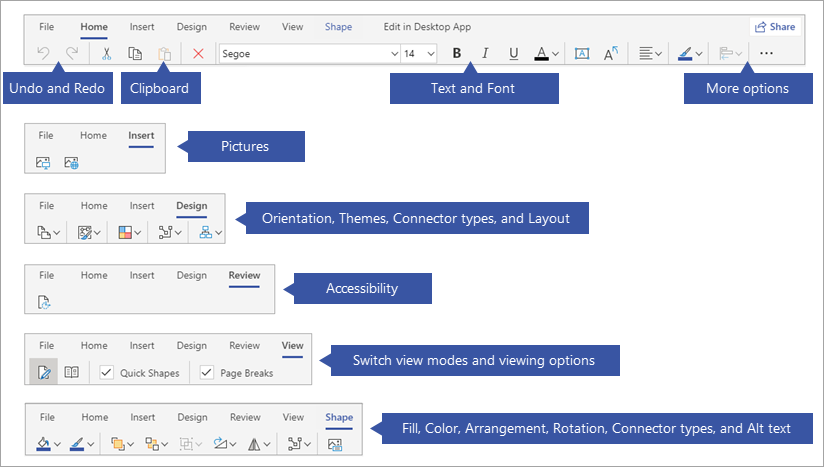
Clique em cada separador abaixo para obter uma descrição geral visual da criação e edição de um diagrama no Visio para a Web.
Para ver esta home page, inicie sessão em office.com com a sua conta escolar ou profissional.

Mais modelos
Quando seleciona Mais modelos, é redirecionado para uma nova página que mostra muitos modelos e diagramas iniciais que pode percorrer ou procurar.
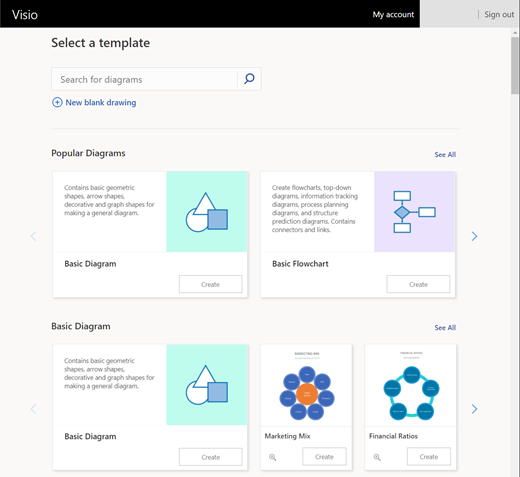
(Se tiver uma subscrição da Cloud da Comunidade Governamental, a opção Procurar diagramas apresentada acima, junto ao canto superior esquerdo, não está disponível. No entanto, ainda pode navegar na página ou utilizar a ferramenta de Pesquisa do browser para procurar um modelo ou exemplo pelo nome.)
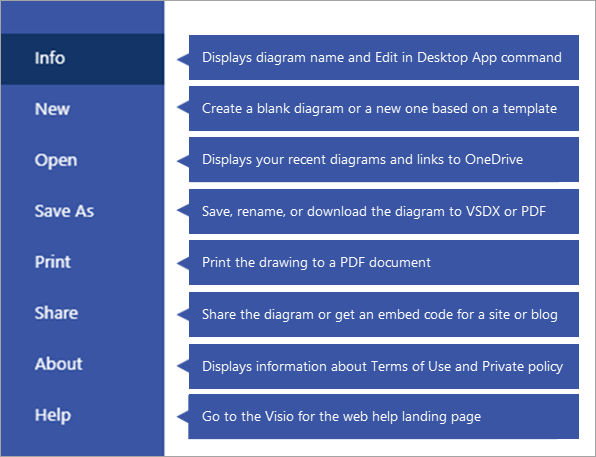
Cada diagrama tem vários exemplos do mundo real para ajudá-lo a começar rapidamente. Verifique de vez em quando, pois os diagramas são continuamente adicionados com base nos seus comentários!
|
Diagrama |
Descrição |

|
Diagrama Básico |
Contém formas geométricas básicas, formas de seta, formas decorativas e formas de gráfico para criar um diagrama geral. |
|
Fluxograma Básico |
Contém fluxogramas, diagramas descendentes, diagramas de controlo de informações, diagramas de planeamento de processos e diagramas de previsão de estrutura. Também inclui conexões e ligações. |
|
Fluxograma Multifuncional |
Mostra a relação entre um processo de negócio e as unidades organizacionais ou funcionais, como departamentos, que são responsáveis pelos passos nesse processo. |

|
Azure |
Representa as funcionalidades dos sistemas que utilizam a plataforma da cloud do Microsoft Azure e as respetivas tecnologias relacionadas. |

|
UML |
Representa um sistema ou modelo de software, como as mensagens que passam entre participantes e objetos num sistema ou as interações de utilizadores ou componentes com um sistema. |

|
Rede |
Crie diagramas de arquitetura física, lógica e de rede detalhados com um conjunto abrangente de formas de equipamento informático e de rede. |
|
SDL |
Contém diagramas orientados para objetos para sistemas e redes de comunicações e telecomunicações através da linguagem SDL (Specification and Description Language). Baseia-se em especificações CCITT. |

|
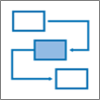
Bloco |
Contém formas geométricas 2D e 3D e linhas direcionais para ciclos de feedback e para diagramas anotados de decomposição funcional, de estrutura de dados, hierárquicos, de fluxo de sinais e de bloco de fluxo de dados. |
|
Processo |
Contém formas de "passos do processo" para ilustrar a sequência de passos envolvidos num processo ou procedimento. Representa o fluxo de negócios, fluxo de informações, fluxo de material, listas horizontais ou verticais. Contém setas para mostrar a direção e legendas. |

|
Matriz de Negócios |
Contém diagramas de matriz de negócios que mostram relações entre conceitos em duas ou mais dimensões e inclui: matrizes 2x2 e 3x3, análises SWOT, matriz Ansoff, matriz BCG, mapas de posição e diagramas de análise do Quadrante. |

|
Venn |
Utiliza formas sobrepostas para representar relações lógicas possíveis entre dois ou mais conjuntos para organizar informações, mostrar associações, semelhanças, uniões, interseções, diferenças, contenções e complementos. |

|
Circular |
Representa uma sequência de fases, tarefas ou eventos num fluxo circular. Contém segmentos de tipo circular, radial, destino, ciclos e outras formas de diagrama circulares. |

|
Pirâmide |
Utiliza formas triangulares, piramidais ou cónicas para mostrar relações proporcionais, interligadas e hierárquicas. |
Consulte Também
Ajuda do Visio para a Web
Tutorial para principiantes do Visio
Utilizar o Visio num Mac
Comparar versões e funcionalidades do Visio
