
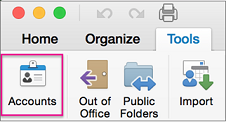
- Na karte Nástroje kliknite na položku Kontá.
- Na ľavej table kliknite na konto, pre ktoré chcete zmeniť heslo.
- Na pravej table zadajte nové heslo do poľa Heslo.
- Zatvorte okno Kontá. Outlook uloží heslo automaticky.
Aktualizácia hesla v Outlooku pre Mac
Vzťahuje sa na
Outlook pre Microsoft 365 pre Mac Outlook 2024 pre Mac Outlook 2021 pre Mac