Share your feedback
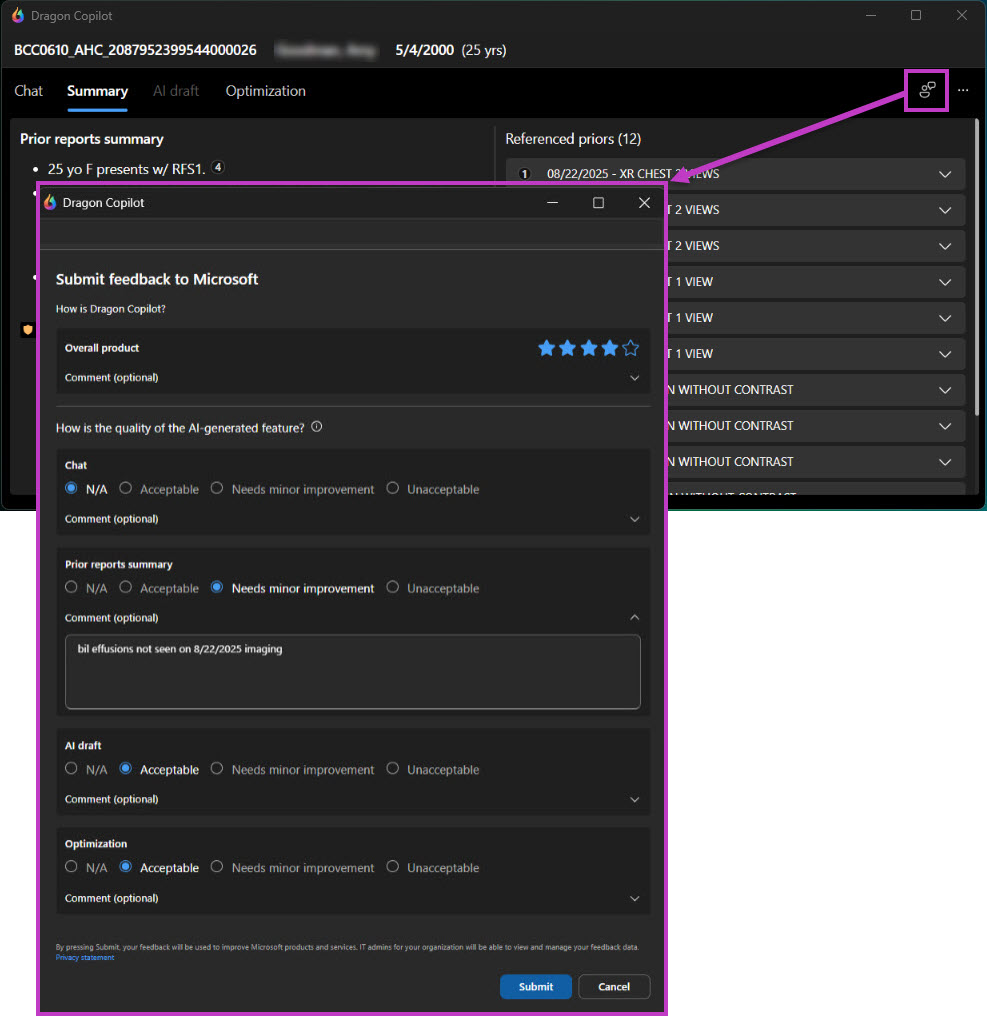
User feedback enables you to share your experience or suggest improvements for Dragon Copilot. By selecting specific criteria, you can add comments that help the development team refine Dragon Copilot.
Option 1
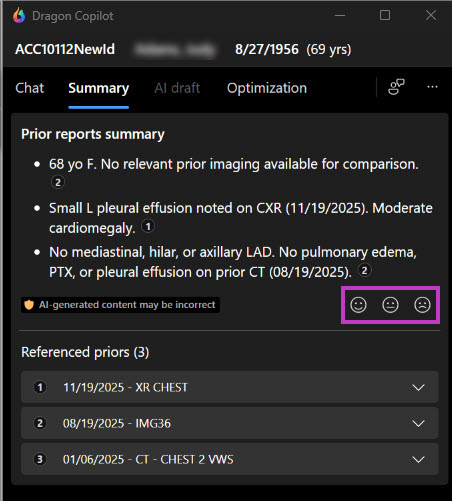
Prior report summary feedback provides a faster way to share your input when needed. Three options are available: acceptable, needs minor improvement, and unacceptable. Select one of the emojis by using the one-click option. This method gives you flexibility to choose the level of feedback that best fits your needs.
Important
When submitting PRS feedback rated Needs minor improvement or Unacceptable, complete the full feedback form so the development team can make effective, targeted enhancements based on your input.
Option 2
This option enables you to provide overall feedback regarding your experience using Dragon Copilot in your workflow. To provide feedback,
- Select the Feedback icon
The icon appears in the top right corner near the ellipses. - Enter your rating and comments, and then select Submit.