

Dictation lets you use speech-to-text to author content in Office with a microphone and a reliable internet connection. It's a quick and easy way to create drafts, capture notes, and make comments.
How to use dictation
- Go to Home >
 Dictate while signed into Microsoft 365 on a mic-enabled device.
 - Wait for the
 Dictate button to turn on and start listening.
 - Start speaking to see text appear on the screen.
What can I say?
In addtion to dictating your content, you can speak commands to add punctuatation, navigate around the page, and enter special characters.
Scroll down to see a list of commands available in other languages.
Punctuation
| Phrase | Output |
|---|---|
| period, full stop | . |
| comma | , |
| question mark | ? |
| exclamation mark/point | ! |
| new line | new line |
| apostrophe-s | 's |
| colon | : |
| semicolon | ; |
| open quotesclose quotes | " " |
| hyphen | - |
| ellipsis, dot dot dot | ... |
| begin/open single quoteend/close single quote | ' ' |
| left/open parenthesesright/close parentheses | ( ) |
| left/open bracketright/close bracket | [ ] |
| left/open braceright/close brace | { } |
Symbols, mathematics, and currency
| Phrase | Output |
|---|---|
| asterisk | * |
| backslash | \ |
| forward slash | / |
| vertical bar sign, pipe character | | |
| backquote, backtick | ` |
| underscore | _ |
| m-dash | — |
| n-dash | – |
| paragraph sign/mark | ¶ |
| section sign | § |
| ampersand, and sign | & |
| at sign | @ |
| copyright sign | © |
| registered sign | ® |
| degree symbol | ° |
| caret symbol | ^ |
| percent sign | % |
| number/pound sign | # |
| plus sign | + |
| minus sign | - |
| multiplication sign | x |
| plus or minus sign | ± |
| division sign | ÷ |
| equal sign | = |
| less than sign, left angle bracketgreater than sign, right angle bracket | < > |
| dollar sign | $ |
| pound sterling sign | £ |
| euro sign | € |
| yen sign | ¥ |
Emojis
| Phrase | Output |
|---|---|
| smiley face | :) |
| frowny face | :( |
| winky face | ;) |
| heart emoji | <3 |
Editing
| Phrase | |
|---|---|
| undo | |
| delete | |
| delete that | |
| delete [word or phrase] | |
| delete last [1-100] words/sentences | |
| insert space | |
| backspace | |
| backspace [1-100] | |
| show help | |
| pause dictation | |
| exit dictation |
Creating lists and tables (Web only)
Important
Items marked with * are only available in the web version of OneNote.
| Phrase |
|---|
| list (start list, start numbered list, next line, exit list) * |
| insert [1-10] row above/below* |
| insert [1-10] column to the left/right* |
| go to next cell, go up/down/left/right ([1-10] times)* |
| go to beginning/end of the row* |
| delete table/row/column* |
| exit table* |
Formatting (Web only)
Important
Items marked with * are only available in the web version of OneNote.
| Phrase |
|---|
| strikethrough format [word or phrase]* |
| bold* |
| italics* |
| underline* |
| highlight* |
| indent* |
| decrease indent* |
| align [left, center, right]* |
| clear all formatting* |
| superscript* |
| subscript* |
Other languages
Select from the list below to see commands available in each of the supported languages.
Select your language
Chinese (Simplified)
Punctuation
| Phrase(s) | Output |
|---|---|
| 句 号 | 。 |
| 逗 号 | , |
| 换 行换行符分段符 | 换 行 |
| 问 号 | ? |
| 感叹号 | ! |
| 冒号 | : |
| 左引号右引号 | " " |
| 左括号右括号 | ( ) |
| 分号 | ; |
| 短划线 | - |
| 左单引号右单引号 | ‘ ' |
| 左中括号右中括号 | [ ] |
| 顿号 | 、 |
| 撇号 | ' |
| 省略号 | ... |
Symbols
| Phrase(s) | Output |
|---|---|
| 艾特符号at符号 | @ |
| 星号 | * |
| 下划线 | _ |
| 与号 | & |
| 正斜杠斜杠 | / |
| 度标记 | ° |
Mathmatics
| Phrase(s) | Output |
|---|---|
| 百分号 | % |
| 井号 | # |
| 加号 | + |
| 减号 | - |
| 乘号 | × |
| 除号 | ÷ |
| 等号 | = |
| 加减号 | ± |
| 小于号大于号 | < > |
Currency
| Phrase(s) | Output |
|---|---|
| 美元符号 | $ |
| 英镑符号 | £ |
| 欧元符号 | € |
| 日元符号 | ¥ |
| 人民币符号 | ¥ |
Danish (Denmark)
Punctuation
| Phrase(s) | Output |
|---|---|
| punktum | . |
| komma | , |
| spørgsmålstegn | ? |
| udråbstegn | ! |
| linjeskift | linjeskift |
| kolon | : |
| semikolon | ; |
| venstre parentes, åben parenteshøjre parentes, lukket parentes | ( ) |
| startende anførselstegn, begyndende anførselstegnafsluttende anførselstegn, lukkende anførselstegn | " " |
| nyt afsnit | nyt afsnit |
| apostrof s | 's |
| startende enkelt anførselstegn, åbnende enkelt anførselstegnafsluttende enkelt anførselstegn, lukkende enkelt anførselstegn | ' ' |
| venstre kantet parentes, åben kantet parenteshøjre kantet parentes, lukket kantet parentes | [ ] |
| apostrof | ' |
| ellipse | ... |
Symbols
| Phrase(s) | Output |
|---|---|
| snabel-a | @ |
| stjerne | * |
| skråstreg | / |
| og-tegn | & |
| grad-tegn | ° |
Mathmatics
| Phrase(s) | Output |
|---|---|
| plustegn | + |
| plus- eller minustegn | ± |
| divisionstegn | ÷ |
| lighedstegn | = |
| pund-tegn, nummertegn, hash-tegn | # |
| procenttegn | % |
| mindre end, større end | < > |
Currency
| Phrase(s) | Output |
|---|---|
| dollartegn | $ |
| pund sterling-tegn | £ |
| euro-tegn | € |
| yen-tegn | ¥ |
Emojis
| Phrase(s) | Output |
|---|---|
| smilende ansigt | :-) |
| hjerte | <3 |
| trist smiley | :-( |
| blinkende smiley | ;-) |
Dutch (Netherlands)
Punctuation
| Phrase(s) | Output |
|---|---|
| punt | . |
| komma | , |
| vraagteken | ? |
| uitroepteken | ! |
| nieuwe regelregeleinde | nieuwe regel |
| puntkomma | ; |
| dubbele punt | : |
| afbreekstreepje | - |
| en-streepje | – |
| linkerhaakjehaakje sluiten | ( ) |
| aanhalingsteken openen, beginaanhalingstekenaanhalingsteken sluiten, eindaanhalingsteken | " " |
| nieuwe alinea | nieuwe alinea |
| apostrof s | 's |
| enkel beginaanhalingsteken, enkel aanhalingsteken openenenkel aanhalingsteken sluiten, enkel eindaanhalingsteken | ' ' |
| vierkante linkerhaak, vierkante haak openenvierkante rechterhaak, vierkante haak sluiten | [ ] |
| apostrof | ' |
| beletselteken | ... |
Symbols
| Phrase(s) | Output |
|---|---|
| ampersand, en-teken | & |
| slash | / |
| onderstrepingsteken, laag streepje | _ |
| gradenteken | ° |
Mathmatics
| Phrase(s) | Output |
|---|---|
| plusteken | + |
| minteken | - |
| vermenigvuldigingsteken | × |
| plusminusteken | ± |
| deelteken | ÷ |
| gelijkteken | = |
| kleiner dan-tekengroter dan-teken | < > |
| procentteken | % |
| nummerteken, hashtag | # |
Currency
| Phrase(s) | Output |
|---|---|
| euroteken | € |
| yenteken | ¥ |
| dollarteken | $ |
| britse pond-teken | £ |
Emojis
| Phrase(s) | Output |
|---|---|
| hart-emoji | <3 |
English
Punctuation
| Phrase | Output |
|---|---|
| period, full stop | . |
| comma | , |
| question mark | ? |
| exclamation mark/point | ! |
| new line | new line |
| apostrophe-s | 's |
| colon | : |
| semicolon | ; |
| open quotesclose quotes | " " |
| hyphen | - |
| ellipsis, dot dot dot | ... |
| begin/open single quoteend/close single quote | ' ' |
| left/open parenthesesright/close parentheses | ( ) |
| left/open bracketright/close bracket | [ ] |
| left/open braceright/close brace | { } |
Symbols, mathematics, and currency
| Phrase | Output |
|---|---|
| asterisk | * |
| backslash | \ |
| forward slash | / |
| vertical bar sign, pipe character | | |
| backquote, backtick | ` |
| underscore | _ |
| m-dash | — |
| n-dash | – |
| paragraph sign/mark | ¶ |
| section sign | § |
| ampersand, and sign | & |
| at sign | @ |
| copyright sign | © |
| registered sign | ® |
| degree symbol | ° |
| caret symbol | ^ |
| percent sign | % |
| number/pound sign | # |
| plus sign | + |
| minus sign | - |
| multiplication sign | x |
| plus or minus sign | ± |
| division sign | ÷ |
| equal sign | = |
| less than sign, left angle bracketgreater than sign, right angle bracket | < > |
| dollar sign | $ |
| pound sterling sign | £ |
| euro sign | € |
| yen sign | ¥ |
Emojis
| Phrase | Output |
|---|---|
| smiley face | :) |
| frowny face | :( |
| winky face | ;) |
| heart emoji | <3 |
Editing
| Phrase | |
|---|---|
| undo | |
| delete | |
| delete that | |
| delete [word or phrase] | |
| delete last [1-100] words/sentences | |
| insert space | |
| backspace | |
| backspace [1-100] | |
| show help | |
| pause dictation | |
| exit dictation |
Creating lists and tables (Web only)
Important
Items marked with * are only available in the web version of OneNote.
| Phrase |
|---|
| list (start list, start numbered list, next line, exit list) * |
| insert [1-10] row above/below* |
| insert [1-10] column to the left/right* |
| go to next cell, go up/down/left/right ([1-10] times)* |
| go to beginning/end of the row* |
| delete table/row/column* |
| exit table* |
Formatting (Web only)
Important
Items marked with * are only available in the web version of OneNote.
| Phrase |
|---|
| strikethrough format [word or phrase]* |
| bold* |
| italics* |
| underline* |
| highlight* |
| indent* |
| decrease indent* |
| align [left, center, right]* |
| clear all formatting* |
| superscript* |
| subscript* |
Finnish
Punctuation
| Phrase(s) | Output |
|---|---|
| piste | . |
| pilkku | , |
| kysymysmerkki | ? |
| huutomerkki | ! |
| uusi rivirivinvaihto | uusi rivi |
| kaksoispiste | : |
| yhdysmerkki | - |
| vasen sulkumerkkioikea kaarisulje | ( ) |
| puolipiste | ; |
| viiva | – |
| uusi kappale | uusi kappale |
| vasen puolilainausmerkkioikea puolilainausmerkki | ' ' |
| vasen hakasuljeoikea hakasulje | [ ] |
| heittomerkki | ' |
| ellipsi | ... |
Symbols
| Phrase(s) | Output |
|---|---|
| ät-merkki, ät-maininta | @ |
| tähtimerkki | * |
| gravis | ` |
| et-merkki, ja-merkki | & |
| vinoviiva | / |
| alaviiva | _ |
| astemerkki | ° |
Mathmatics
| Phrase(s) | Output |
|---|---|
| ristikkomerkki | # |
| prosenttimerkki | % |
| plusmerkki | + |
| miinusmerkki | - |
| yhtäläisyysmerkki | = |
| kertomerkki | × |
| plus- tai miinusmerkki | ± |
| pienempi kuin -merkkisuurempi kuin -merkki | < > |
| jakomerkki | ÷ |
Currency
| Phrase(s) | Output |
|---|---|
| dollarin merkki | $ |
| punnan merkki | £ |
| euron merkki | € |
| jenin merkki | ¥ |
Emojis
| Phrase(s) | Output |
|---|---|
| surullinen hymiö | :-( |
| silmää iskevä hymiö | ;-) |
| hymiö | :-) |
| sydänhymiö | <3 |
French (France)
Punctuation
| Phrase(s) | Output |
|---|---|
| point | . |
| virgule | , |
| point d'interrogation | ? |
| point d'exclamation | ! |
| saut de ligne | saut de ligne |
| nouveau paragraphe | nouveau paragraphe |
| deux points | : |
| point-virgule | ; |
| guillemet gauche, guillemet ouvrantguillemet droit, guillemet fermant | « » |
| parenthèse gauche, parenthèse ouvranteparenthèse fermante | ( ) |
| tiret demi-cadratin | - |
| guillemet simple ouvrant | ' |
| crochet droit ouvrantcrochet droit fermant | [ ] |
| apostrophe | ' |
| guillemet simple fermant | ' |
| points de suspension | ... |
Symbols
| Phrase(s) | Output |
|---|---|
| arobase | @ |
| astérisque | * |
| trait de soulignement | _ |
| barre oblique | / |
| symbole degré | ° |
Mathmatics
| Phrase(s) | Output |
|---|---|
| signe dièse | # |
| signe plus | + |
| tiret | - |
| signe multiplication | × |
| signe division | ÷ |
| signe égal | = |
| signe pourcentage | % |
| signe inférieur àsigne supérieur à | < > |
Currency
| Phrase(s) | Output |
|---|---|
| signe dollar | $ |
| signe livre sterling | £ |
| signe euro | € |
| signe yen | ¥ |
Emojis
| Phrase(s) | Output |
|---|---|
| émoticône | :-) |
| emoji cœur | <3 |
German (Germany)
Punctuation
| Phrase(s) | Output |
|---|---|
| punktsatzende | . |
| komma | , |
| fragezeichen | ? |
| ausrufezeichenrufzeichen | ! |
| neue zeilezeilenumbruch | neue zeile |
| doppelpunktkolon | : |
| strichpunktsemikolon | ; |
| öffnendes anführungszeichen, beginn zitatschließendes anführungszeichen, ende zitat | « » |
Italian (Italy)
Punctuation
| Phrase(s) | Output |
|---|---|
| punto | . |
| virgola | , |
| punto interrogativopunto di domanda | ? |
| punto esclamativo | ! |
| a caponuova riga | nuova riga |
| due punti | : |
| punto e virgola | ; |
| virgolette apertevirgolette chiuse | « » |
| parentesi apertaparentesi chiusa | ( ) |
| segno di percentuale | segno di percentuale |
| parentesi quadra apertaparentesi quadra chiusa | [ ] |
| aperta virgoletta singolachiudi virgoletta singola | ' ' |
| puntini di sospensione | ... |
| trattino | - |
Symbols
| Phrase(s) | Output |
|---|---|
| a commerciale | @ |
| asterisco | * |
| underscore | _ |
| e commerciale | & |
| simbolo di grado | ° |
Mathmatics
| Phrase(s) | Output |
|---|---|
| cancellettohashtag | # |
| segno di divisione | ÷ |
| segno di moltiplicazione | × |
| segno di uguale | = |
| segno di minoresegno di maggiore | < > |
Currency
| Phrase(s) | Output |
|---|---|
| simbolo di dollaro | $ |
| simbolo di sterlina | £ |
| simbolo di euro | € |
| simbolo di yen | ¥ |
Japanese (Japan)
Punctuation
| Phrase(s) | Output |
|---|---|
| 読 点 | 、 |
| 句 点 | 。 |
| く て ん | 。 |
| ク エ ス チ ョ ン マ ー ク , 疑 問 符 | ? |
| 改 行か い ぎ ょ う | か い ぎ ょ う |
| び っ く り マ ー ク , 感 嘆 符 | ! |
| ハイフン | - |
| 二重かぎかっこ開く , 左二重かぎかっこ右二重かぎかっこ , 二重かぎかっこ閉じる | 『 』 |
| 左かっこ , かっこ開く右かっこ , かっこ閉じる | ( ) |
| セミコロン | ; |
| 新しい段落 | 新しい段落 |
| 左かぎかっこ , かぎかっこ開く右かぎかっこ , かぎかっこ閉じる | 「 」 |
| 左大かっこ , 角かっこ開く右大かっこ , 大かっこ閉じる | [ ] |
| 三点リーダー | ... |
Symbols
| Phrase(s) | Output |
|---|---|
| アット記号アットマーク | @ |
| アスタリスク | * |
| 度記号 | ° |
| アンパサンドアンド記号 | & |
Mathmatics
| Phrase(s) | Output |
|---|---|
| 番号記号 | # |
| プラス記号 | + |
| マイナス記号 | - |
| 等号 | = |
| パーセント記号 | % |
| プラスマイナス | ± |
| 小なり記号大なり記号 | < > |
Currency
| Phrase(s) | Output |
|---|---|
| ドル記号 | $ |
| ポンド記号 | £ |
| ユーロ記号 | € |
| 円記号 | ¥ |
Norwegian, Bokmål (Norway)
Punctuation
| Phrase(s) | Output |
|---|---|
| punktum | . |
| komma | , |
| spørsmålstegn | ? |
| utropstegn | ! |
| ny linje | ny linje |
| kolon | : |
| bindestrek | - |
| venstre anførselstegn, begynnende anførselstegnhøyre anførselstegn, avsluttende anførselstegn | " " |
| venstreparenteshøyreparentes | ( ) |
| semikolon | ; |
| tankestrek | – |
| kort tankestrek | – |
| nytt avsnitt | nytt avsnitt |
| apostrof-ess | 's |
| begynnende enkelt anførselstegn, venstre enkelt anførselstegnhøyre enkelt anførselstegn, avsluttende enkelt anførselstegn | ' ' |
| venstre hakeparenteshøyre hakeparentes | [ ] |
| apostrof | ' |
Symbols
| Phrase(s) | Output |
|---|---|
| krøllalfategnalfakrøll omtale | @ |
| og-tegn | & |
| skråstrek | / |
| gradetegn | ° |
Mathmatics
| Phrase(s) | Output |
|---|---|
| prosenttegn | % |
| nummertegnemneknagg | # |
| minustegn | - |
| plusstegn | + |
| multiplikasjonstegn | × |
| divisjonstegn | ÷ |
| pluss- eller minustegn | ± |
| likhetstegn | = |
| mindre enn-tegnstørre enn-tegn | < > |
Currency
| Phrase(s) | Output |
|---|---|
| dollartegn | $ |
| britisk pund-tegn | £ |
| eurotegn | € |
| yen-tegn | ¥ |
Emojis
| Phrase(s) | Output |
|---|---|
| rynkefjes | :-( |
| blinkefjes | ;-) |
| smilefjes | :-) |
| hjerte-emoji | <3 |
Portuguese (Brazil)
Punctuation
| Phrase(s) | Output |
|---|---|
| ponto final | . |
| vírgula | , |
| ponto de interrogação | ? |
| ponto de exclamação | ! |
| nova linhamudar de linha | nova linha |
| dois pontos | : |
| ponto e vírgula | ; |
| abrir aspasfechar aspas | " " |
| hífen | - |
| parêntese esquerdo, parêntese de aberturaparêntese direito | ( ) |
| aspas simples inicial, aspas simples de aberturaaspas simples de fechamento, aspas simples de final | ' ' |
| colchete esquerdo, colchete aberturacolchete direito, colchete de fechamento | [ ] |
| apóstrofo | ' |
| reticências | ... |
Symbols
| Phrase(s) | Output |
|---|---|
| arroba | @ |
| asterisco | * |
| sublinhado | _ |
| aspa invertida | ` |
| e comercial | & |
| sinal e | & |
| sinal de grau | ° |
Mathmatics
| Phrase(s) | Output |
|---|---|
| tecla jogo da velha | # |
| sinal de adição | + |
| sinal de subtração | - |
| sinal de divisão | ÷ |
| sinal de multiplicação | × |
| sinal de igual | = |
| sinal de porcentagem | % |
| sinal de mais ou menos | ± |
| sinal de menor quesinal de maior que | < > |
Currency
| Phrase(s) | Output |
|---|---|
| cifrão | $ |
| símbolo da libra esterlina | £ |
| símbolo do Euro | € |
| símbolo do Iene | ¥ |
Emojis
| Phrase(s) | Output |
|---|---|
| smiley | :-) |
| emoji de coração | <3 |
Spanish (Spain)
Punctuation
| Phrase(s) | Output |
|---|---|
| punto | . |
| coma | , |
| signo de apertura de interrogación | ¿ |
| signo de interrogación | ? |
| signo de apertura de exclamación | ¡ |
| signo de exclamación | ! |
| salto de líneanueva líneanuevo párrafo | nueva línea |
| dos puntos | : |
| punto y coma | ; |
| comillas izquierdascomillas derechas | « » |
| paréntesis de apertura, abrir paréntesisparéntesis de cierre, cerrar paréntesis | ( ) |
| comilla simple de apertura, abrir comilla simple | ' |
| corchete de apertura, abrir corchetecorchete de cierre, cerrar corchete | [ ] |
| guion corto | - |
| apóstrofo | ' |
| puntos suspensivos | ... |
| cerrar comilla simplecomilla simple de cierre | ' ' |
Symbols
| Phrase(s) | Output |
|---|---|
| arroba | @ |
| asterisco | * |
| comilla inversa | ` |
| guion bajo | _ |
| y comercial | & |
| barra diagonal | / |
| símbolo de grado | ° |
Mathmatics
| Phrase(s) | Output |
|---|---|
| signo de porcentaje | % |
| hashtag | # |
| signo más | + |
| signo menos | - |
| signo de multiplicación | × |
| signo de división | ÷ |
| signo igual | = |
| signo más o menos | ± |
| signo menor quesigno mayor que | < > |
Currency
| Phrase(s) | Output |
|---|---|
| símbolo del dólar | $ |
| símbolo de la libra esterlina | £ |
| símbolo del euro | € |
| símbolo del yen | ¥ |
Emojis
| Phrase(s) | Output |
|---|---|
| cara sonriente | :-) |
| emoji de corazón | <3 |
| cara enfadada | :-( |
| cara con guiño | ;-) |
Swedish (Sweden)
Punctuation
| Phrase(s) | Output |
|---|---|
| punkt | . |
| kommatecken | , |
| frågetecken | ? |
| utropstecken | ! |
| påbörja ny radny rad | ny rad |
| bindestreck | - |
| vänsterparentes, inledande parenteshögerparentes, avslutande parentes | ( ) |
| semikolon | ; |
| tankstreck | – |
| kort tankstreck | – |
| inledande citatteckenavslutande citattecken | " " |
| enkelt citattecken, inledande enkelt citatteckenavslutande enkelt citattecken | ' ' |
| vänster hakparentes, inledande hakparenteshöger hakparentes, avslutande hakparentes | [ ] |
| apostrof | ' |
Symbols
| Phrase(s) | Output |
|---|---|
| at-omnämnande | @ |
| asterisk | * |
| framåtlutat snedstreck, snedstreck, slash | / |
| understreck | _ |
| grav accent | ` |
| et-tecken, och-tecken | & |
| gradtecken | ° |
Mathmatics
| Phrase(s) | Output |
|---|---|
| procenttecken | % |
| nummertecken | # |
| plustecken | + |
| minustecken | - |
| multiplikationstecken | × |
| plus-minustecken | ± |
| divisionstecken | ÷ |
| mindre än-tecken, större än-tecken | < > |
Currency
| Phrase(s) | Output |
|---|---|
| dollartecken | $ |
| pundtecken | £ |
| eurotecken | € |
| yentecken | ¥ |
Emojis
| Phrase(s) | Output |
|---|---|
| blinkande smiley | ;-) |
More Information
Spoken languages supported
By default, Dictation is set to your document language in Office.
We are actively working to improve these languages and add more locales and languages.
Supported Languages
Chinese (China)
English (Australia)
English (Canada)
English (India)
English (United Kingdom)
English (United States)
French (Canada)
French (France)
German (Germany)
Hindi
Italian (Italy)
Japanese
Portuguese (Brazil)
Spanish (Spain)
Spanish (Mexico)
Preview languages *
Arabic (Bahrain)
Arabic (Egypt)
Arabic (Saudi Arabia)
Bulgarian
Chinese (Traditional, Hong Kong)
Chinese (Taiwan)
Croatian (Croatia)
Czech
Danish
Dutch (Netherlands)
English (New Zealand)
Estonian
Finnish
Greek
Gujarati (India)
Hebrew
Hungarian
Irish
Korean
Latvian
Lithuanian
Maltese
Marathi (India)
Norwegian (Bokmål)
Polish
Portuguese (Portugal)
Romanian
Russian
Slovak
Slovenian
Swedish (Sweden)
Tamil (India)
Telugu (India)
Thai
Turkish (Turkey)
Vietnamese
* Preview Languages may have lower accuracy or limited punctuation support.
Dictation settings
Click on the gear icon to see the available settings.
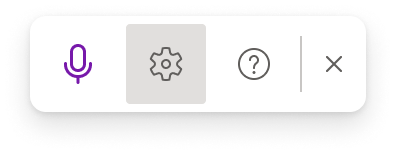
- Spoken Language: View and change languages in the dropdown
- Microphone: View and change your microphone
- Auto Punctuation: Toggle the checkmark on or off, if it's available for the language chosen
- Profanity filter: Mask potentially sensitive phrases with ***
Tips for using Dictation
- Saying "delete" by itself removes the last word or punctuation before the cursor.
- Saying "delete that" removes the last spoken utterance.
These tips work with the web version of OneNote:
- You can bold, italicize, underline, or strikethrough a word or phrase. An example would be dictating "review by tomorrow at 5PM", then saying "bold tomorrow" which would leave you with "review by tomorrow at 5PM".
- Try phrases like "bold last word" or "underline last sentence."
- Saying "add comment look at this tomorrow" will insert a new comment with the text "Look at this tomorrow" inside it.
- Saying "add comment" by itself will create a blank comment box where you can type a comment.
- To resume dictation, please use the keyboard shortcut ALT + ` or press the Mic icon in the floating dictation menu.
- Markings may appear under words with alternates we may have misheard.
If the marked word is already correct, you can select Ignore.

Privacy
This service does not store your audio data or transcribed text.
Your speech utterances will be sent to Microsoft and used only to provide you with text results.
For more information about experiences that analyze your content, see Connected Experiences in Office.
Troubleshooting
Can't find the dictate button
If you can't see the button to start dictation:
- Make sure you have Windows 10 or higher
- Dictate is not available in Office 2016 or 2019 for Windows without Microsoft 365
Dictate button is grayed out
If you see the dictate button grayed out:
- Make sure the note is not in a Read-Only state.
Microphone doesn't have access
If you see "We don't have access to your microphone":
- Make sure no other application or web page is using the microphone and try again.
- Refresh, click on Dictate, and give permission for the browser to access the microphone.

Microphone isn't working
If you see "There is a problem with your microphone" or "We can't detect your microphone":
- Make sure the microphone is plugged in
- Test the microphone to make sure it's working
- Check the microphone settings in Control Panel
- Also see How to set up and test microphones in Windows 10
- On a Surface running Windows 10: Adjust microphone settings
Dictation can't hear you
If you see "Dictation can't hear you" or if nothing appears on the screen as you dictate:
- Make sure your microphone is not muted
- Adjust the input level of your microphone
- Move to a quieter location
- If using a built-in mic, consider trying again with a headset or external mic
Accuracy issues or missed words
If you see a lot of incorrect words being output or missed words:
- Make sure you're on a fast and reliable internet connection
- Avoid or eliminate background noise that may interfere with your voice
- Try speaking more deliberately
- Check to see if the microphone you are using needs to be upgraded