

Microsoft 365 helps you find and create graphics to enliven your documents.





Clip art and pictures
Stock images, icons, and more
There are new kinds of clip art (only available in Microsoft 365, Office 2019, and Office 2021):
Shapes
Video: Draw shapes
Video: Format shapes
Wrap text around a circle or other shape
Group or ungroup shapes, pictures, or other objects
Crop a picture to fit in a shape
Draw a picture by combining and merging shapes
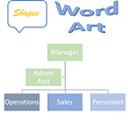
SmartArt
Create a flow chart with SmartArt
Rotate or flip a text box, shape, WordArt, or picture
Draw or write with touch
Draw and write with ink in Office
Edit your Word document with natural gestures
Animations in PowerPoint
Add an animated GIF to a slide
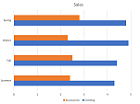
Charts
Web sites where you can find pictures
Some web sites that offer free illustrations or photos: