

If you're sending your PowerPoint presentation to colleagues or friends, or if you're running it in a booth or kiosk, you might want people to immediately watch your presentation as a slide show instead of seeing the slides in edit mode. Save your PowerPoint presentation as a PowerPoint Show (a .ppsx file) so it automatically starts the slide show when the file is opened.
Make a slide show that starts automatically when opened
Select File > Save as (or Save a Copy).
Select More options (or Browse).
Browse to the folder where you want to save your presentation.
In the File name box, type a name for your presentation.
Under Save as type, select PowerPoint Show.
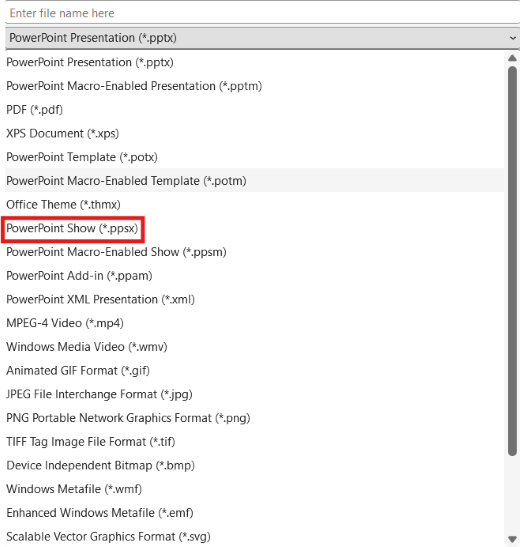
The file is saved as a .ppsx file. When the file is double-clicked, it opens as a slide show.
Edit a .ppsx file
- In PowerPoint, select File > Open.
- Browse to the .ppsx file, and open it.

See also
Set the timing and speed of a transition
Create a self-running presentation