Click or tap in the section break you want to change.
Go to Layout and, in the Page Setup group, select the small arrow in the bottom‑right corner .
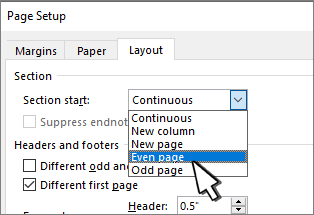
Select the Layout tab.
Select a new section type from the Section start dropdown list.
Select OK.
You can't change section breaks in Word for the web.
Open in Word for the desktop and change section breaks there.