Note
This content applies to the desktop versions of Word on Windows and Mac.
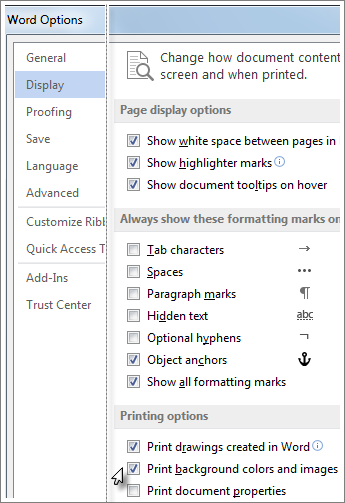
If you've added a background color or image to your document and you want to print it like that, be sure that the following setting is on:
- Go to File > Options.
- Select Display.
- Under Printing Options select Print background colors and images.