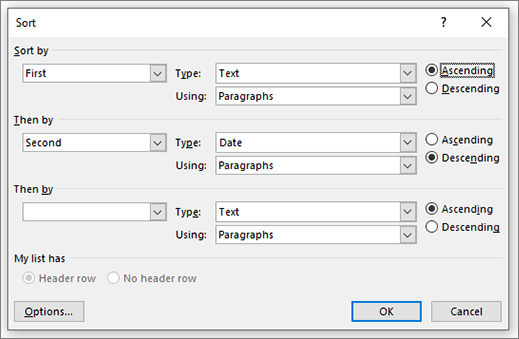
The Sort dialog box lets you sort a list or table on up to three levels of text, numbers, or dates in ascending or descending order.
- Sort by If sorting a list, choose paragraph, headings, or fields. If sorting a table and you have a header row, choose by header name. If you don't have a header, choose by column number.
- Type Choose between Text, Number, or Date.
- Using Choose Paragraphs.
- Ascending or Descending Choose sorting method.
My list has Choose whether your list or table has headers.
Options Choose sort options
Where to separate fields (Tabs, Comma, Other)
Sort options (Sort column only, Case sensitive)
Sorting language