
Symptoms
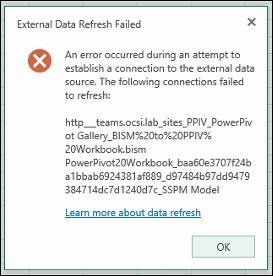
Assume that you have an Excel workbook in a PowerPivot gallery in Microsoft SharePoint 2013 with a SQL Server 2014 or SQL Server 2012 PowerPivot instance. The Excel workbook contains a PivotTable that connects to a .bism file, and the .bism file points to another Excel PowerPivot workbook in a SharePoint PowerPivot gallery. When you click a slicer in the Excel workbook, you receive the following error message:
Note
"External Data Refresh Failed
An error occurred during an attempt to establish a connection to the external data source. The following connections failed to refresh:
<URL>"
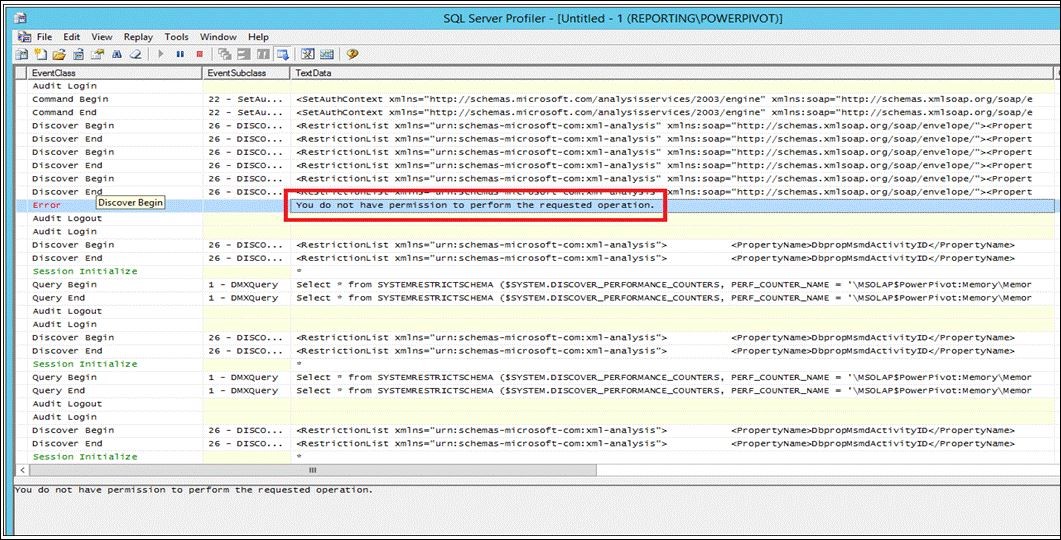
If you run a SQL Profile Trace against the POWERPIVOT instance in Analysis Services, you receive the following error message:
Note
"You do not have permission to perform the requested operation"
Resolution
This issue was first fixed in the following cumulative update of SQL Server.
Cumulative Update 4 for SQL Server 2012 SP2 /en-us/help/3007556
Cumulative Update 5 for SQL Server 2014 /en-us/help/3011055
About cumulative updates for SQL Server
Each new cumulative update for SQL Server contains all the hotfixes and all the security fixes that were included with the previous cumulative update. Check out the latest cumulative updates for SQL Server:
Status
Microsoft has confirmed that this is a problem in the Microsoft products that are listed in the "Applies to" section.