
Want to delete a conversation from your chat history using Skype for Business for iOS devices? No problem - just follow these steps.
Delete a conversation from your chat history
Note
When you delete a conversation from your chat history, it is permanently deleted from the Exchange server. You won't be able to retrieve the conversation on another device.
Open Skype for Business on your iOS device.
On the main screen, under Recent, tap and hold the conversation you want to delete.
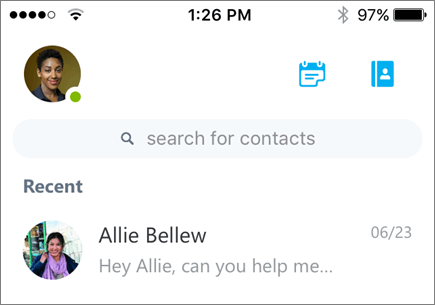
Slide your finger left until the Delete icon
 appears.
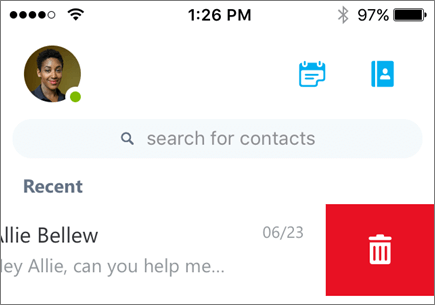
Tap the Delete icon
.Tip
You can also swipe your finger all the way to the left to delete the conversation.
Help contents (iOS)FAQ for Skype for Business for iOSSet general options for iOS devices