
If you already use Skype to stay in touch with friends and family in your life away from work, you'll appreciate the power and simplicity of Skype for Business for mobile devices. It's easy to find and connect with co-workers using the devices you already have, and take care of business through an enterprise-grade secure platform.
New look and feel
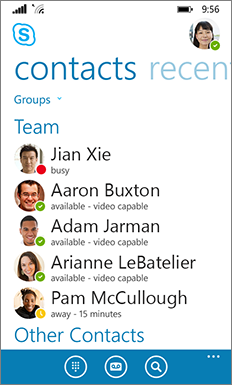
If you’re a regular user of the consumer version of Skype, then Skype for Business for iOS will seem very familiar: the Contacts list, presence indicators, buttons and icons, and even the app sounds should make you feel right at home.
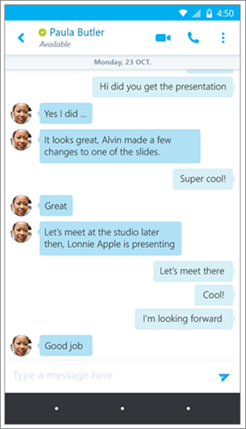
 In the conversation window, chat text is formatted so you can easily see who’s talking.

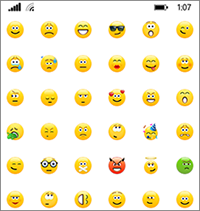
Emoticons
Skype for Business now includes the same set of emoticons found in the consumer version of Skype.

Dashboard
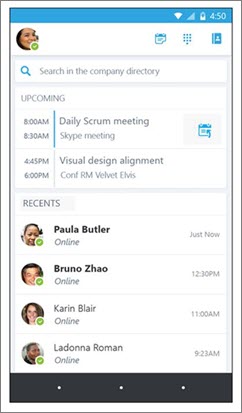
The dashboard serves as your home screen and shows at-a-glance the key information you need to get through your workday. For example:
- Contact search. Easily search your global address book and contacts.
- Upcoming appointments. See the day’s meetings on your calendar. Join right from the dashboard by tapping the Quick Join (
 ) button.
 - Recent conversations. See your history of recent chats, phone calls, and meetings.
Call and meeting experience
Larger buttons, full-screen video, and a choice of views make the experience for calls and meetings smoother and easier than ever.
- Meeting actions. Mute, add participants, and manage your call with much larger buttons.
- Video. Full screen video for a better meeting experience.
- Better content viewing options. Only one tap now to move between video and content in a meeting. For even better collaboration, choose to see the content and the speaker’s video at the same time.



Install Skype for Business on a mobile deviceHelp for Skype for Business on mobile devices