
Clipchamp supports the application of Microsoft Purview sensitivity labels, which are used to classify and protect content according to organizational policies. Clipchamp's sensitivity labels behave slightly differently to that of other Microsoft 365 apps like Word and Excel. This article explains how to use sensitivity labels in Clipchamp video projects and export video mp4 files.
What sensitivity labels apply to in Clipchamp
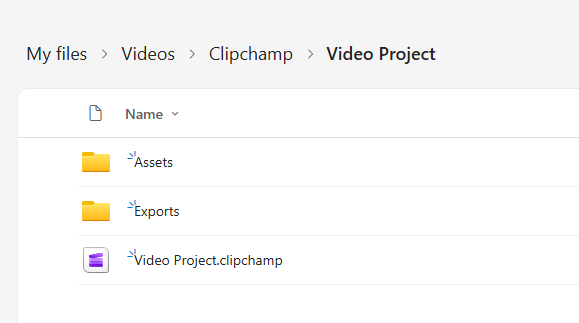
When you create a video in Clipchamp, you work with two file types:
- The Clipchamp project file - this is the editable file you open in Clipchamp to keep working on your video.
- The exported MP4 file - this is the video file you share with other people.
The sensitivity label experience in Clipchamp is mainly designed around the exported MP4, and not all label behavior appears in the same way on the editable project file.
What happens with non-protected sensitivity labels
If you use a non-protected sensitivity label, such as a label without encryption, Clipchamp can use that label when you export your video.
In this scenario:
- You can still export your video.
- The exported MP4 keeps the sensitivity label.
- Sharing options may stay available, depending on the label and your organization's policy.
In Clipchamp, the sensitivity label selection is used to control how the exported MP4 is labeled and to help enforce label consistency for imported media. As a result, the editable project file in OneDrive may not show a sensitivity label like the exported file does.
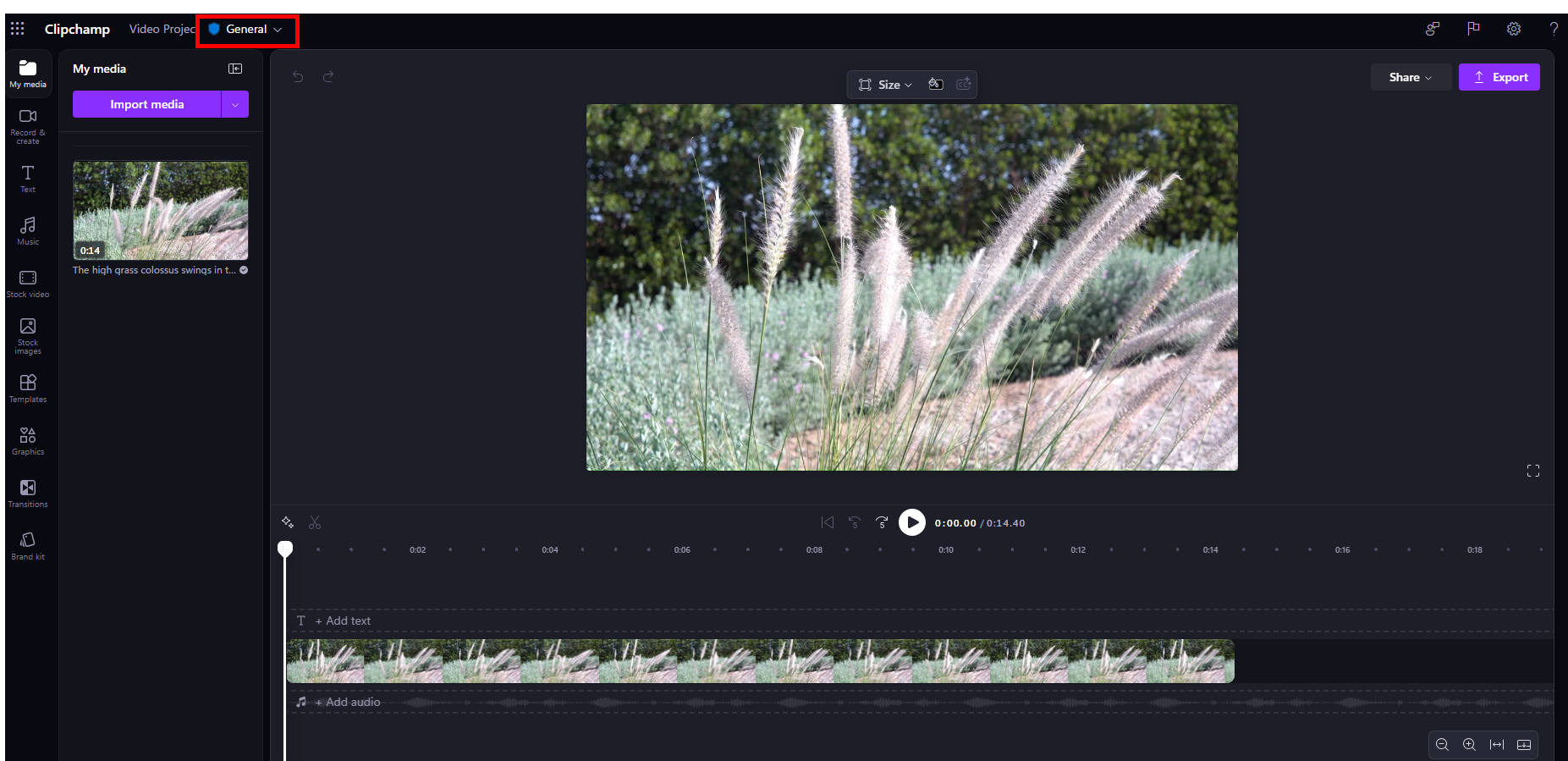
Example Clipchamp video project file with unprotected sensitivity label set ('General')
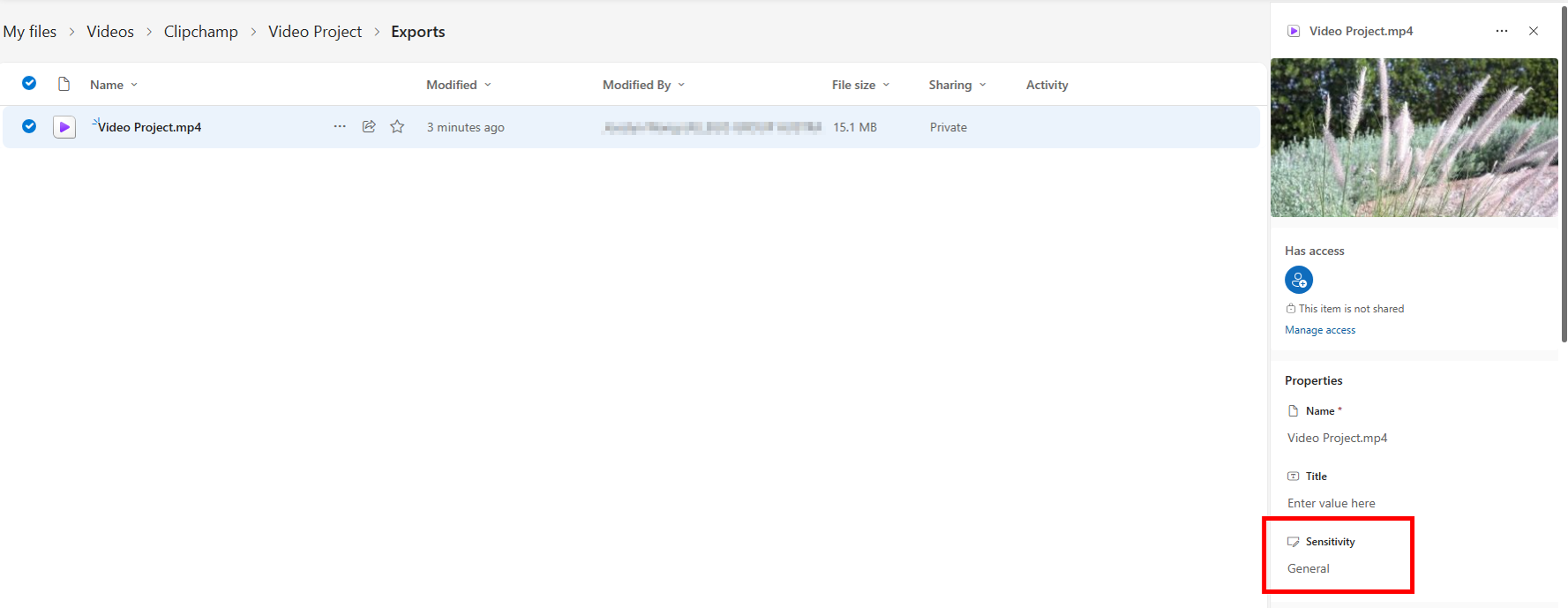
Example OneDrive mp4 file showing Sensitivity = General
What happens with protected sensitivity labels
Protected sensitivity labels are labels that also apply protection, such as encryption. In Microsoft 365 apps, these are the labels that show a padlock icon on the shield next to the sensitivity label.
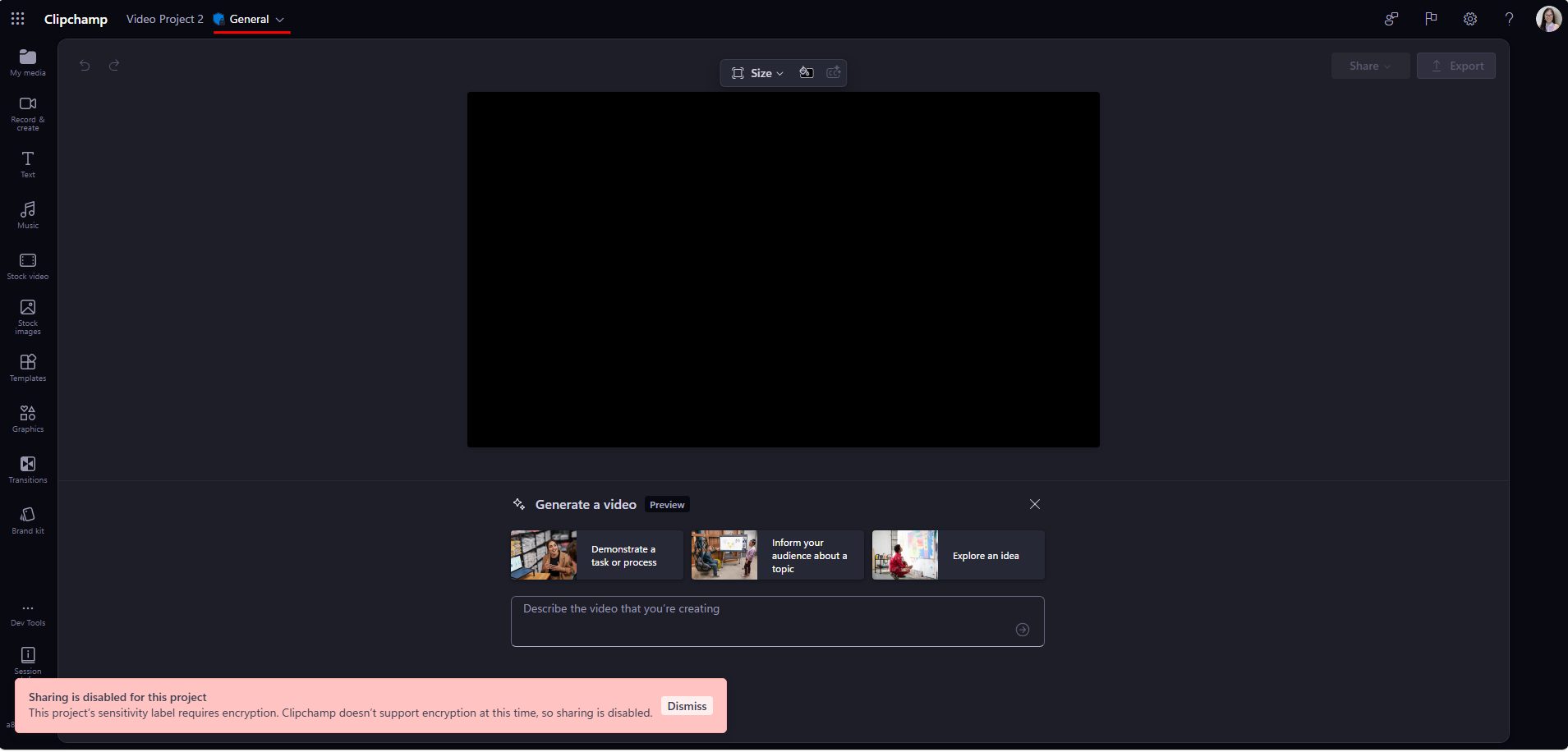
Clipchamp currently has limited support for protected sensitivity labels. Because of this, the experience can be different from other Microsoft 365 apps.
If a protected sensitivity label is already applied by your organization, such as through a default label policy, you may see that label in Clipchamp and it can control how the exported MP4 is labeled.
However, the editable Clipchamp project file does not currently behave the same way as a fully protected Office file. For example:
- In Clipchamp, options such as Share, Copy link, or Save to your computer are made unavailable for a protected-label scenario.
- In OneDrive, the editable project file still allows sharing, copy link and file download, as it has no sensitivity label.
- The exported MP4 can still reflect the sensitivity label behavior, even when the editable project file itself does not present the same protection experience.
This is why the experience may seem inconsistent between Clipchamp and other Microsoft 365 apps.

Video Project set with protected sensitivity label ('General' example with a padlock icon)

Sharing (within Clipchamp Editor) is disabled for protected sensitivity labelled projects
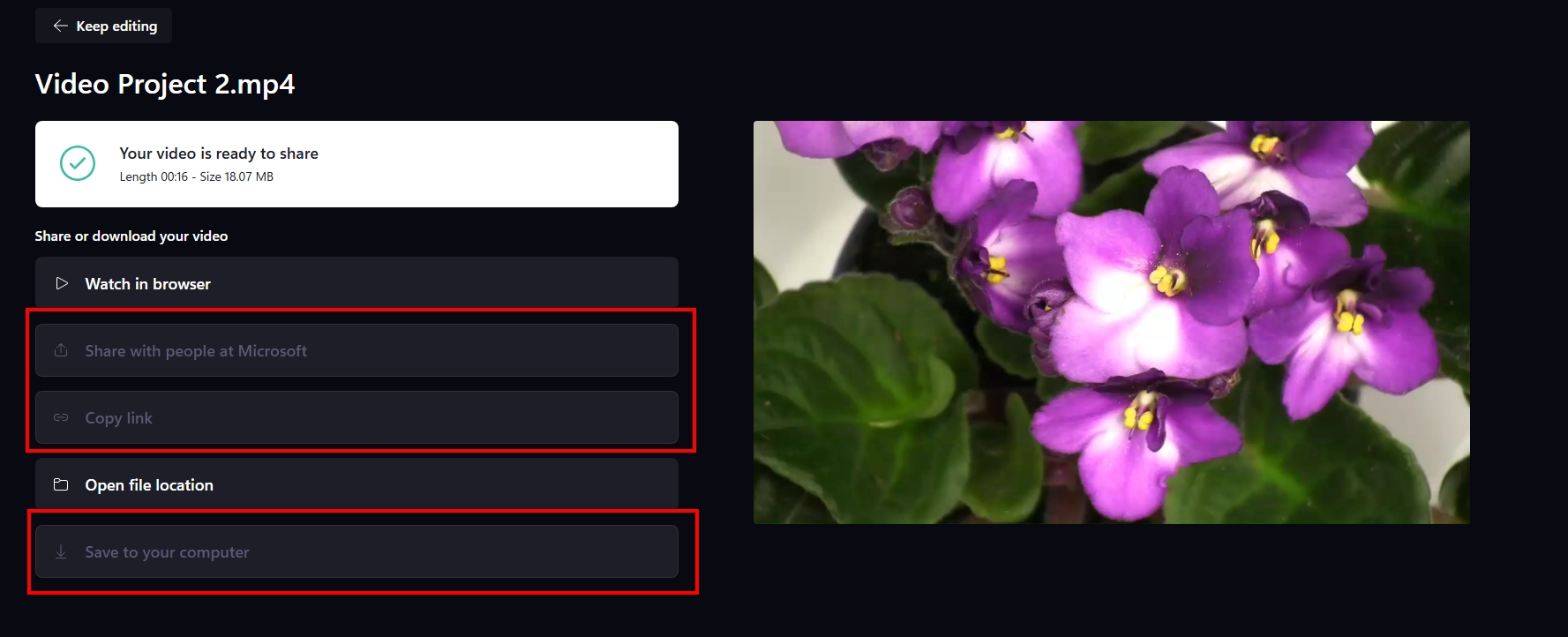
Sharing, Copy link & Save to your computer is disabled for protected sensitivity labelled video projects
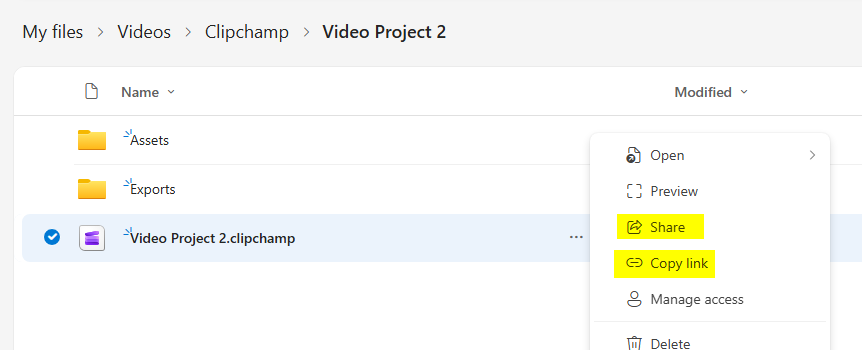
In OneDrive, the project file does not carry a sensitivity label and can still be shared
Why protected labels may not appear in the label picker
Clipchamp does not currently offer the full set of protected sensitivity labels for manual selection in the same way as some other Microsoft 365 apps.
This is intentional. Because the editable Clipchamp project file does not yet provide the full protected-label experience, showing protected labels for manual selection could be confusing. Limiting manual selection helps reduce the risk that a project appears to be fully protected when it is not.
In practice, this means:
- You may see only non-protected labels in the Clipchamp label picker.
- A protected label may still appear in special cases, such as when your organization applies it by default.
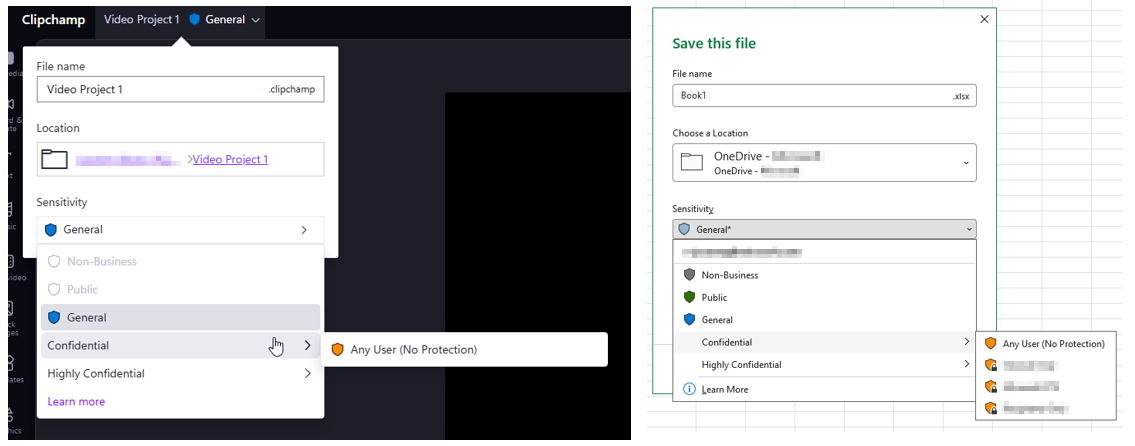
Example Clipchamp where it does not show the full list of available company sensitivity labels
What to expect when you export and share
After you export a video:
- The exported MP4 is stored in the Exports folder for that project.
- The MP4 carries the sensitivity label chosen in Clipchamp.
- Sharing behavior for the MP4 follows the label and policy applied to that exported file.
For labeled projects, some actions in Clipchamp behave consistently in the following ways:
- Save to your computer is disabled for all labeled projects.
- Share and Copy link are additionally disabled for projects using a protected sensitivity label.
- Open file location is always available.
If you change the label on a project, you may also notice that available actions change. Moving to a higher-sensitivity label can reduce what actions are available until you export again with the updated label.
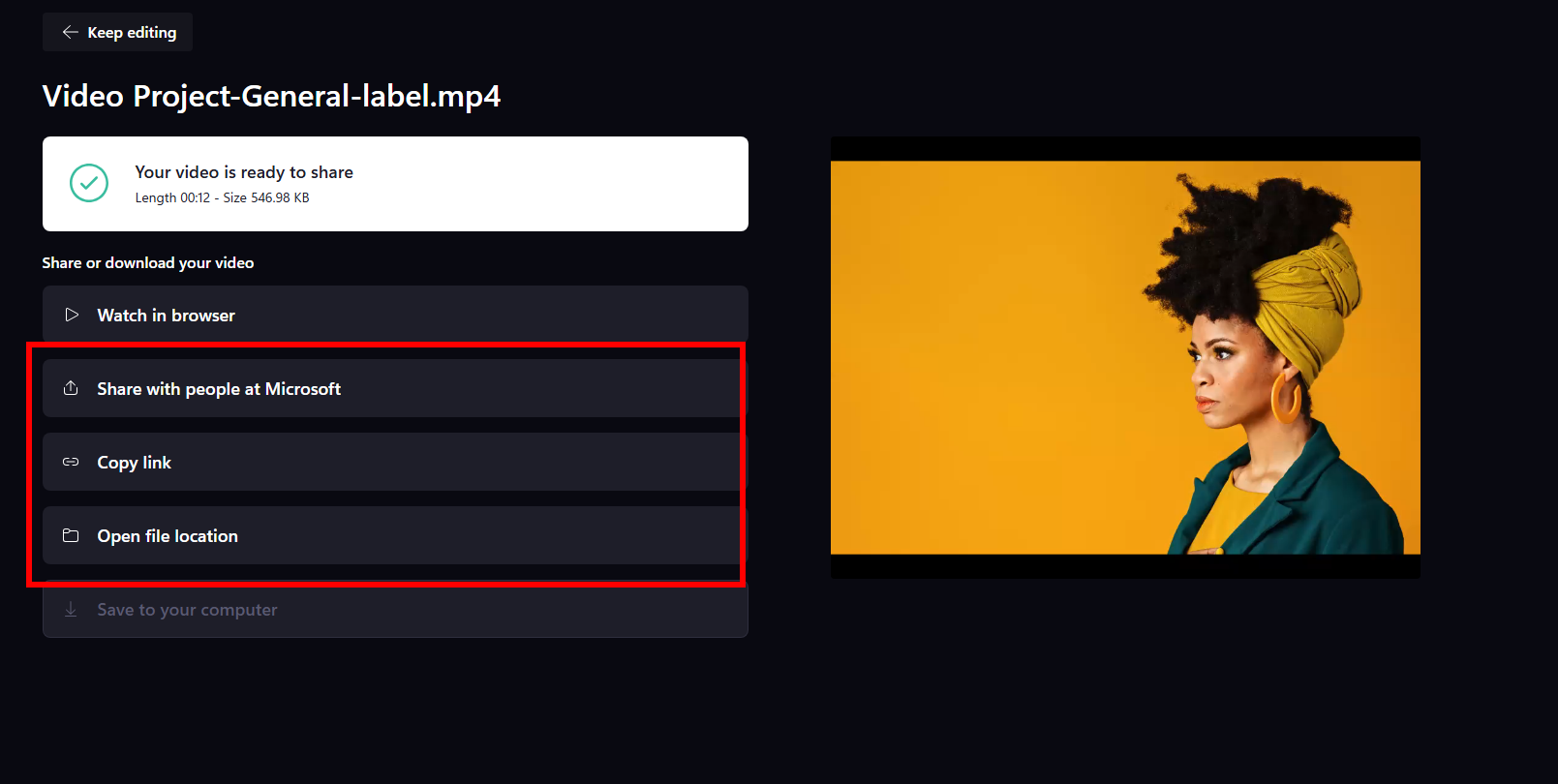
Example Video Project with unprotected sensitivity label - Share and Copy link options are available
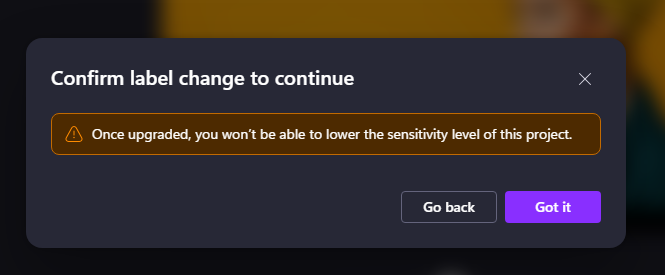
Warning message if you change the sensitivity label to higher
What happens when you import labeled media
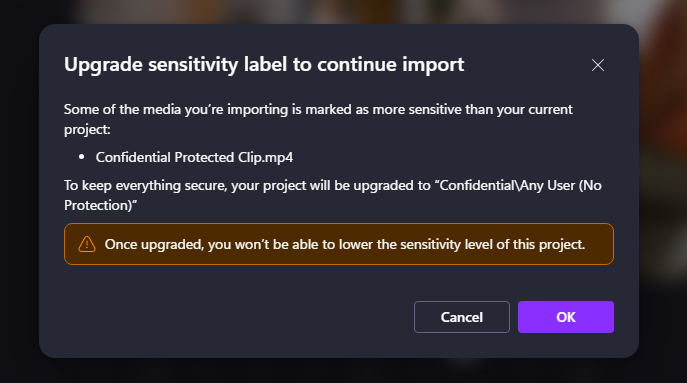
If you import media from OneDrive and that media has a higher sensitivity label than your current Clipchamp project, Clipchamp can prompt you to upgrade the project's label.
For example, if your project is labeled General and the media you import is labeled Confidential, Clipchamp may ask you to update the project's label so it matches the higher-sensitivity media.
This helps prevent a lower-labeled project from using higher-labeled cloud media without warning.
Known limitations
Here are the main limitations to be aware of today:
- The editable Clipchamp project file does not yet provide the same full protected-label experience as some other Microsoft 365 file types.
- Protected labels are only supported in a limited way in Clipchamp.
- The sensitivity label shown in Clipchamp for the project is mainly used to control how the exported MP4 is labeled.
- This can lead to differences between what you see in Clipchamp and what you see in OneDrive for the editable project file.
If your organization relies heavily on protected sensitivity labels, you may notice that Clipchamp behaves differently from other Microsoft 365 apps until broader support is available.
Summary
Clipchamp supports sensitivity labels, but the experience is centered on the exported MP4 and is not yet identical to the experience in other Microsoft 365 apps. Non-protected labels are the most straightforward scenario today, while protected labels have limited support and can produce different behavior between the Clipchamp editor, the project file in OneDrive, and the exported video.