
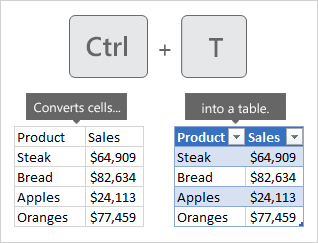
It's as simple as clicking just one cell in your data, and pressing CTRL + T. Excel will create the table, and automatically determine how many rows and columns to include in it.
Want to use your mouse instead?
Insert a table
It's as simple as clicking just one cell in your data, and pressing CTRL + T. Excel will create the table, and automatically determine how many rows and columns to include in it.
Want to use your mouse instead?
Insert a table